

 X
 Discord
 Instagram
 YouTube
 ChatGPT
Take Profit & Stop Loss
The risk engine of Strategy Builder PRO+ is fully dynamic and draws every level on the chart.
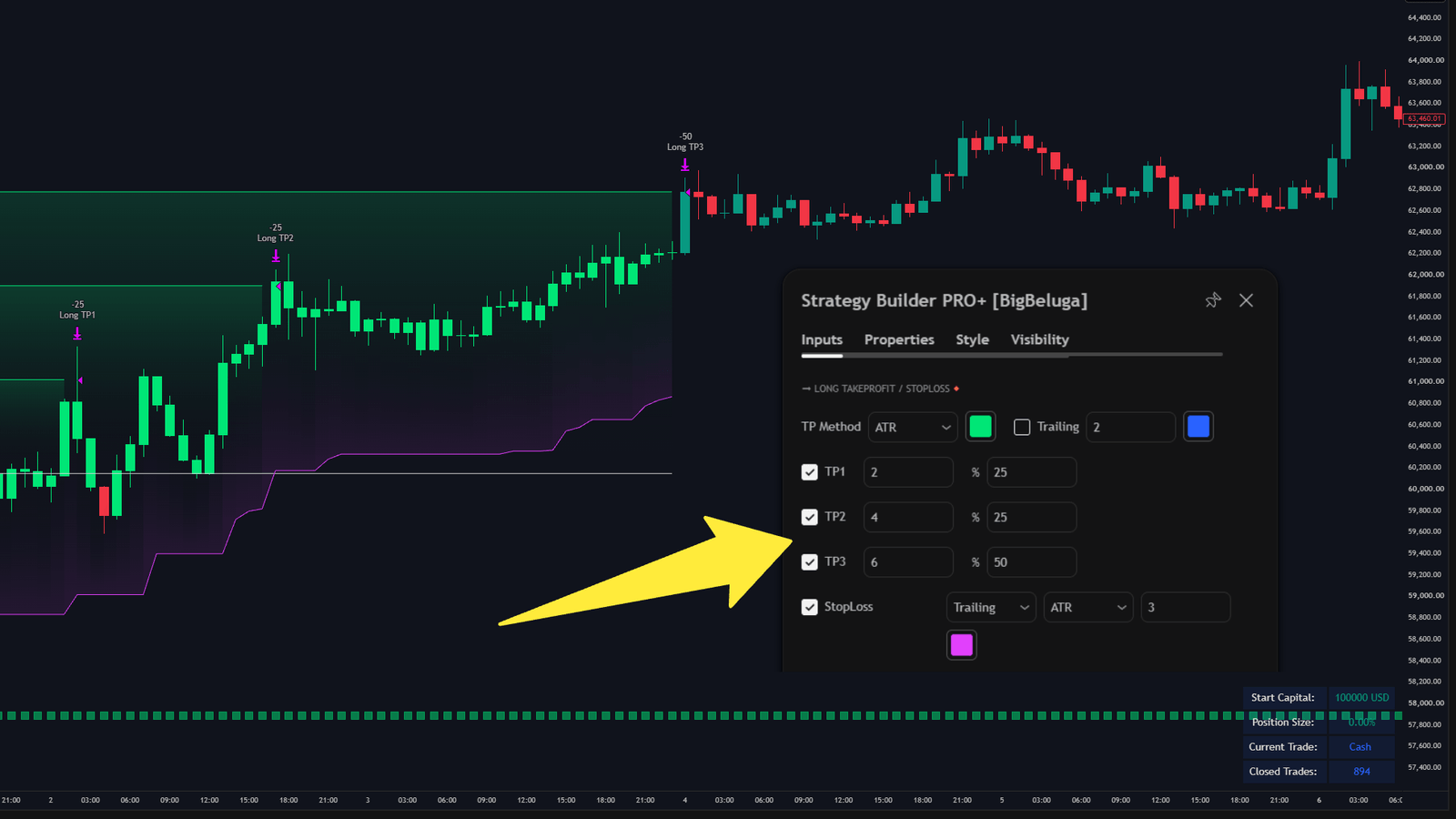
Take profit logic
Up to three take profit targets can be attached to a trade, each calculated from either an ATR multiple or a fixed percentage of the entry price.
| Setting | Description |
|---|---|
| Targets | Number of take profit levels (up to three). |
| Calculation method | ATR distance or percentage distance from entry. |
| Size | ATR multiplier or percentage value. |
| Exit size per target | Portion of the position closed at each level (e.g. 25/25/50). |
Percentages scale out of the trade progressively, which reduces the impact of a single exit decision on the overall result.
Stop loss logic
Two modes cover different trading styles:
- Fixed stop loss — a static level measured from entry.
- Trailing stop loss — the level follows price as the trade develops.
Both modes accept an ATR multiplier or a percentage distance, and both draw the level on the chart.
A trailing stop only moves in the profitable direction and never widens against the trade, so profit is locked progressively as the trend extends.
Settings
| Settings | Description |
|---|---|
| Take profit | Enable take profit levels and choose how many. |
| TP distance | ATR multiplier or percentage from entry. |
| Exit sizes | Portion closed at each target. |
| Stop loss | Enable the stop loss and choose fixed or trailing. |
| SL distance | ATR multiplier or percentage for the stop. |
