 X
X Discord
 Instagram
 YouTube
 ChatGPT
TrendSync
A more reactive, low lag trend following methodology.
These color-coded bars highlight bullish and bearish momentum within the oscillator, providing a quick visual cue on trend direction.
These bars visually represent bullish and bearish momentum phases directly within the oscillator, helping traders gauge the overall trend direction at a glance.
For instance, if the trend bars are consistently green, it suggests a bullish trend, whereas purple bars suggest bearish momentum.
When momentum is building downward, the bars turn orange at peak levels, suggesting that the downward momentum may be nearing exhaustion.
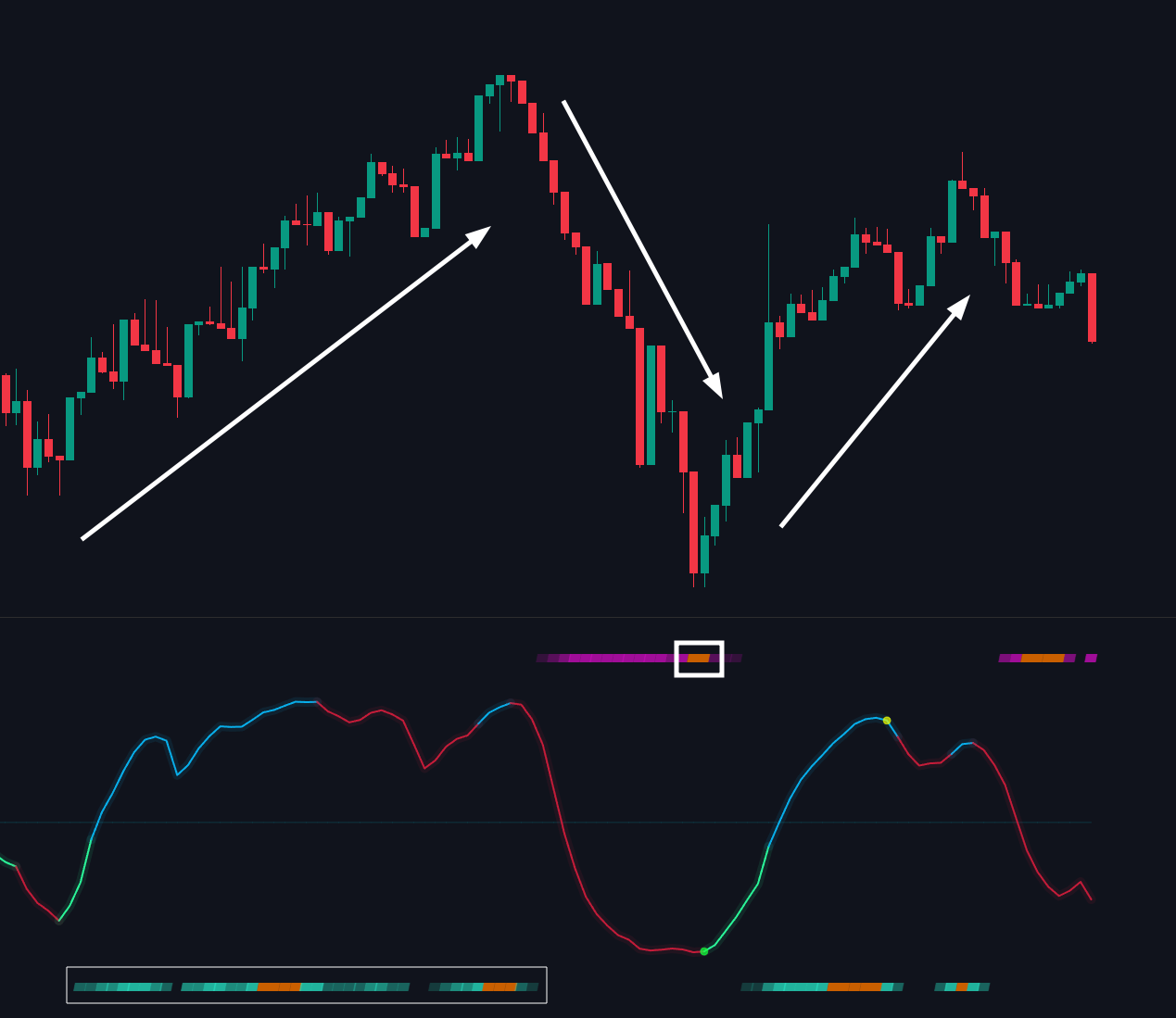
Conversely, the lower bars reflect upward momentum, turning to more darker or orange color to indicate possible peak of bullish activity.
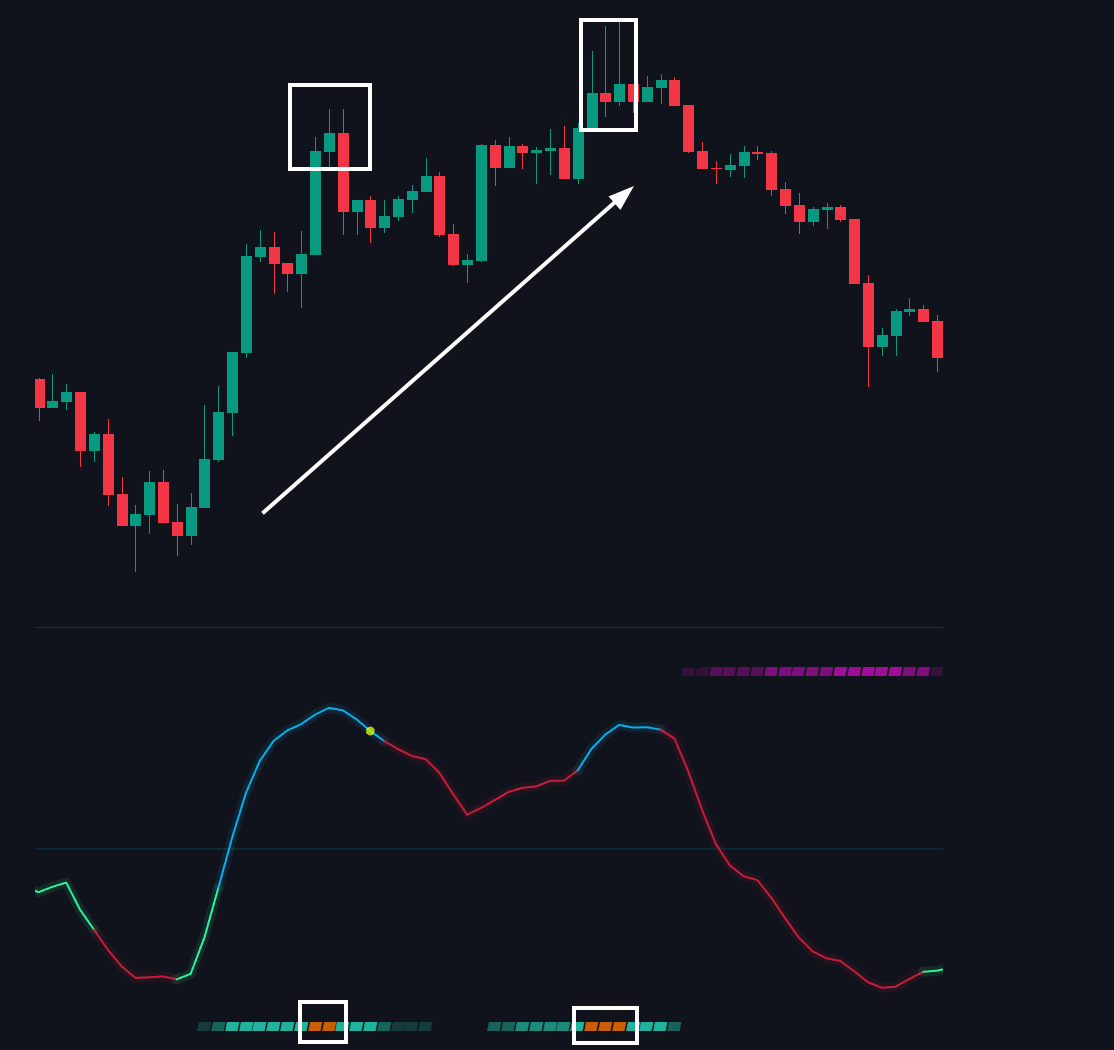
The TrendSync feature includes both upper and lower bars to indicate momentum shifts in both directions.
Together, these bars provide a balanced view of momentum, helping traders quickly identify when the market may be shifting.
