

 X
X Discord
 Instagram
 YouTube
 ChatGPT
Asset Core Metrics
Overview
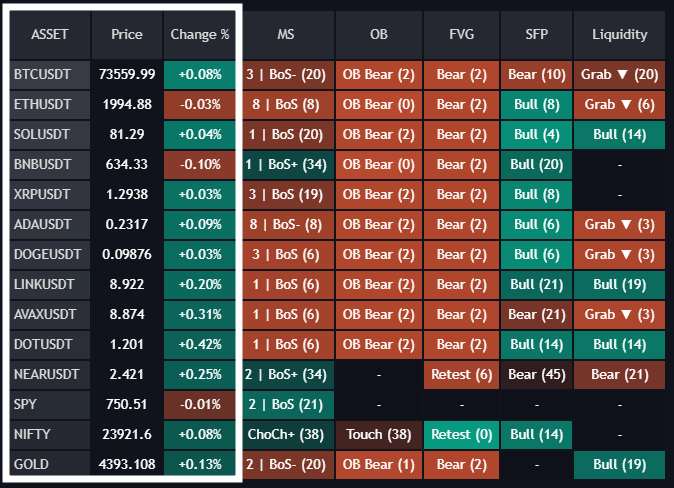
The foundational columns of the screener establish immediate price discovery and trend baseline context across your 14 configured tickers. They map real-time security data before applying deeper Smart Money Concept algorithms.
Columns & Values
- ASSET: Displays the isolated ticker symbol parsed from your input list (e.g.,
BTCUSDT,ETHUSDT,SPY,GOLD). - Price: Displays the raw live
closeprice of the asset. - Change %: Displays the percentage change calculated strictly from the last bar.
- Teal Background: Positive change performance (+Bullish session momentum).
- Red Background: Negative change performance (-Bearish session momentum).
How to Use It
Use these columns to observe clean market rotation and relative strength instantly. Finding an institutional signal (like a Bullish Order Block) holds significantly higher probability when the asset is already flashing strong positive session momentum via a vibrant Teal Change % background.
