

 X
 Discord
 Instagram
 YouTube
 ChatGPT
Pixel Trend & Fibonacci OTE
Pixel Trend is the structural envelope of Market Waves PRO+; the Fibonacci OTE module is the entry layer that sits inside it.
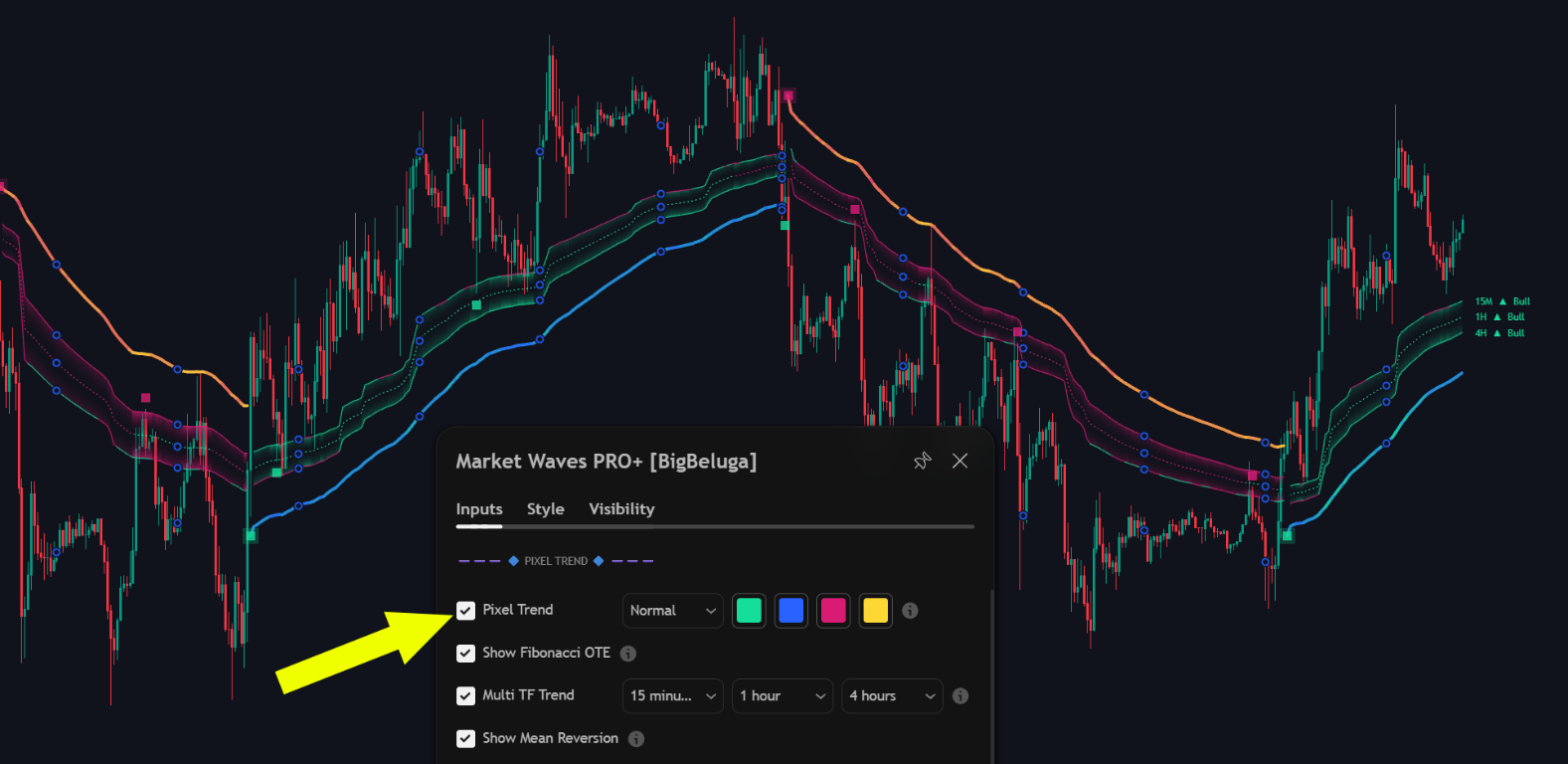
Pixel Trend envelope
Pixel Trend scores momentum across internal price grids and draws the result as an envelope around price. The envelope defines the structural area price should hold while the trend remains valid.
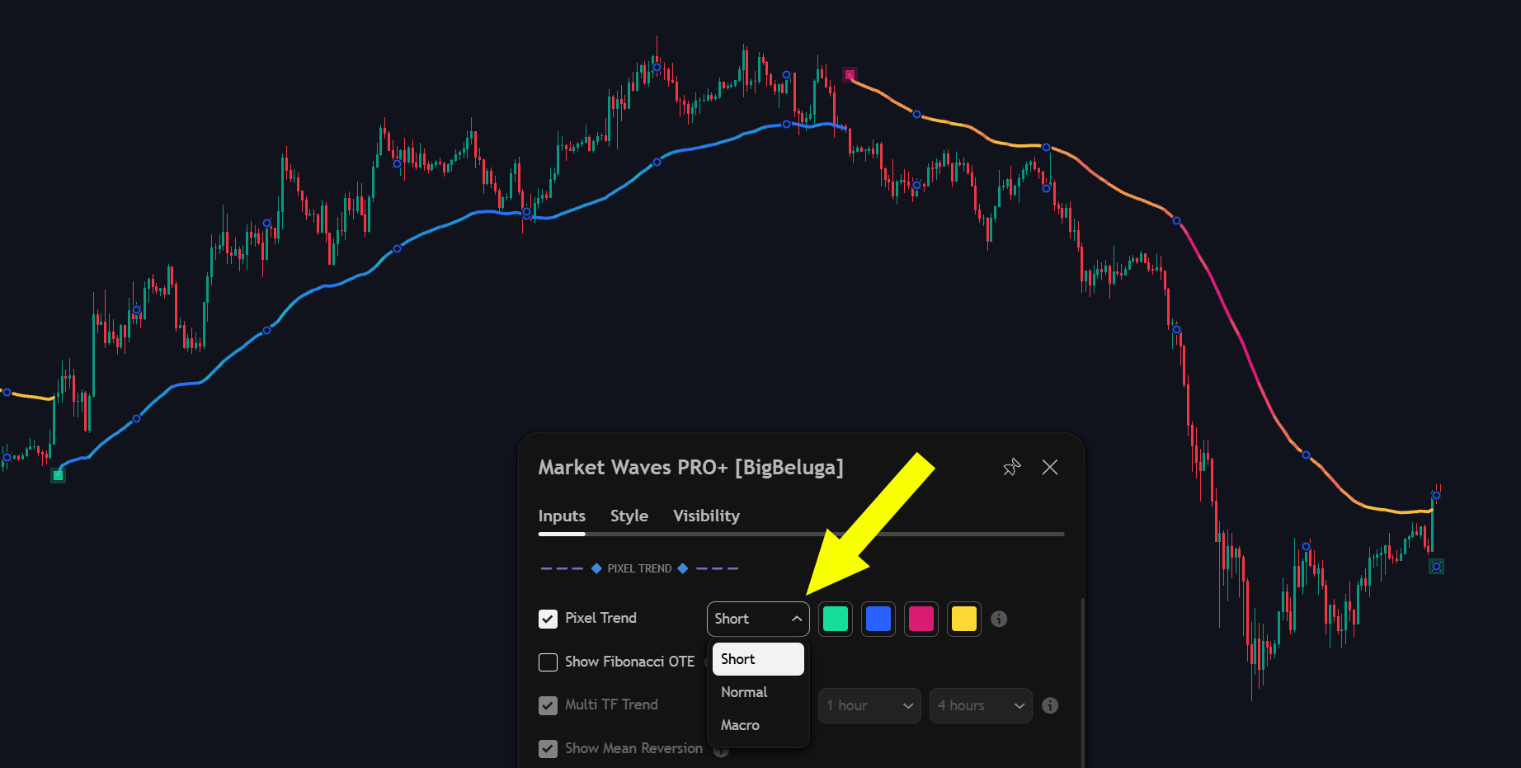
Three sensitivity modes adapt the same engine to different horizons:
- Short for scalping and very fast intraday work
- Normal as the default for intraday and swing charts
- Macro for higher timeframe structure and long holds
Fibonacci OTE and multi-timeframe colouring
The OTE module is the entry layer of the envelope, and the higher timeframes decide which colour its boundaries take. They are read together, so they are documented together.
Multi-timeframe colouring
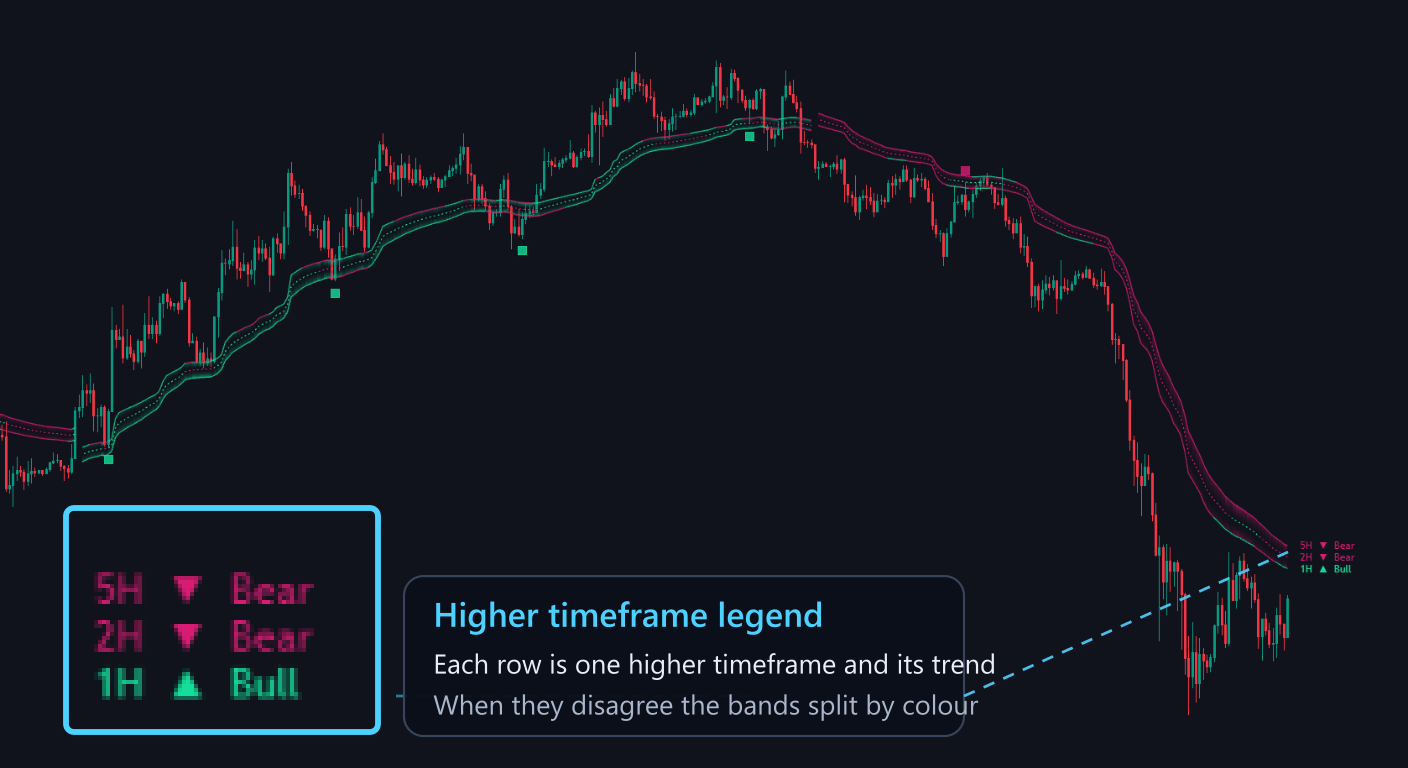
Up to three higher timeframes are read alongside the chart timeframe. Each one prints its own row in the legend, and the envelope is drawn with one band per timeframe, coloured by the trend of that timeframe.
Fibonacci OTE
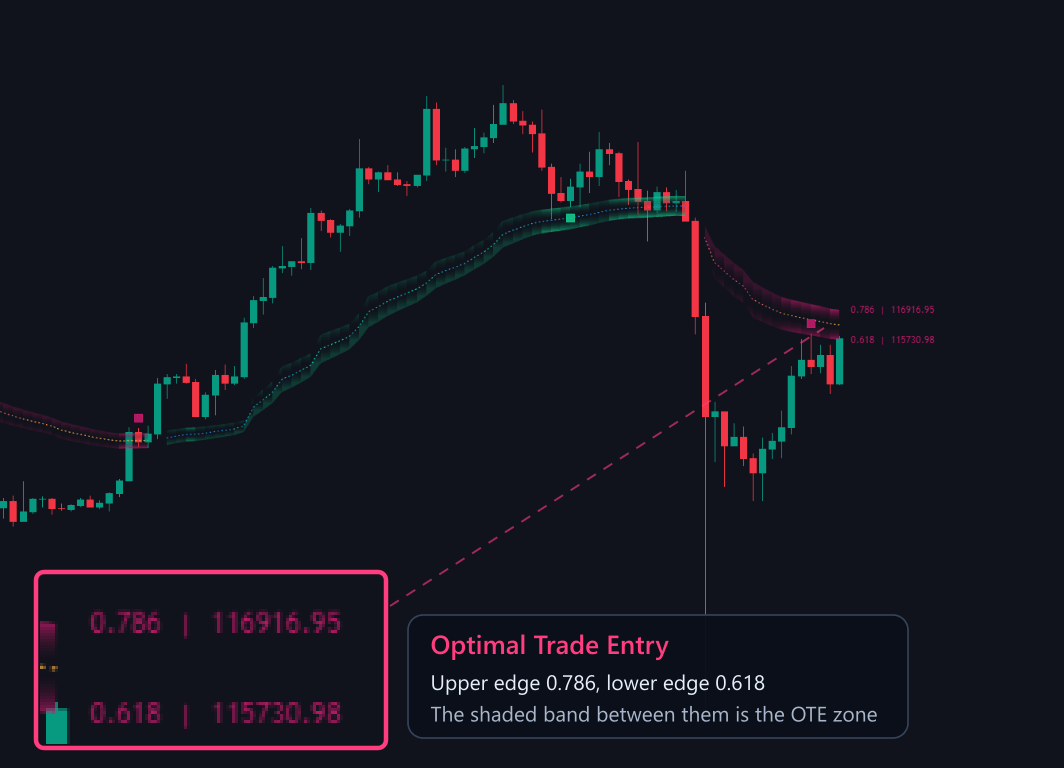
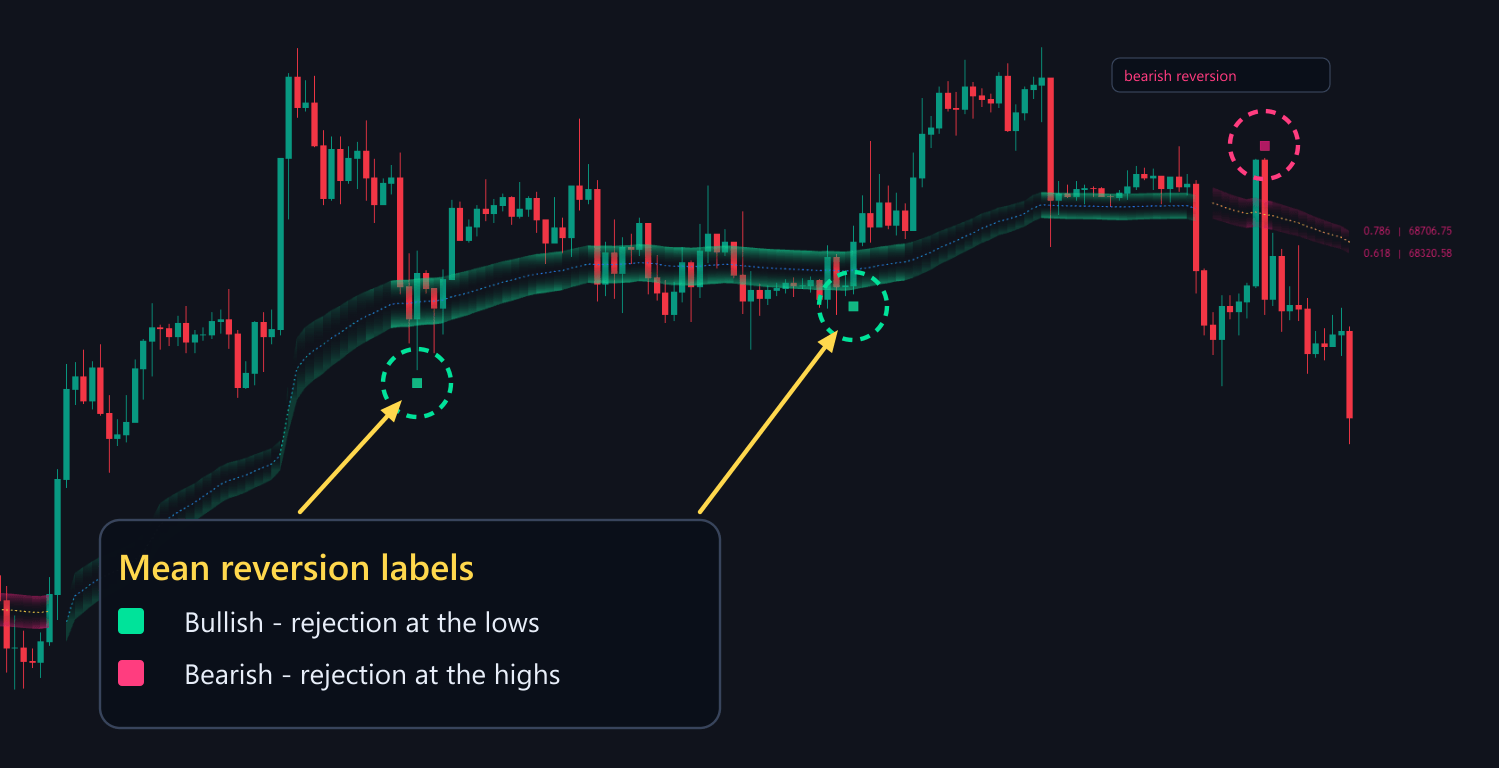
Inside the envelope the engine calculates the 0.618 to 0.786 retracement of the current wave extreme and shades it as the Optimal Trade Entry zone. The two edges are labelled with their ratio and the exact price.
Mean reversion markers
When price shows clear rejection inside the zone, a mean reversion marker is printed as a small square at the rejection: teal at the lows and pink at the highs. That marker is the confirmation the OTE module is built around, and it is available as an alert step.
Settings
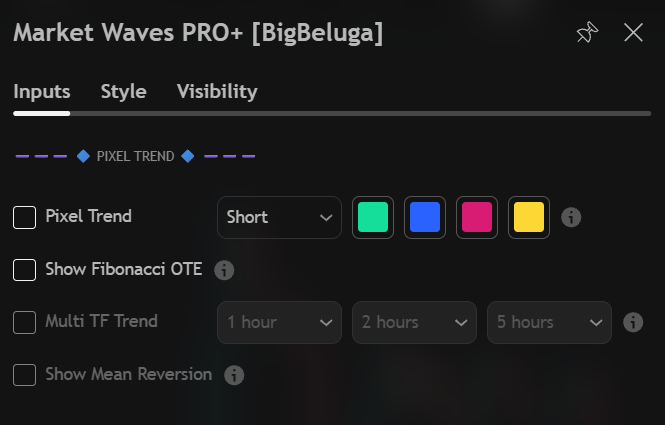
| Settings | Description |
|---|---|
| Pixel Trend | Enable the structural envelope and pick one of the four colour pickers next to it. |
| Sensitivity mode | Short, Normal or Macro, chosen from the dropdown beside the toggle. |
| Show Fibonacci OTE | Draw the 0.618 to 0.786 retracement zone with its two labelled edges. |
| Multi TF Trend | Enable the higher timeframe bands and choose the three timeframes below it. |
| Show Mean Reversion | Print the mean reversion labels inside the OTE zone. |
