

 X
X Discord
 Instagram
 YouTube
 ChatGPT
ActionWave
Soon...
Action Wave is a macro trend filter designed to smooth out market noise and highlight the true direction of dominant price flows.
Trend Visualization
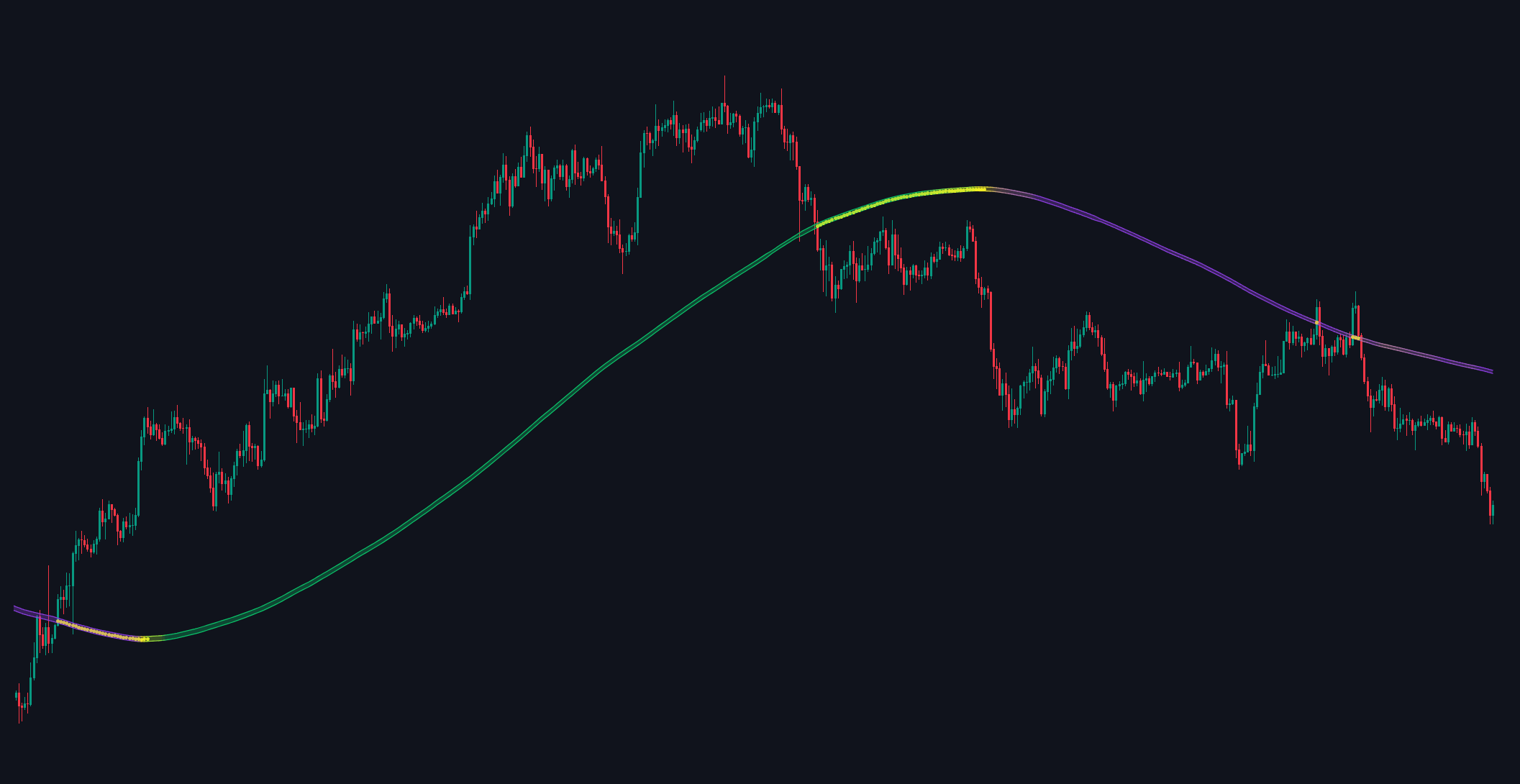
ActionWave consists of two primary bands with color-coded signals. Green bands indicate an uptrend, while Purple bands indicate a downtrend, showing the direction of market momentum.
Yellow Momentum Circles
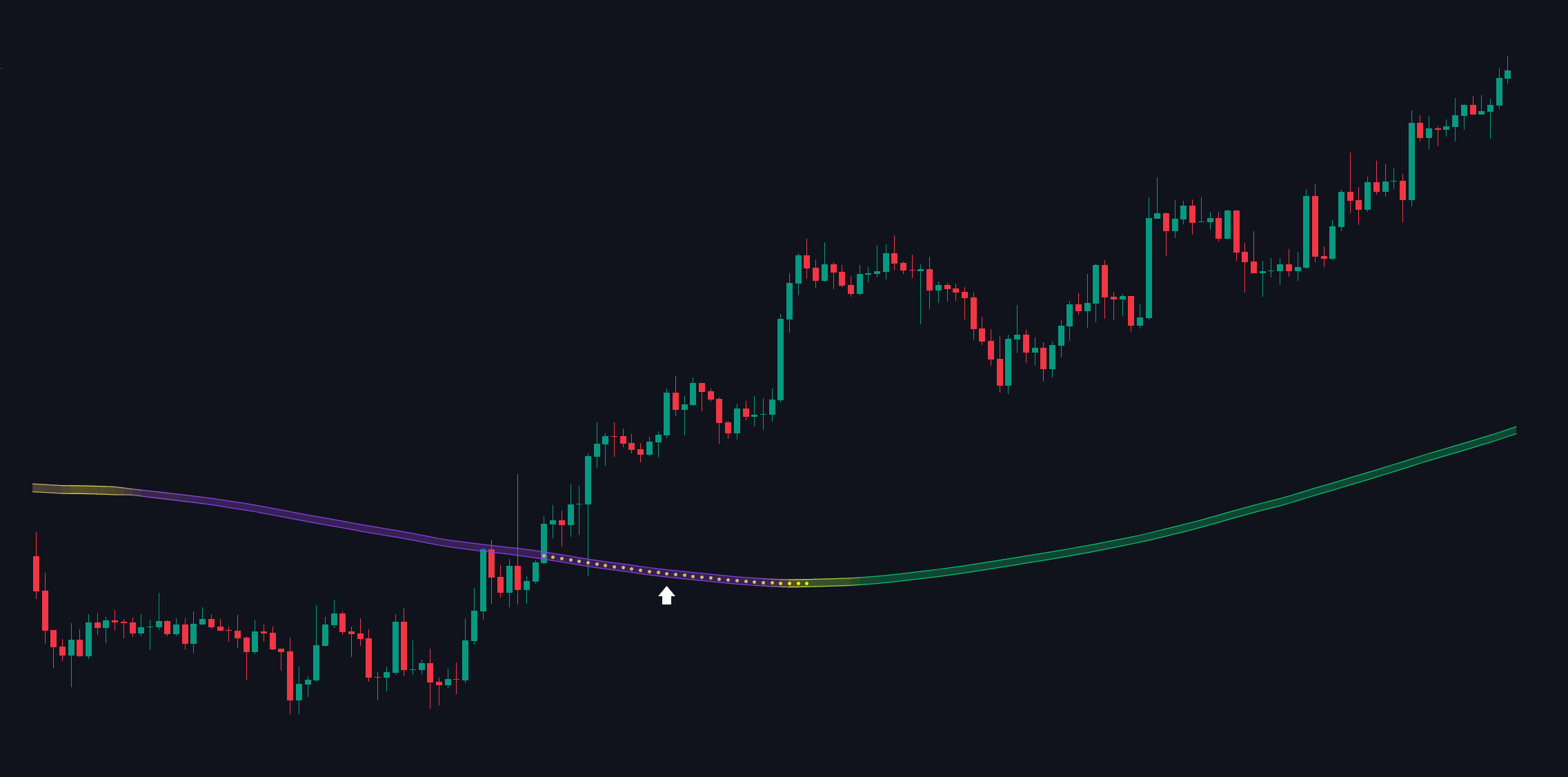
Inside the bands, a yellow circles appears to signal low price momentum and potential market shifts within a trend.
How to use
Trend Continuation Entry
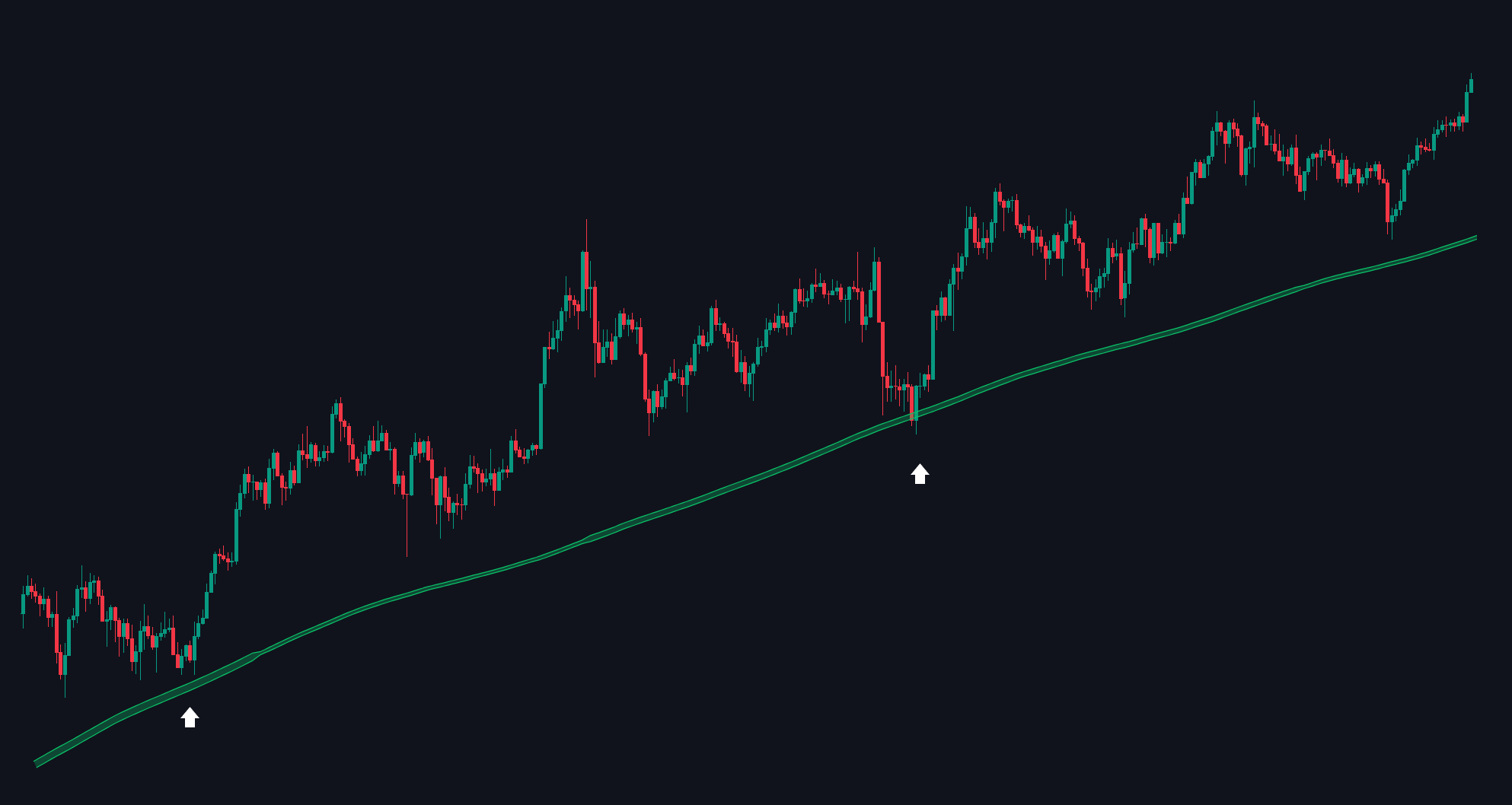
When the bands are green and trending upward without a yellow circles, it signals strong bullish momentum.
Traders might look for entry opportunities aligned with this trend, expecting continued upward movement.
Up Trend
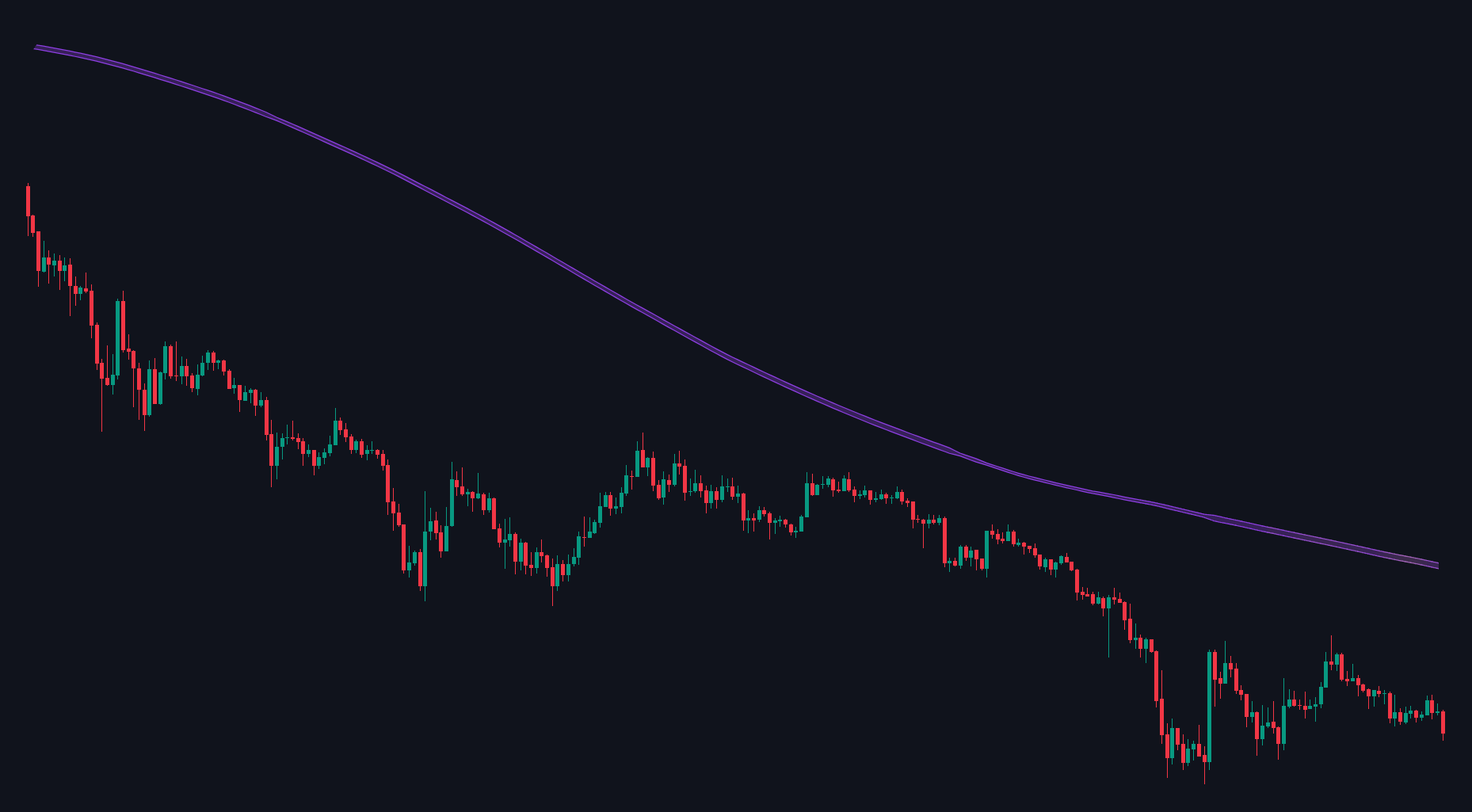
Conversely, when the bands are purple and trending down without a yellow circles, traders can consider short entries in line with the downtrend.
Down Trend
Momentum Weakness & Exit Signal
If the yellow circles appears within the bands during an uptrend, it signals weakening upward momentum.
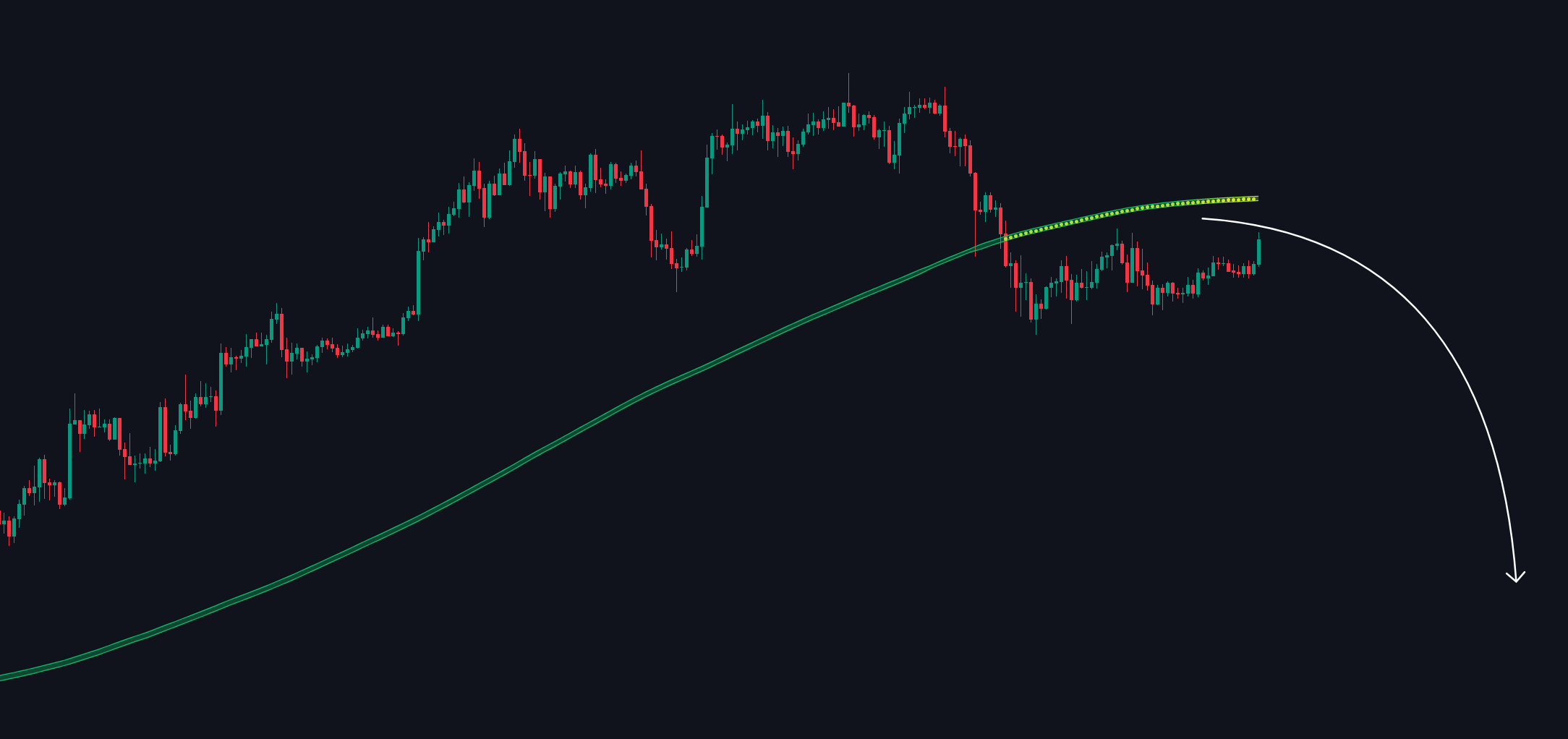
Up Trend Shift
In a downtrend, a yellow circles similarly warns of waning momentum, prompting traders to consider exiting short positions.
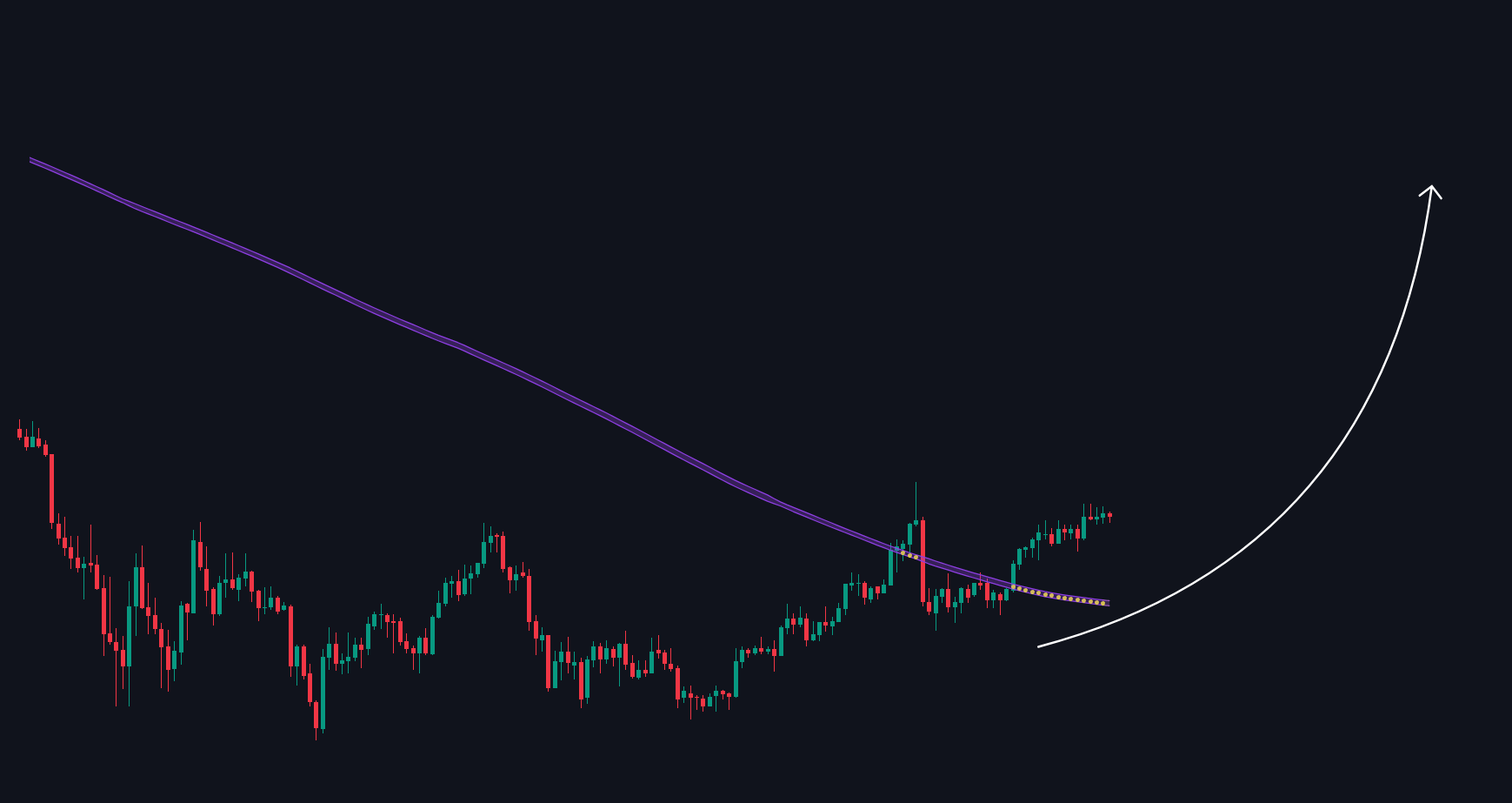
Down Trend Shift
Settings
These settings let you control how the ActionWave displays trend direction and potential reversal points:

| Settings | Description |
|---|---|
| Toggle On/Off | Enables or disables the ActionWave macro trend line on the chart. |
| Color Settings |
|
