

 X
X Discord
 Instagram
 YouTube
 ChatGPT
MACD Trend
What is the MACD Trend?
The MACD Trend system uses a specialized momentum engine to filter out market noise and clearly define the prevailing trend.
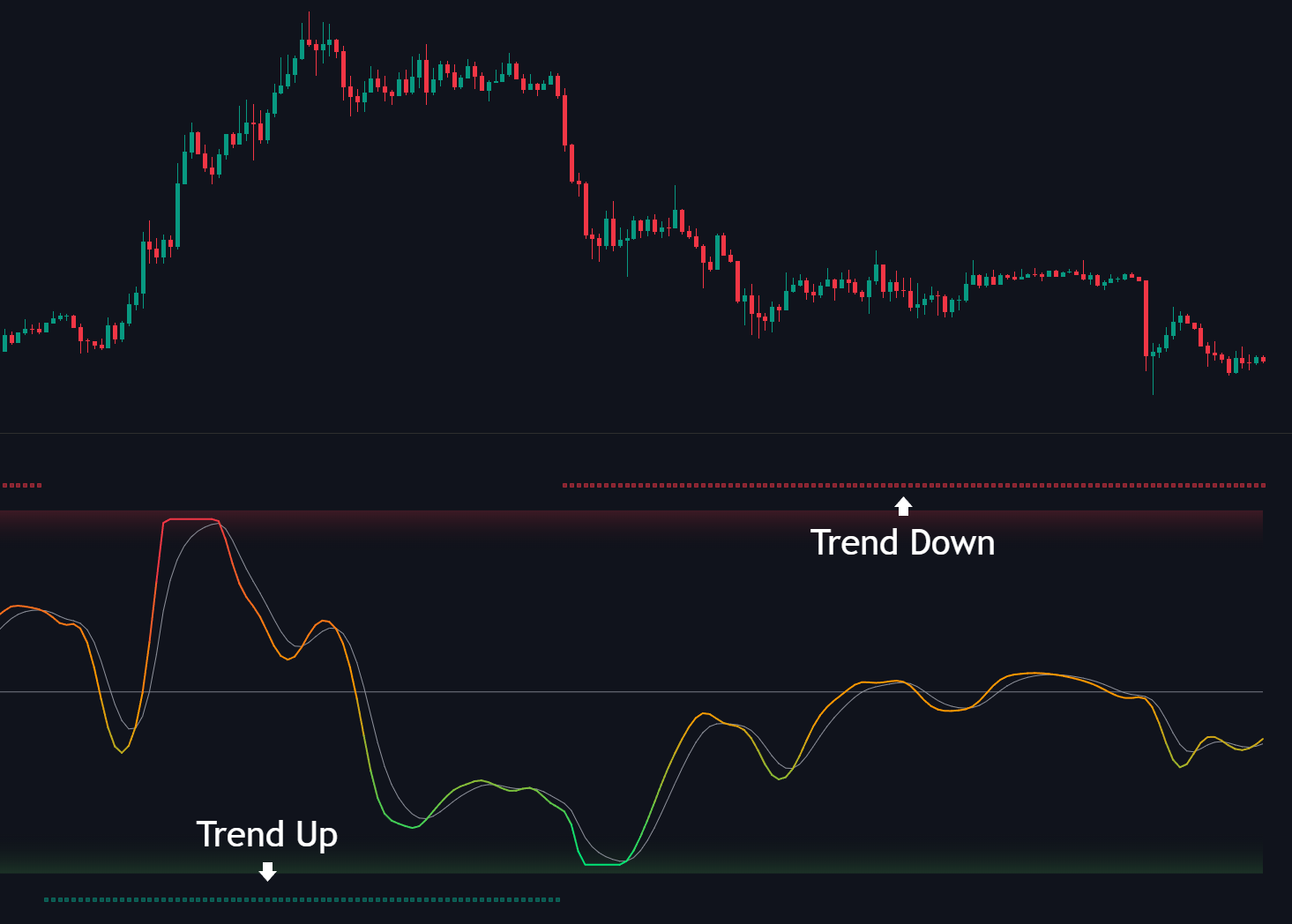
Unlike standard oscillators that fluctuate constantly, this system locks into specific phases to provide traders with a definitive directional bias.
Trend Up (Teal Squares) These dots appear at the bottom to signal a Bullish Trend. It indicates the momentum system has locked into an upward direction.
Trend Down (Red Squares) These dots appear at the top to signal a Bearish Trend. It indicates the momentum system has locked into a downward direction.
Settings

| Setting | Description |
|---|---|
| Trend | Toggle: Enable or disable the momentum-based trend direction lines on the indicator and dashboard. |
| Trend Up Color | Sets the color for the Bullish Trend dots (teal) that appear at the bottom of the indicator. |
| Trend Down Color | Sets the color for the Bearish Trend dots (red) that appear at the top of the indicator. |
