

 X
 Discord
 Instagram
 YouTube
 ChatGPT
Fair Value Order Blocks
Traditional order block indicators paint every candle with a large body, which leaves the chart covered in zones that never mattered.
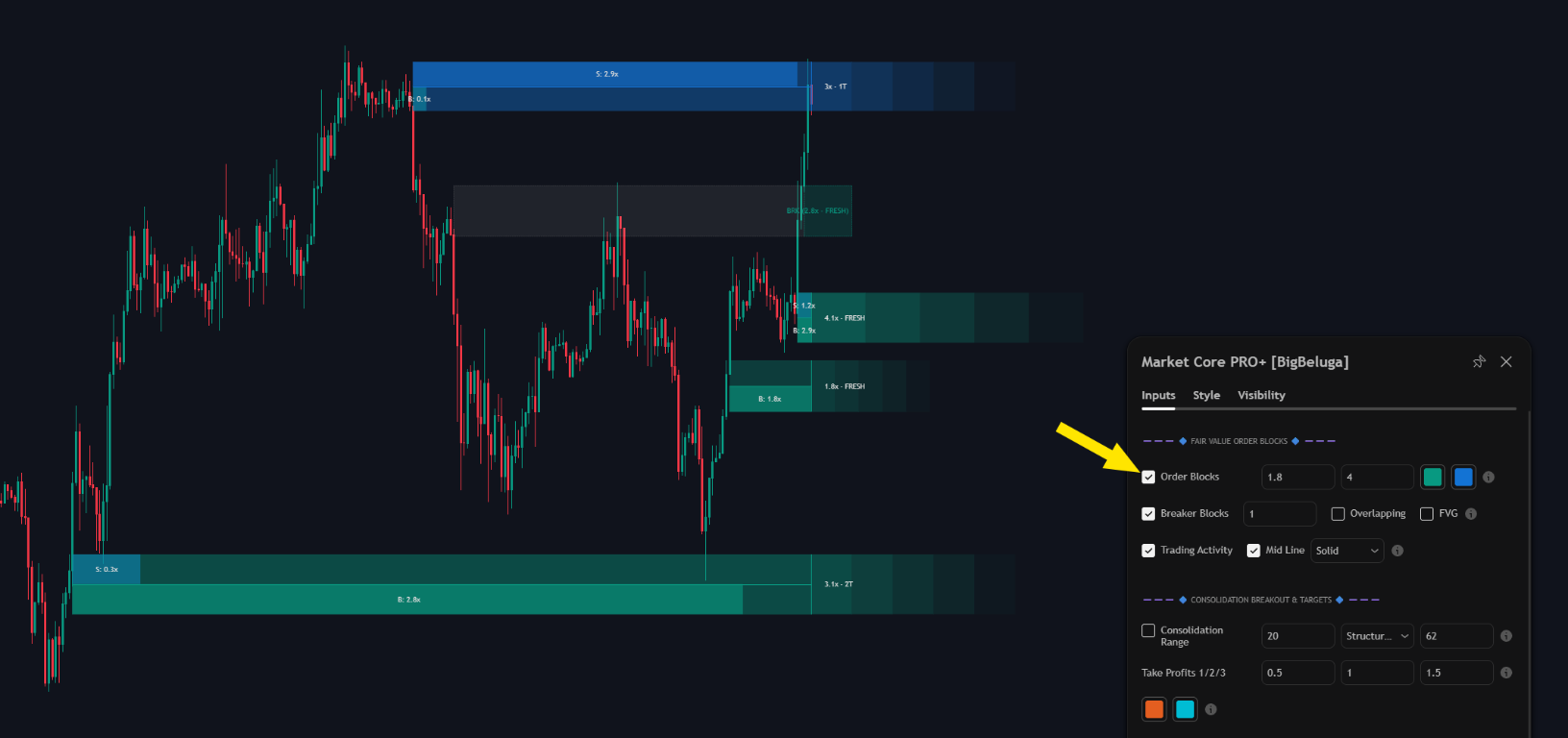
Fair Value Order Blocks keep only the blocks that were created by meaningful volume, so a handful of high-probability zones stay on the chart instead of dozens of noise levels.
Trading activity inside a block
Every active block carries a Trading Activity bar that splits the volume inside the zone into buying and selling. A block built by aggressive buyers behaves differently on a retest from one that was simply left behind by a slow drift, and the bar makes that difference visible without opening a separate volume tool.
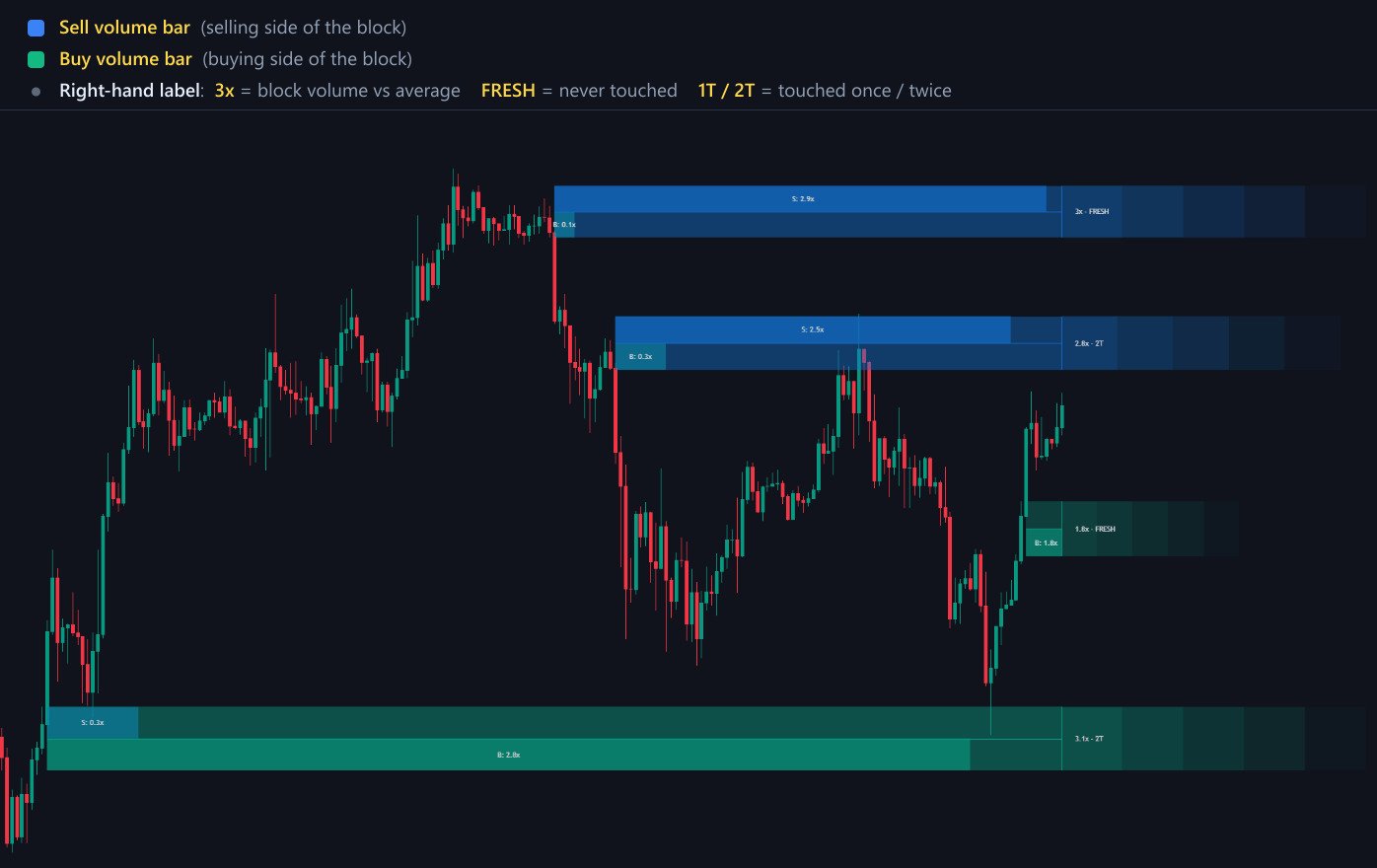
The block also reports its age and volume size, so you can tell a fresh zone from one the market has already worked through.
Breaker blocks
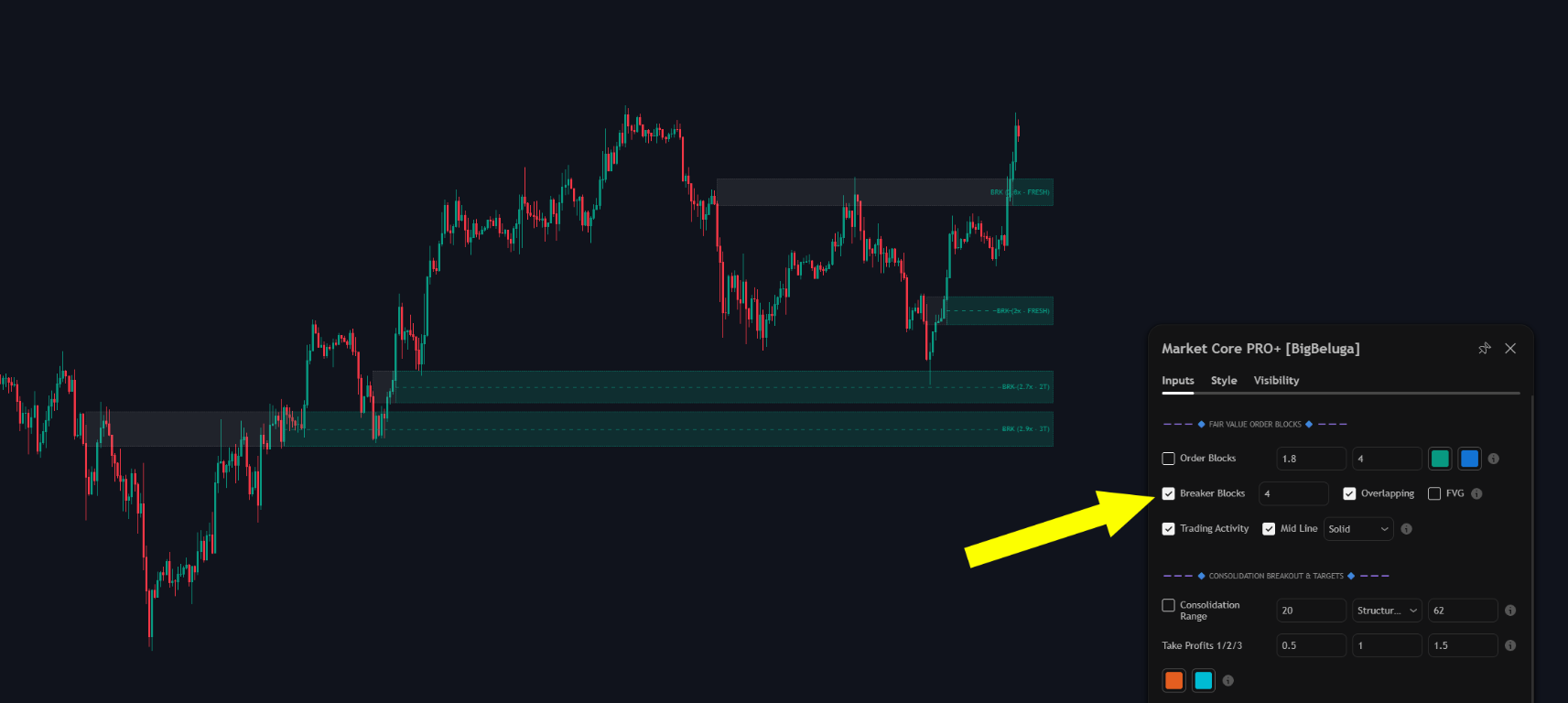
When price closes through an order block, the zone does not disappear — it is re-classified as a Breaker Block.
Overlap filter
The overlap filter only affects breaker blocks. When a breaker overlaps an active order block, the breaker is removed — the same price area is never drawn twice, and the active block stays the one you read.
Fair value gaps
Fair value gaps are the imbalances the order blocks are built from: price leaves a three-candle range untraded, and the toolkit keeps that gap on the chart.
Every gap carries the volume that traded inside it, written as a multiple of the average. A 2.3x label means 2.3 times the average volume was traded inside that gap, which is what separates an imbalance worth watching from a routine one.
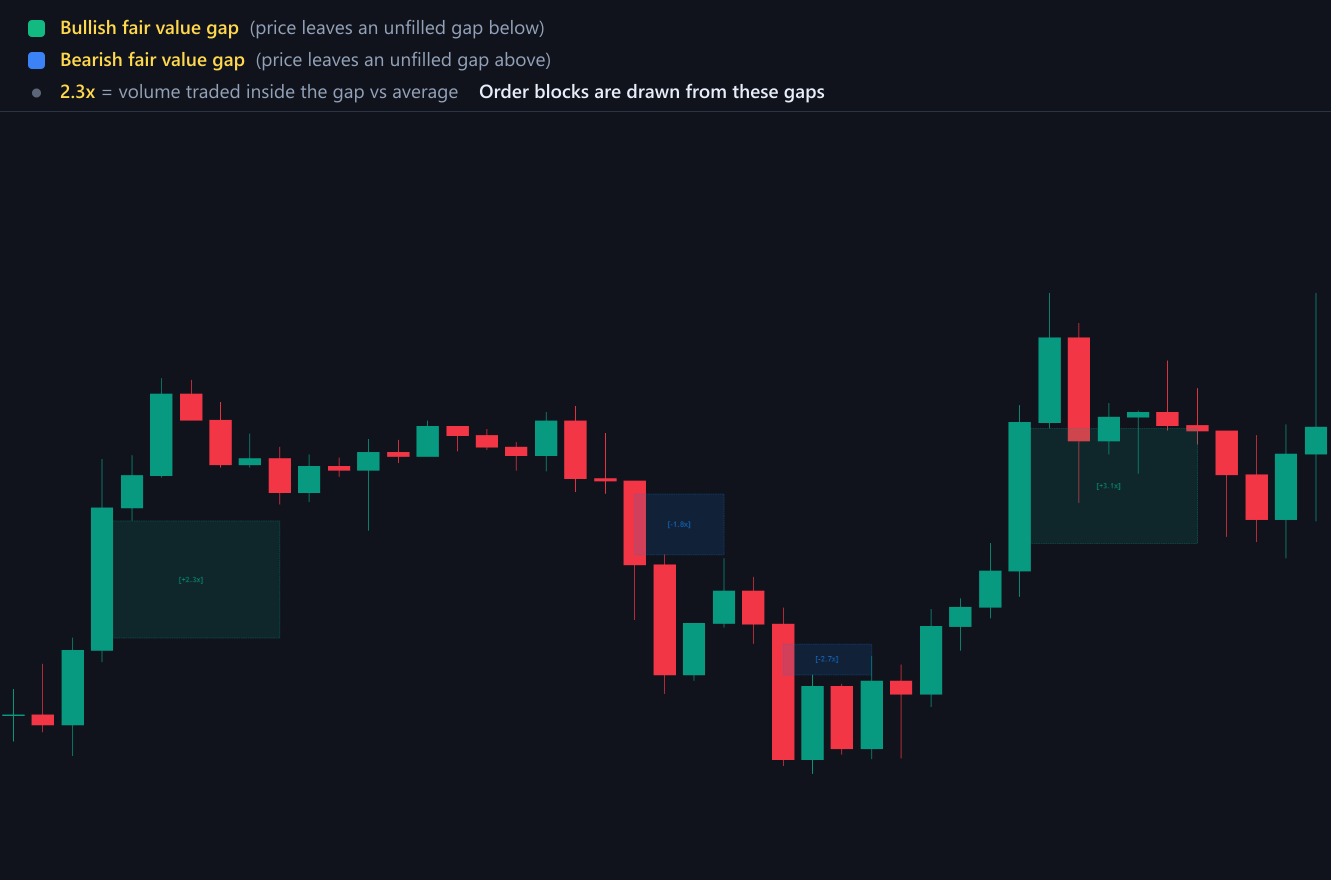
Order blocks in Market Core PRO+ are drawn from these gaps, so the block layer and the gap layer always describe the same imbalance.
Settings
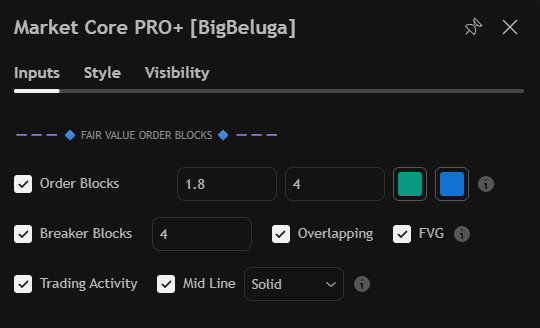
| Settings | Description |
|---|---|
| Order Blocks | Enable the block layer, set its volume threshold and how many active blocks stay on the chart. |
| Breaker Blocks | Enable breakers and limit how many remain visible. |
| Overlapping | Remove breaker blocks that overlap an active order block. |
| FVG | Display fair value gaps together with the volume traded inside each gap. |
| Trading Activity | Show the buy and sell split inside every active block. |
| Mid Line | Style of the line drawn through the middle of each block. |
| Block colours | Separate colours for bullish and bearish blocks. |
