

 X
 Discord
 Instagram
 YouTube
 ChatGPT
Alerts
Get notified when anything changes in the table.
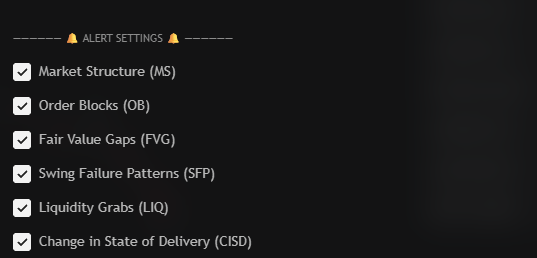
What you can alert
| Setting | Fires when |
|---|---|
| Market Structure (MS) | A ChoCh or BoS prints |
| Order Blocks (OB) | A block forms, or price touches one |
| Fair Value Gaps (FVG) | A gap opens, or a gap is retested |
| Swing Failure Patterns (SFP) | A high or low is swept and rejected |
| Liquidity Grabs (LQ) | A pool forms or is grabbed |
| Change in State of Delivery (CISD) | Control flips between buyers and sellers |
Only enabled assets can trigger an alert.
What the message contains
- The ticker that fired.
- The signal — which engine and which state.
- The current price at that moment.
That is enough to route the message to a bot or a chat and know which row moved.
Create the alert
Add the screener
The alert is tied to the indicator, so add it to a chart first.
Tick your engines
In Alert Settings, enable the engines you care about. Unticked engines never alert.
Create the alert
In TradingView, pick the screener as the condition and choose Any alert() function call.
Pick a trigger
Once per bar is recommended. Once per bar close waits for the bar to finish.
Add a webhook (optional)
Paste your endpoint in the webhook field to forward every signal.
Notes
- Start with one engine. Structure events fire least often and are easiest to act on.
- One alert covers the whole table. The ticker in the message tells you which row fired.
- The alert runs on the chart's bars. Each row is still read from its own symbol.
