> For the complete documentation index, see [llms.txt](https://docs.bigbeluga.org/llms.txt). Markdown versions of documentation pages are available by appending `.md` to page URLs; this page is available as [Markdown](https://docs.bigbeluga.org/ultimate-suites/ultimate-macd-suite/condition-alerts.md).
# Condition Alerts
The Alerts module allows you to track key MACD events automatically without having to watch the chart.
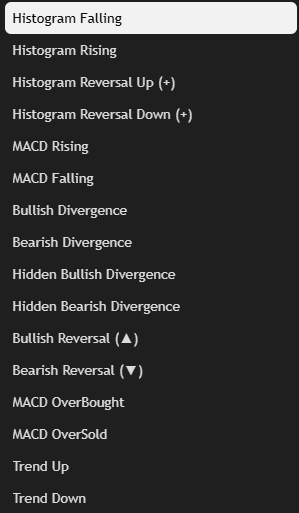
All core components of the suite—signals, histogram flips, divergences, and OB/OS levels—include built-in alert conditions that can be used for manual notifications or automated strategies.
These alerts are designed to trigger only when clean, confirmed conditions are met, avoiding false signals or noise from minor fluctuations.
***
{% columns %}
{% column %}
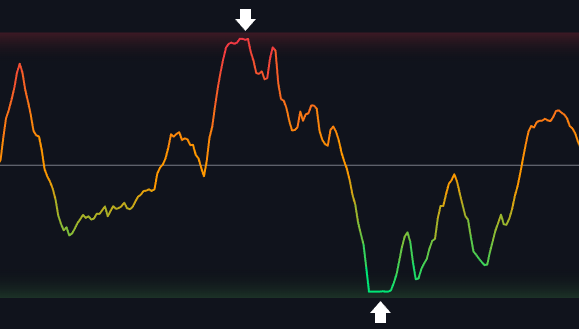
### MACD Reversal Alerts
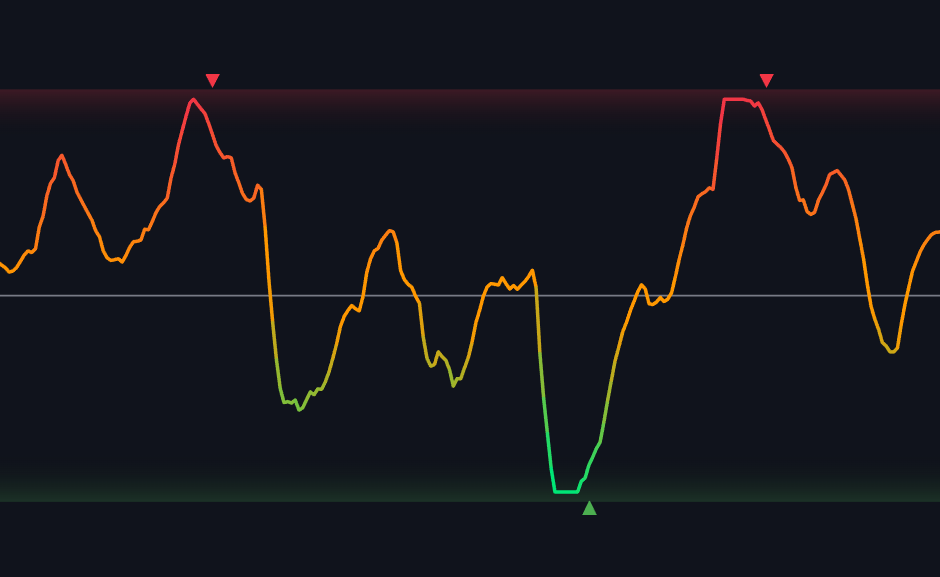
Bullish Reversal (▲) and Bearish Reversal (▼) alerts fire when the system detects a full MACD reversal inside extreme oversold or overbought zones.
These are the cleanest filtered reversal signals and often align with strong turning points in trend.
{% endcolumn %}
{% column %}
{% endcolumn %}
{% endcolumns %}
{% columns %}
{% column width="50%" %}
{% endcolumn %}
{% column width="50%" %}
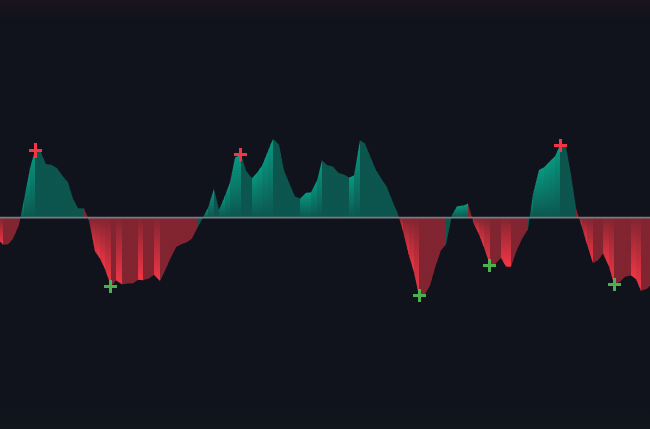
### MACD Rising/Falling
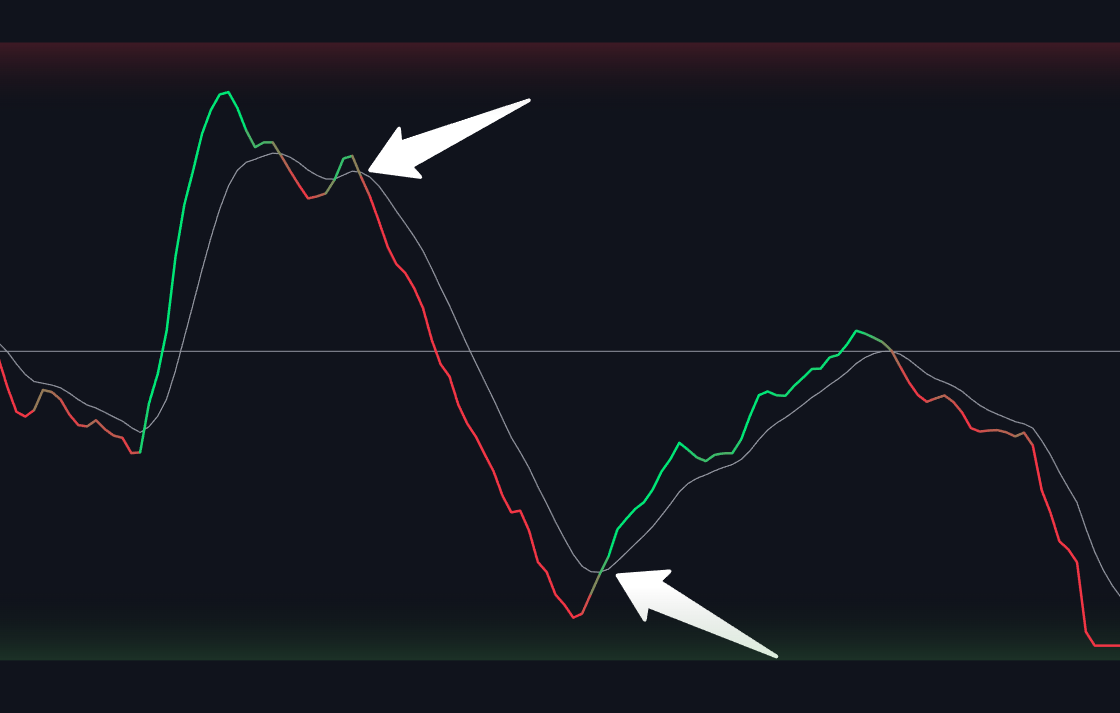
MACD Rising and MACD Falling alerts fire when the MACD line crosses above or below the signal line.
These events represent shifts in momentum direction and can act as early signals for trend continuation or reversal depending on the context.
{% endcolumn %}
{% endcolumns %}
***
{% columns %}
{% column %}
{% endcolumn %}
{% column %}
### MACD Divergence Alerts
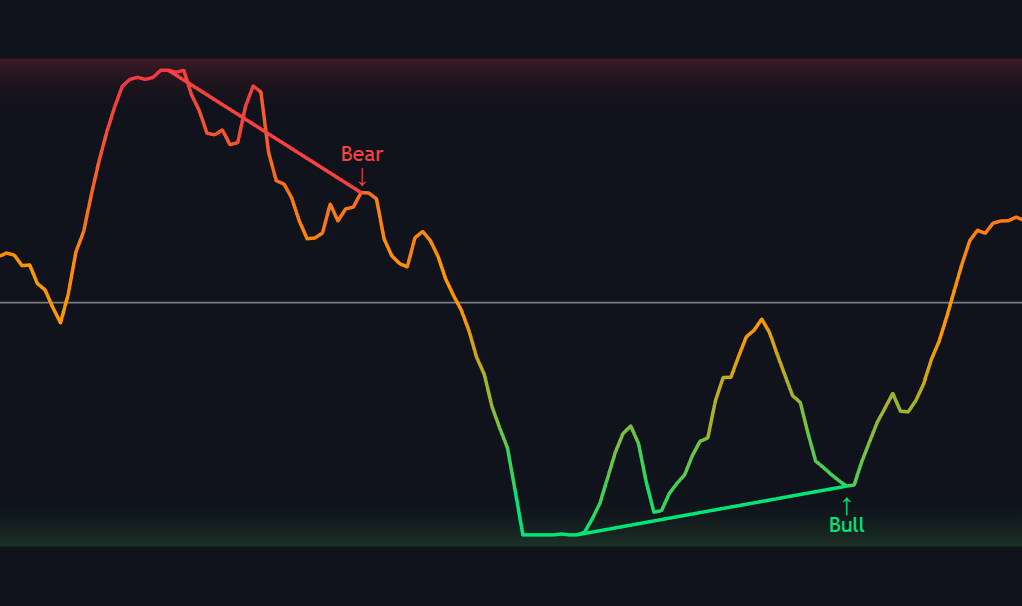
Bullish Divergence and Bearish Divergence alerts are triggered when a valid non-lagging divergence is detected between price and the MACD oscillator.
These events often precede major market reversals and are useful for spotting hidden strength or weakness before price reacts.
{% endcolumn %}
{% endcolumns %}
{% columns %}
{% column %}
{% endcolumn %}
{% column %}
### MACD Hidden Divergence Alerts
Hidden Bullish Divergence and Bearish Divergence alerts are triggered when a valid non-lagging hidden divergence is detected between price and the MACD oscillator.
Unlike regular divergences, which hint at a reversal, these alerts confirm that the underlying trend still has strength, allowing you to ride the move with greater confidence and tighter risk management.
{% endcolumn %}
{% endcolumns %}
***
{% columns %}
{% column %}
#### Overbought / Oversold Alerts
MACD OverBought and MACD OverSold alerts are triggered when the MACD line enters the +80 or -80 zone.
These levels represent momentum extremes and are helpful for spotting potential exhaustion or preparing for a reversal.
{% endcolumn %}
{% column %}
{% endcolumn %}
{% endcolumns %}
{% columns %}
{% column %}
#### MACD Histogram Alerts
These alerts trigger when the MACD histogram shifts direction.
* A reversal up (+) means the histogram flipped from falling to rising, hinting at potential bullish momentum.
* A reversal down (+) signals the opposite, with bearish momentum starting to build.
* Histogram Rising (cross above 0)
* Histogram Falling (cross under 0)
{% endcolumn %}
{% column %}
{% endcolumn %}
{% endcolumns %}
***
{% stepper %}
{% step %}
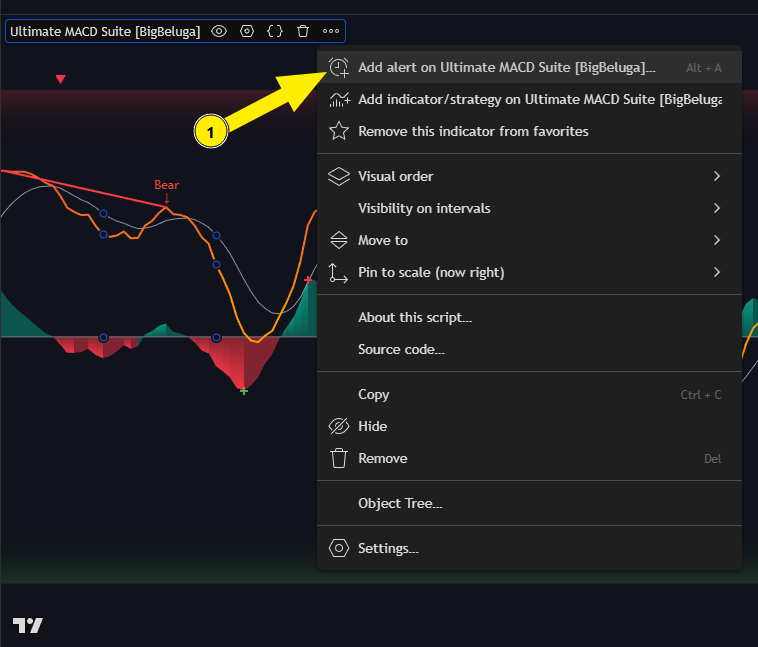
### Add Alert
{% endstep %}
{% step %}
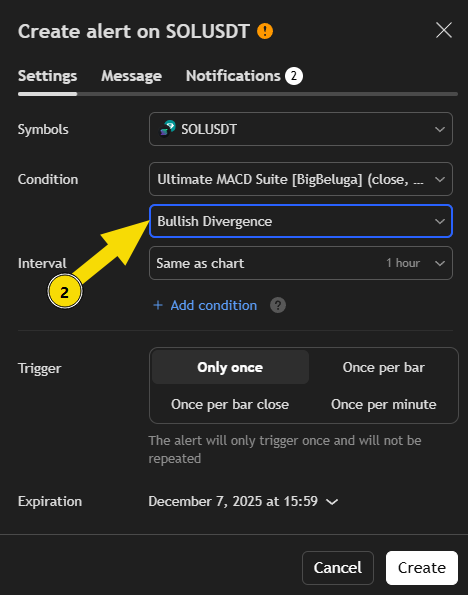
### Set Condition
{% endstep %}
{% step %}
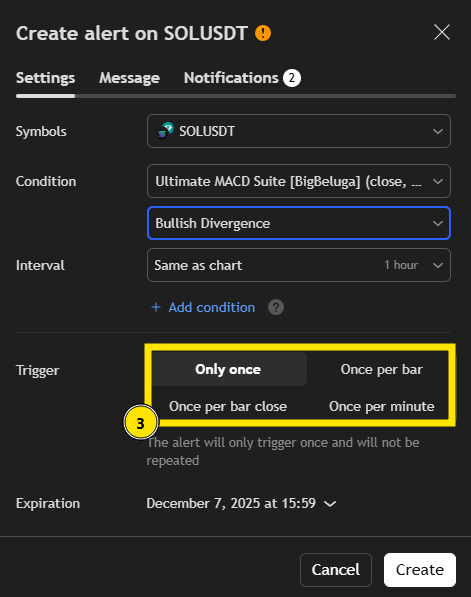
### Set Alert Trigger Type
* **Only Once** – Fires one time, then stops.
* **Once per Bar** – Fires once during the bar (can repaint).
* **Once per Bar Close** – Fires after bar closes (confirmed, recommended).
* **Once per Minute** – Checks every minute for real-time updates.
{% endstep %}
{% step %}
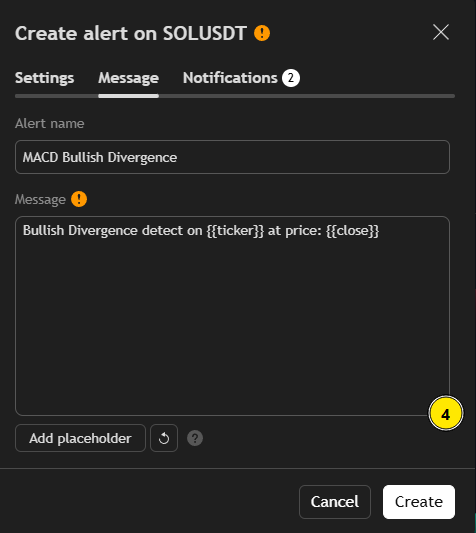
### Customize the Alert Message
Enter a clear **Alert Name** and edit the **Message** that will appear when the alert triggers.\
You can also add **placeholders** like `{{ticker}}`, `{{interval}}`, `{{close}}` etc. to include real-time data in your alert message.
**Example:**\
Alert name: *MACD Bullish Divergence*\
Message: *Bullish Divergence detected on {{ticker}} at price: {{close}}*
{% endstep %}
{% step %}
### Click **Create Alert**
Once all settings are configured — click **Create Alert** to activate it.\
Your alert will now monitor the selected RSI event automatically and send a notification as soon as the condition is met.
{% endstep %}
{% endstepper %}