> For the complete documentation index, see [llms.txt](https://docs.bigbeluga.org/llms.txt).
> Markdown versions of documentation pages are available by appending `.md` to page URLs; this page
> is available as [Markdown](https://docs.bigbeluga.org/toolkits-pro-plus/market-waves-pro/alphawave.md).
# AlphaWave Trend
AlphaWave is the core trend engine of Market Waves PRO+.
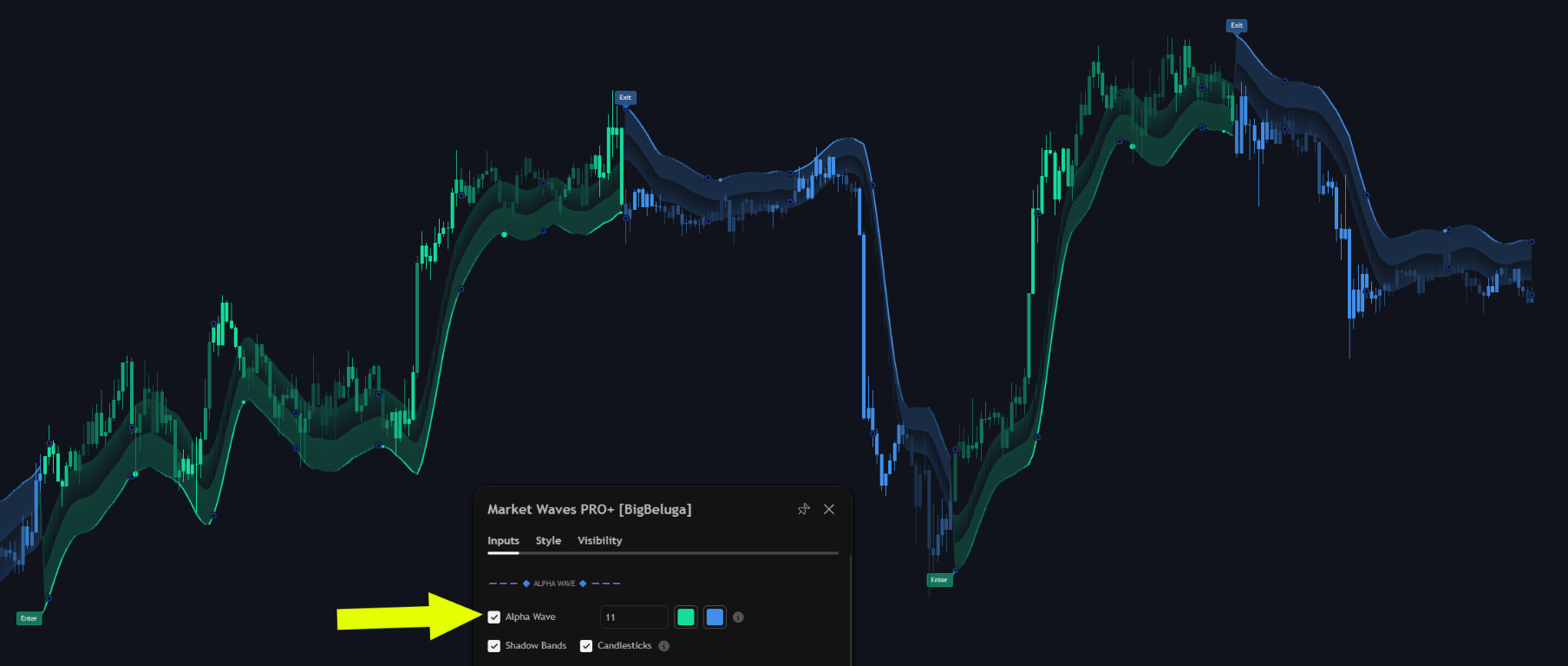
The AlphaWave, its shadow bands and the Enter and Exit labels, with the AlphaWave inputs on the left
It smooths price with an adaptive wave that reacts to changes in volatility instead of lagging behind
them, which keeps the trend read clean during fast expansions and quiet during chop.
## Enter and exit labels
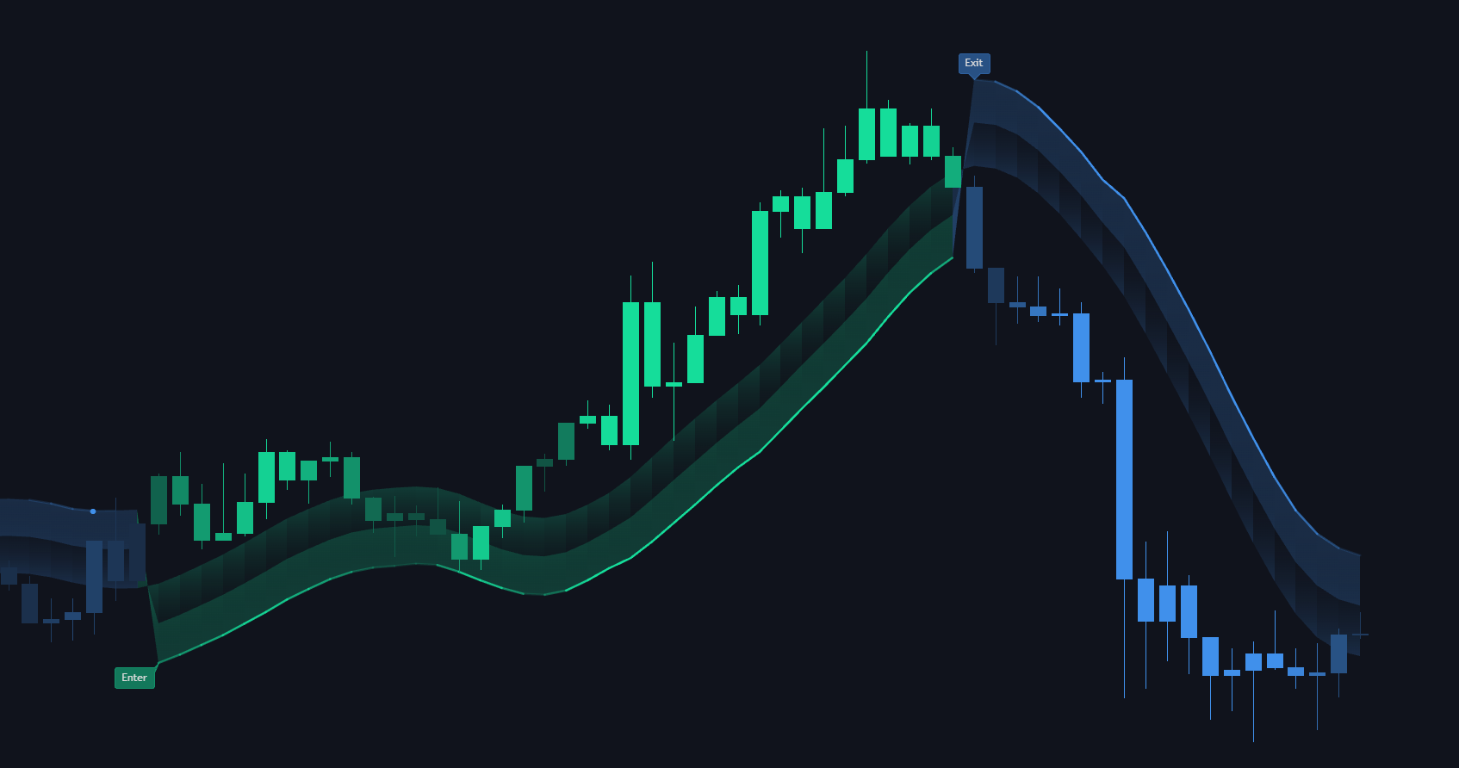
The wave flips are printed as Enter and Exit labels at the exact bar where the trend regime changes.
Enter prints where the wave turns bullish, Exit where it turns bearish - the shadow bands flip colour with it
Unlike a moving average crossover, the label marks the moment the regime is decided rather than the
moment the average catches up, which is why the entries sit closer to the swing.
## Volatility shadow
The shadow is the translucent band around the wave. Its width and opacity are driven by volatility, so
the same wave looks very different in a quiet market and in an expansion.
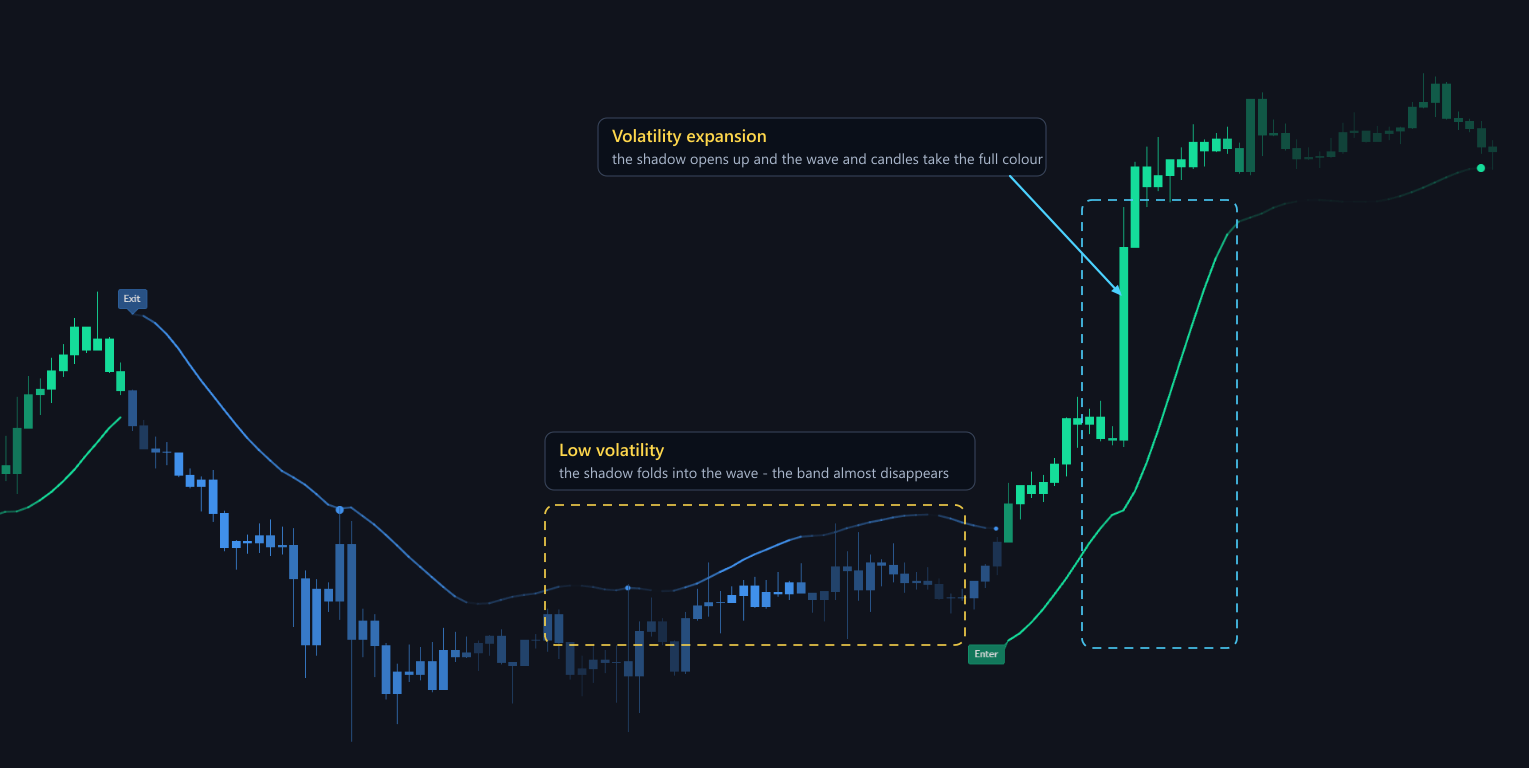
Quiet stretches fold the shadow into the wave line; a volatility expansion opens the band and the wave and candles take the full colour
- **Low volatility** - the band collapses onto the wave and becomes almost transparent. What is left is
a single line, which is exactly what a controlled trend should look like.
- **Volatility expansion** - the band opens up, the wave line intensifies and the candles pick up the
full bullish or bearish colour.
Read it as a warning system. A thin band means the trend is moving in a controlled way; a rapidly
widening band warns that the move is becoming unstable and that the next retest is less likely to hold.
## Retest bubbles
Retest bubbles highlight pullbacks that form inside an established trend. They are the places where
previous breakouts are re-tested before continuation, and they usually offer the better
reward-to-risk entry compared with chasing the initial flip.
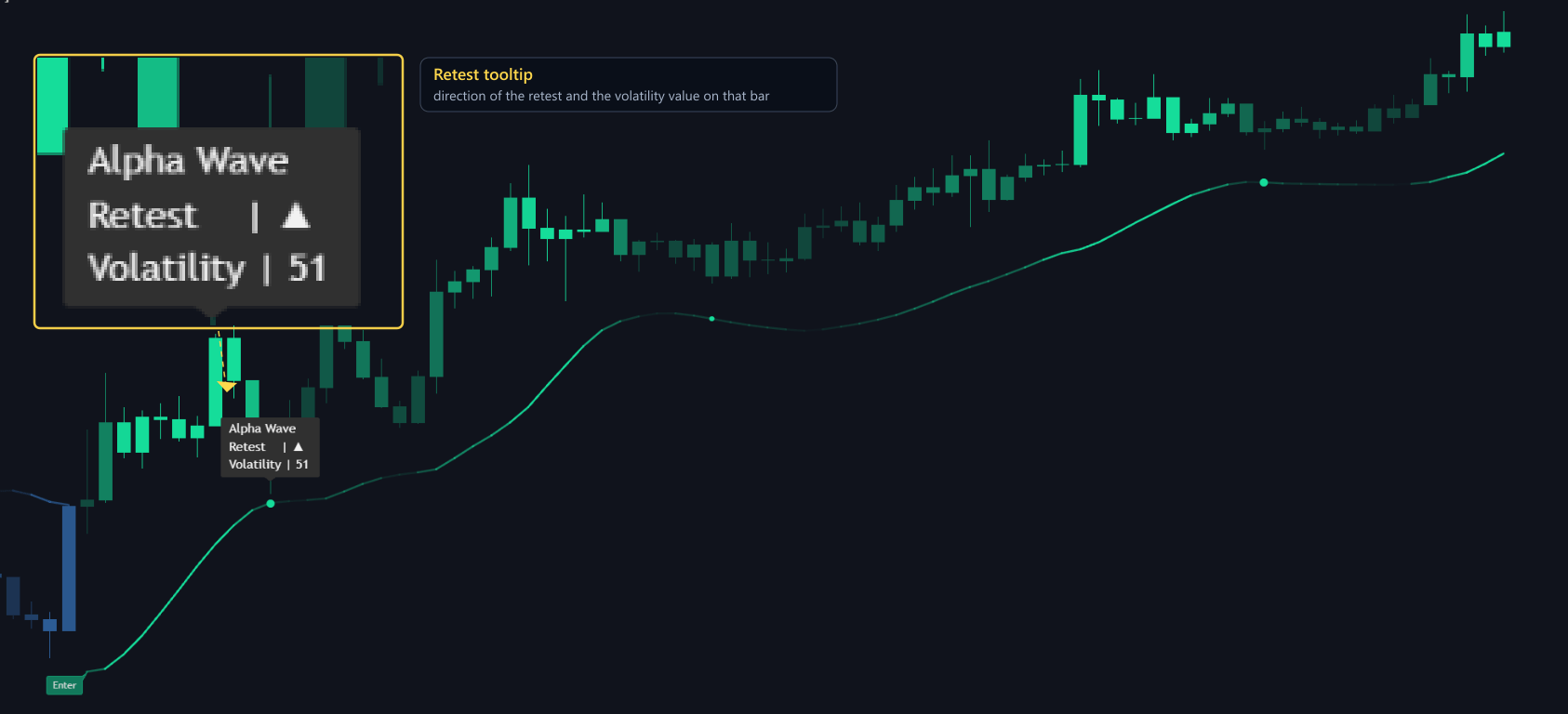
Hovering a retest bubble prints the retest direction and the volatility reading for that bar
Each bubble carries its own tooltip: the direction of the retest and the volatility value measured on
that bar. In the capture above the retest points up with a volatility of `51`, so you can compare the
quality of two retests inside the same trend instead of judging them by eye.
{% hint style="info" %}
Read the sequence as trend, then pullback, then confirmation. A retest bubble that forms while the
shadow band is expanding deserves more caution than one that forms while volatility is contracting.
{% endhint %}
Retest bubbles are also a step in the
[custom alert sequences](/toolkits-pro-plus/market-waves-pro/custom-step-alerts), so you can wait for a flip and a
retest before an alert fires.
## Settings
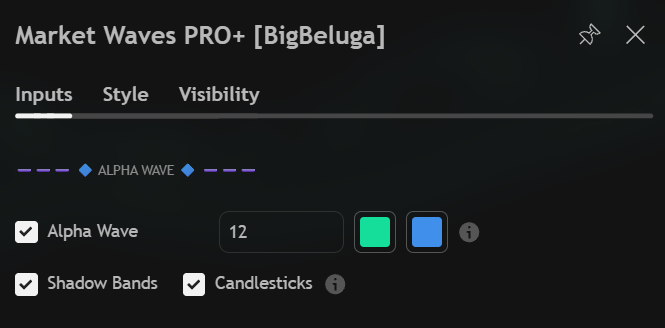
The AlphaWave input group: the wave toggle, its lookback and the two colours, then the Shadow Bands and Candlesticks switches
| Settings | Description |
| ------------ | ------------------------------------------------------------------------------------------- |
| Alpha Wave | Enable the trend wave and set its lookback. The smaller the number, the faster it reacts. |
| Colours | Bullish and bearish colour for the wave, the shadow band and the labels. |
| Shadow Bands | Draw the volatility shadow around the wave. Turn it off to keep only the wave line. |
| Candlesticks | Colour the candles with the current wave direction. |