> For the complete documentation index, see [llms.txt](https://docs.bigbeluga.org/llms.txt). Markdown versions of documentation pages are available by appending `.md` to page URLs; this page is available as [Markdown](https://docs.bigbeluga.org/main-toolkits/nautilus-oscillator-pro-tm/any-alert-function-call.md).

# Any alert() Function Call

The indicator's alert system is designed to notify traders of important market signals in real-time. Alerts can be set up for the following key events:

<details open>

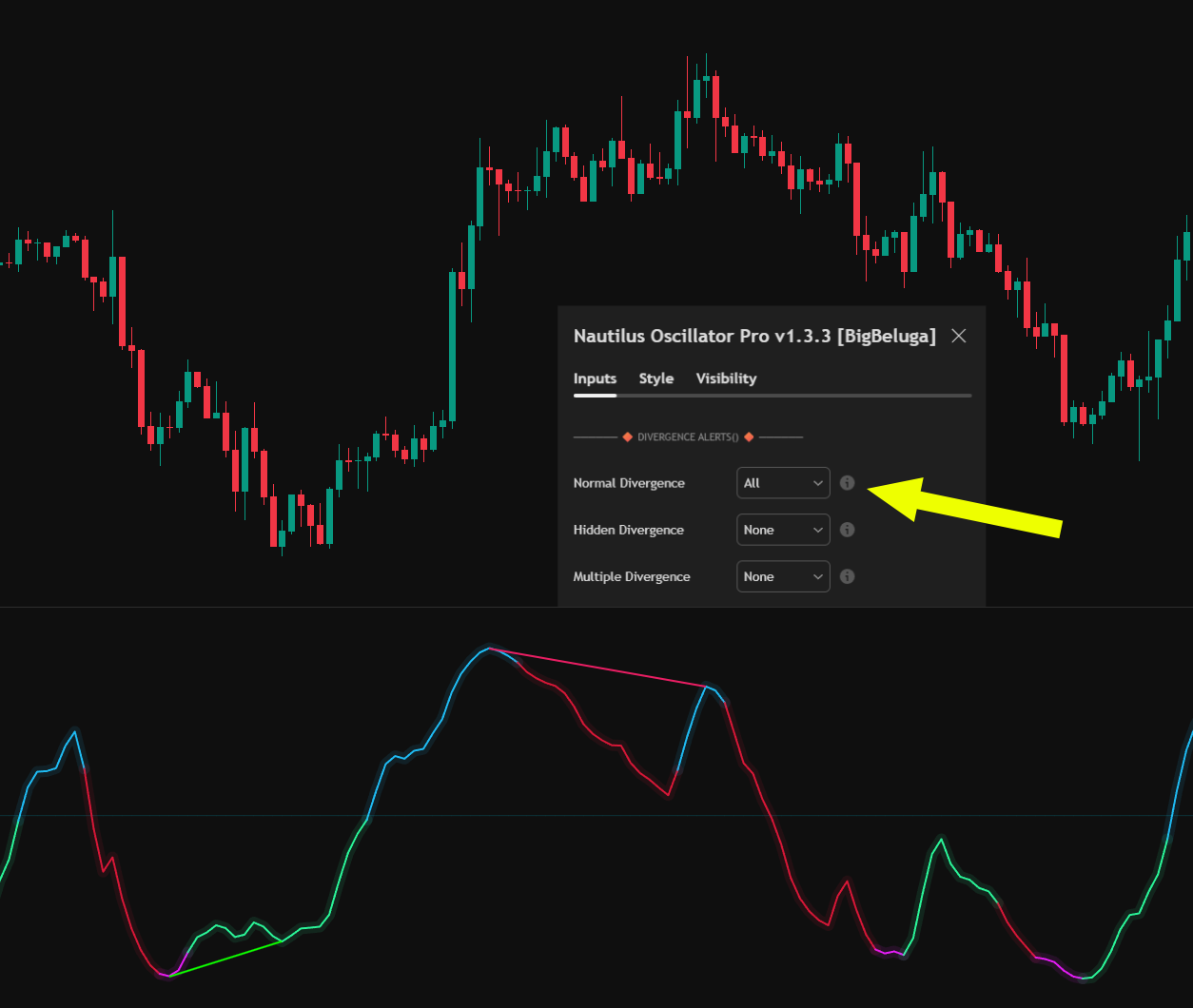
<summary>Nautilus Divergence</summary>

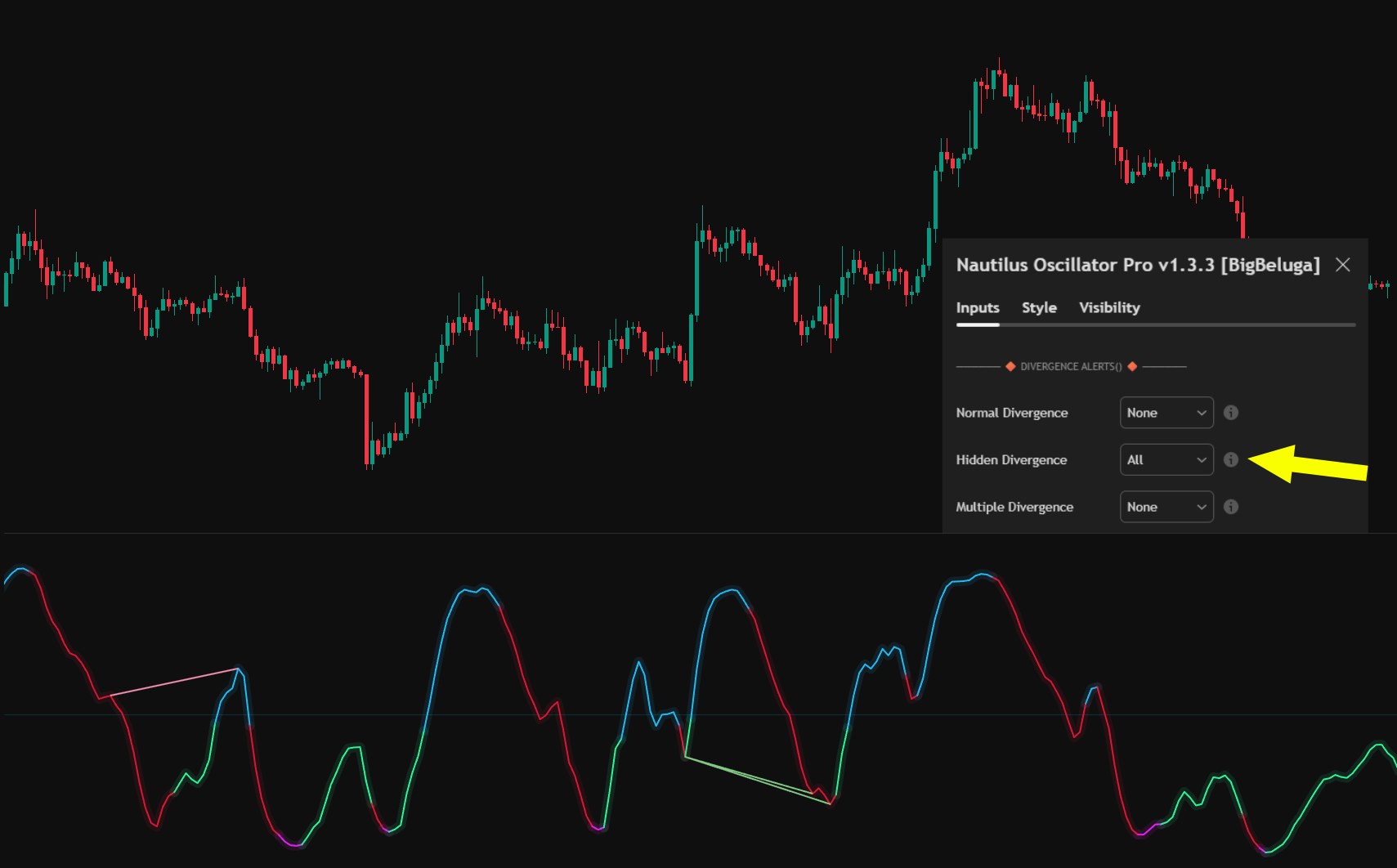
<figure><img src="/assets/f33608870b6cb65a561526882db9231613a4a86c01332e6e42863c6336985104.png" alt=""><figcaption><p>Normal Divergence</p></figcaption></figure>

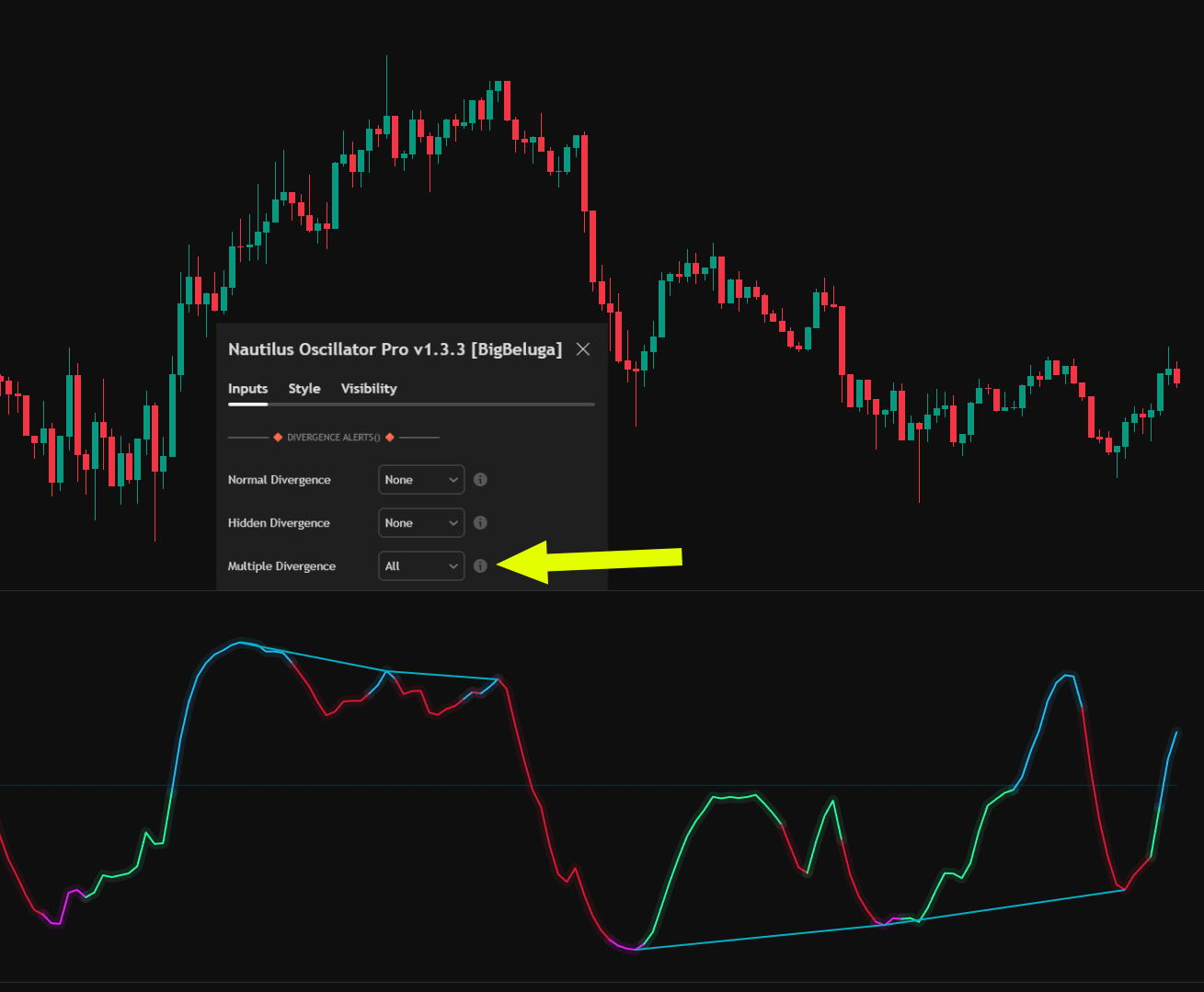
<figure><img src="/assets/c782d8fb13d650bc3a881010e3c03b2ac9eb084fb999395e817aa3c4ec17341a.png" alt=""><figcaption><p>Hidden Divergence</p></figcaption></figure>

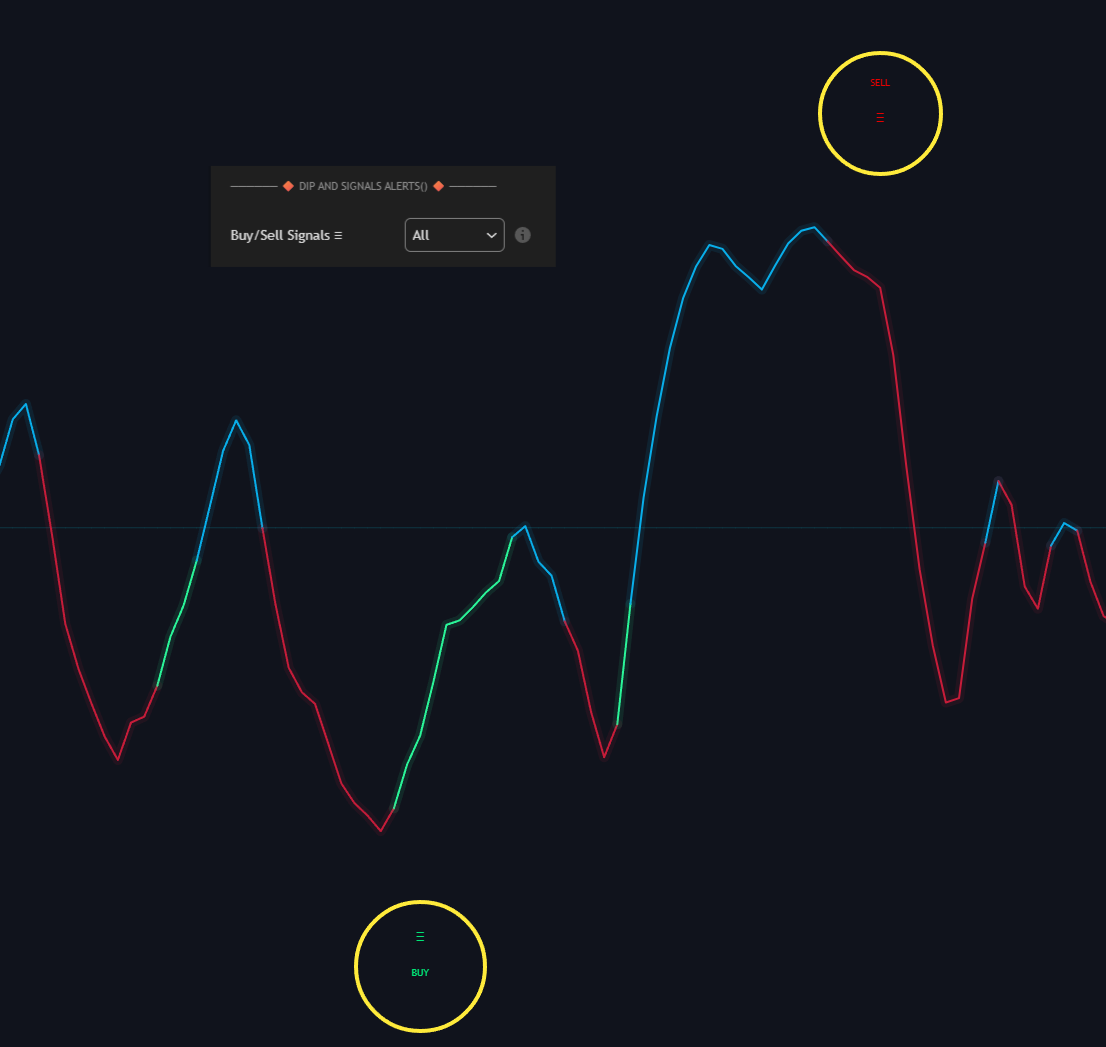
<figure><img src="/assets/c26af0905cc87813b5684cb394f081cafc832bb05b44d1ae777ed3726aac4e61.png" alt=""><figcaption><p>Multiple Divergence</p></figcaption></figure>

</details>

<details>

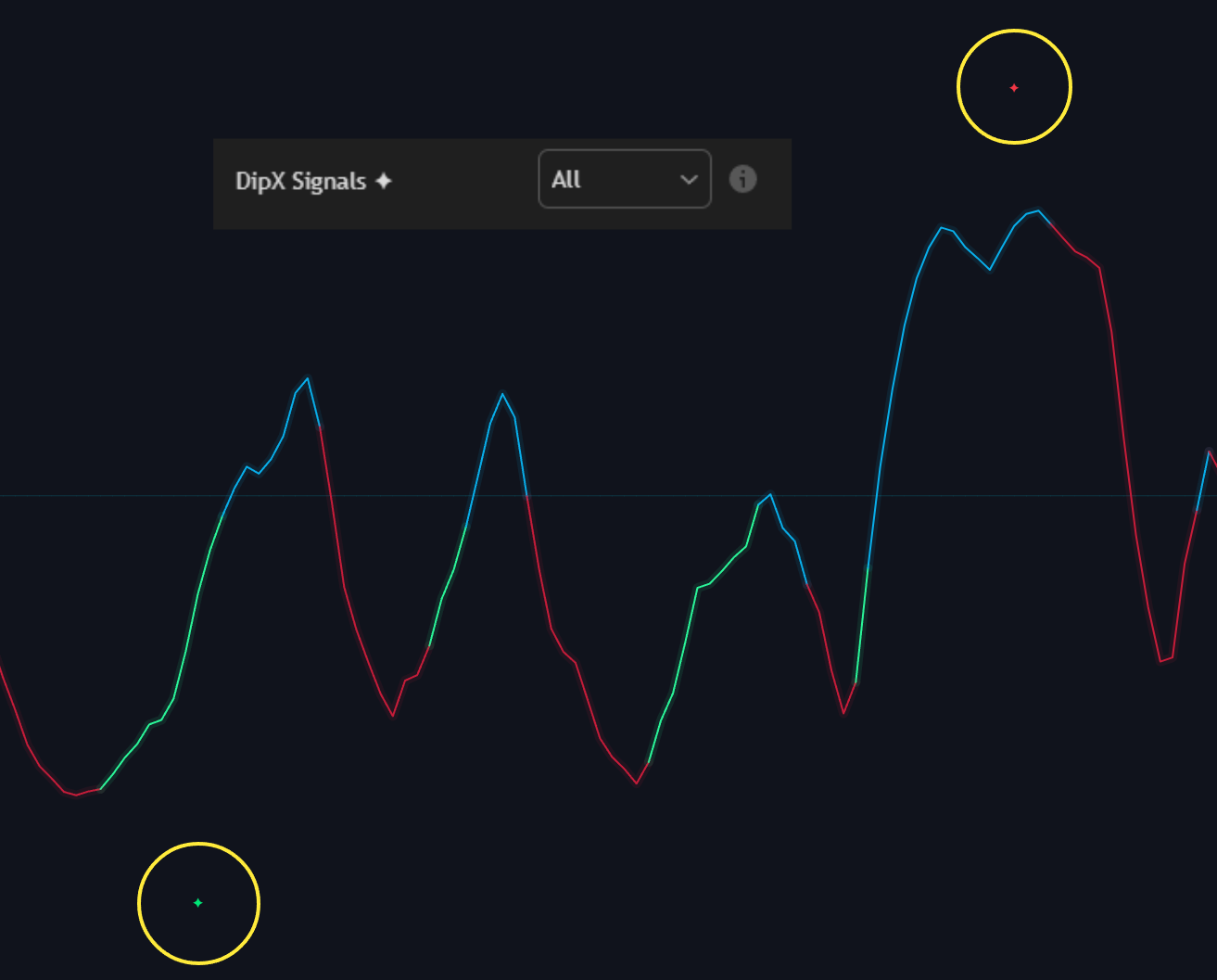
<summary>Buy &#x26; Sell</summary>

<figure><img src="/assets/3037fb379539d7879e3052dbb457172923519c63cbf2cb5d919db24507e825d0.png" alt=""><figcaption></figcaption></figure>

</details>

<details>

<summary>Bearish &#x26; Bullish Reversals</summary>

<figure><img src="/assets/f6868f51065296f42f4ee904f9ff9798178a0204d2c16107fc5ca63e4cdccf18.png" alt=""><figcaption></figcaption></figure>

</details>

<details>

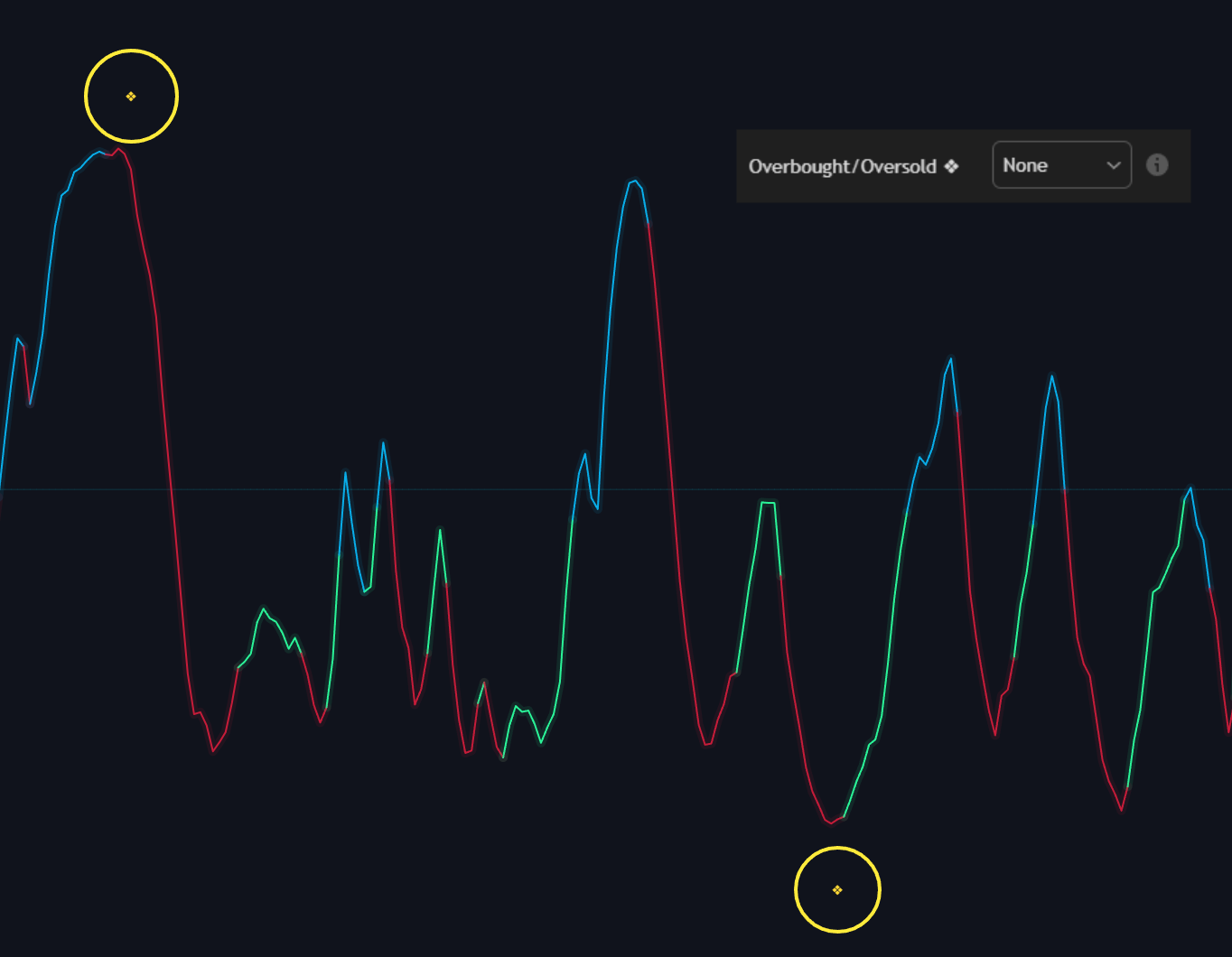
<summary>Overbought &#x26; Oversold</summary>

<figure><img src="/assets/143a158ce97a74d08c5efaa28d3b0e98d2627a43496ad7c1ccc883d90b7b0fa7.png" alt=""><figcaption></figcaption></figure>

</details>

<details>

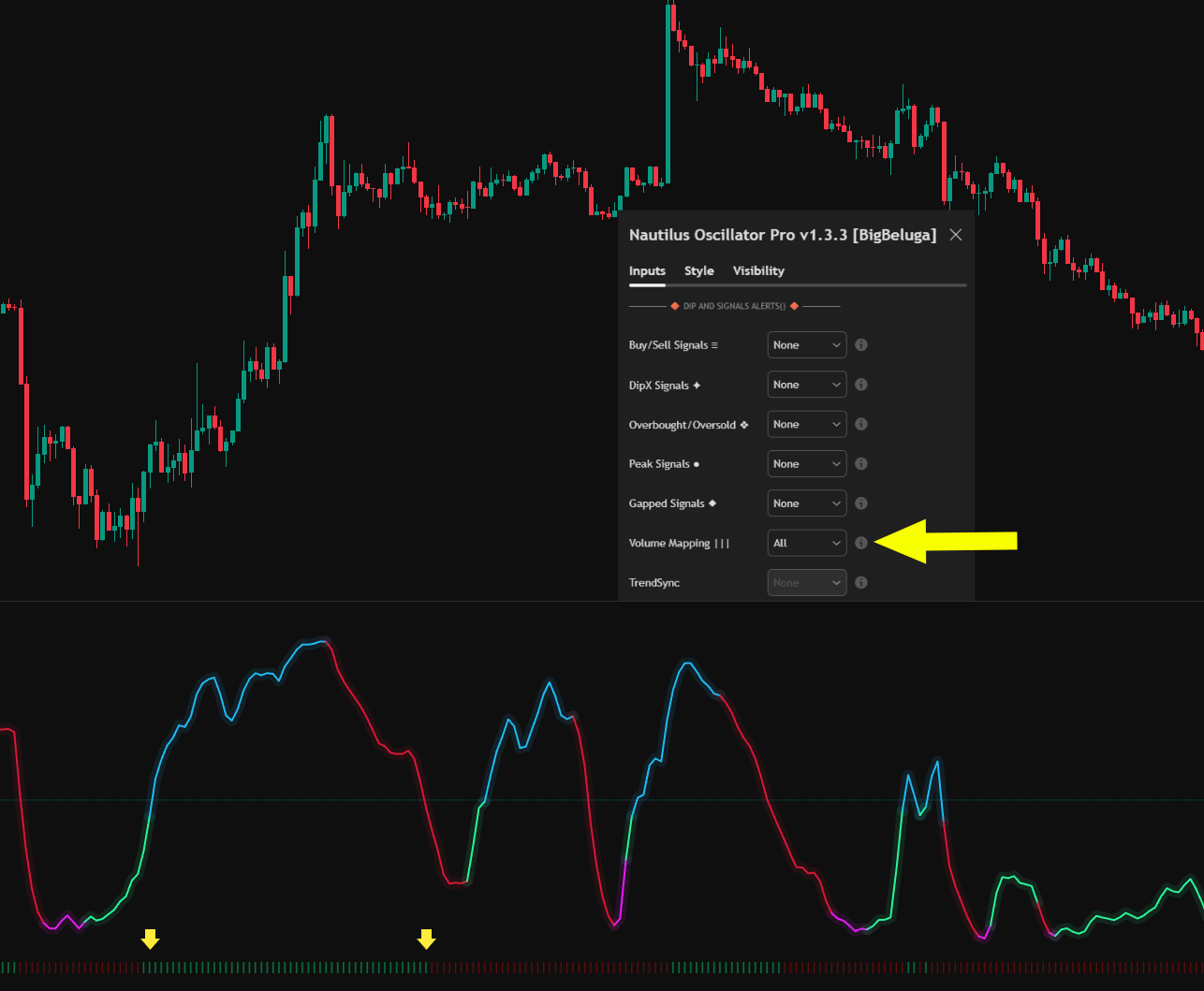
<summary>Volume Mapping Crosses</summary>

<figure><img src="/assets/491fa65c883d418f62d1169c3e7d2ef9f346cd4ce49392607e0ff0643bc70651.png" alt=""><figcaption></figcaption></figure>

</details>

<details>

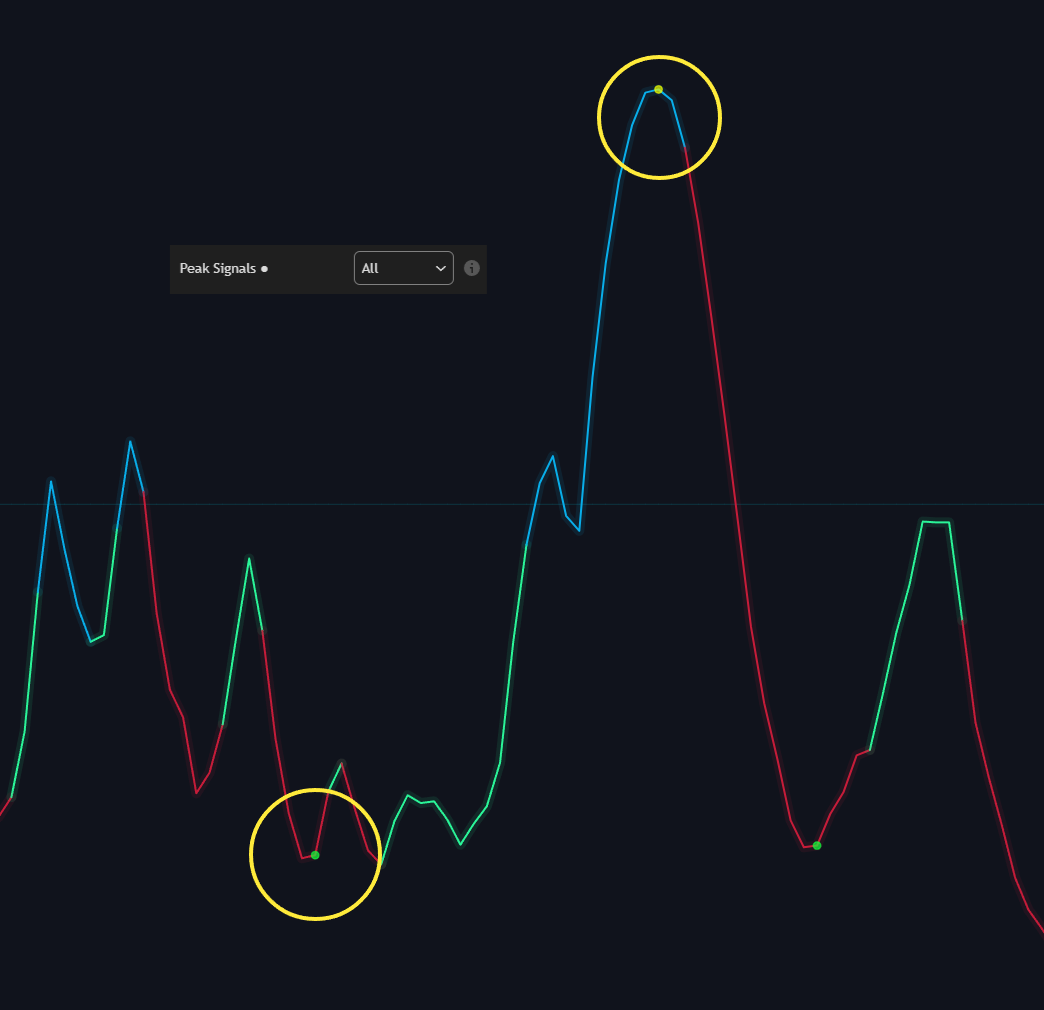
<summary>Peak Alerts</summary>

<figure><img src="/assets/2a87a8996933b2d168e452e73d981334ddb4850031e0bba657f77d88805be6d1.png" alt=""><figcaption></figcaption></figure>

</details>

<details>

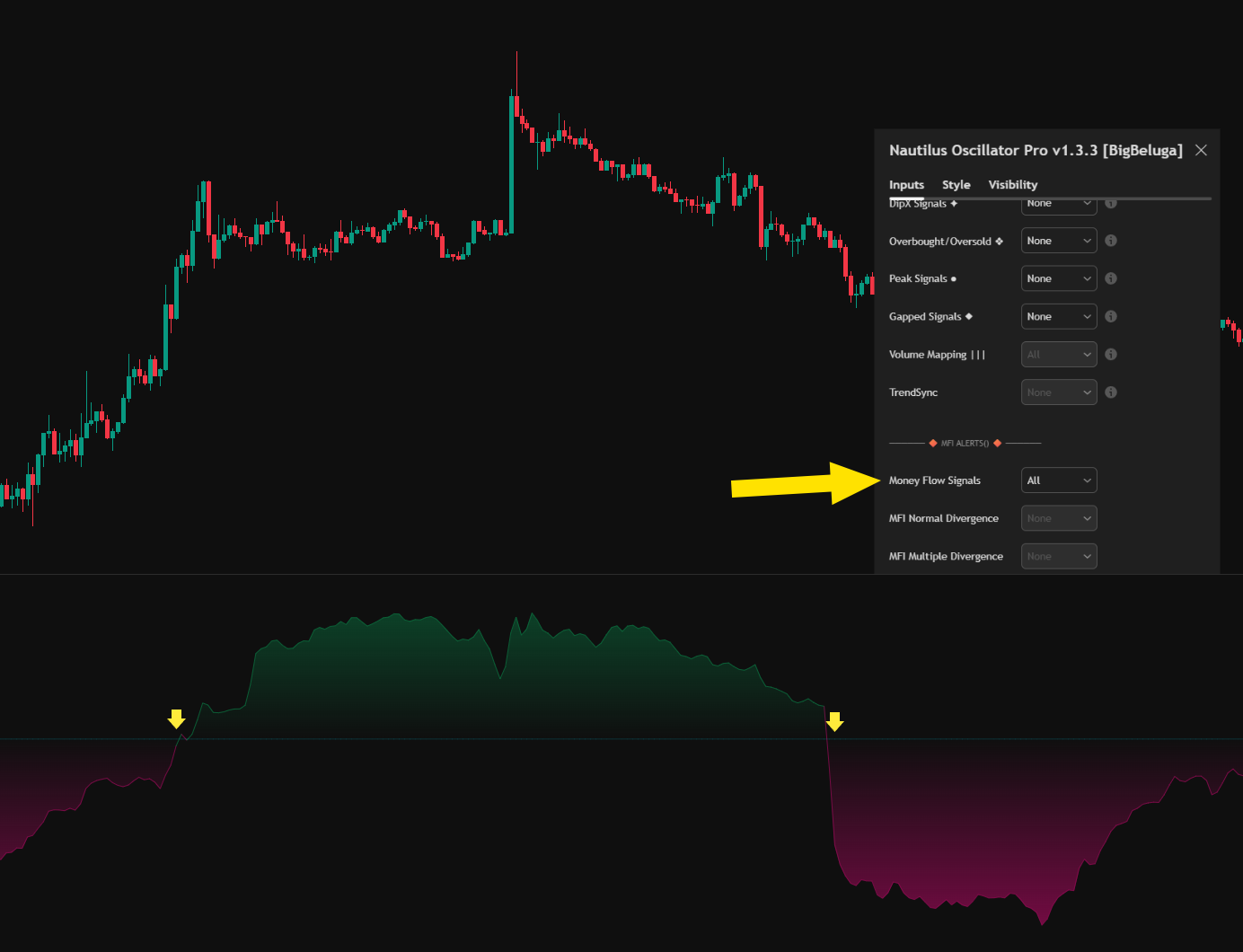
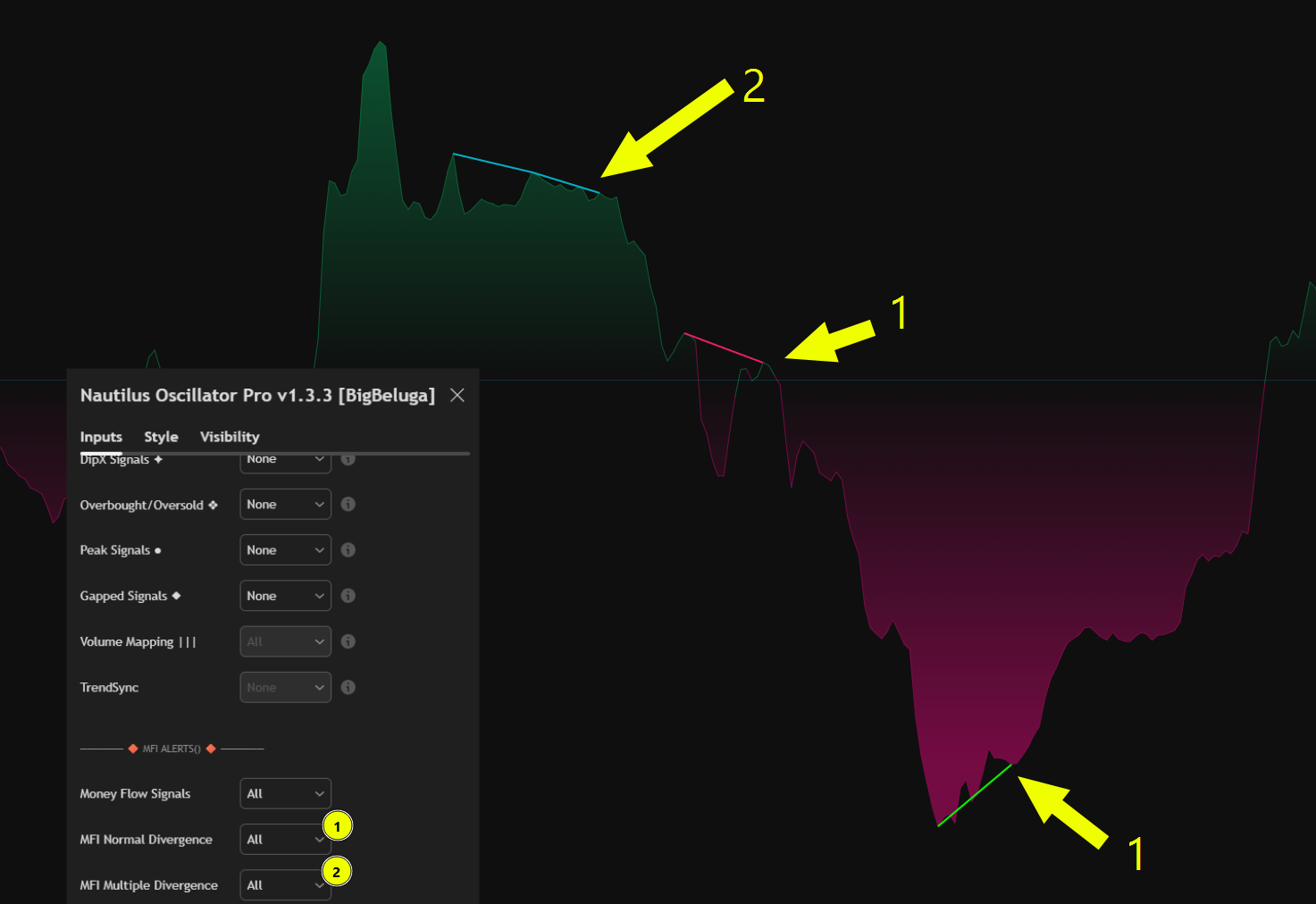
<summary>MFI Alerts</summary>

<figure><img src="/assets/c88c521a19ee420065d9c881cbb6248d5b448da76a6de79f93b5e52cb5afe8b9.png" alt=""><figcaption><p>Money Flow Bullish/Bearish</p></figcaption></figure>

<figure><img src="/assets/4a511b41a84a749ec91748f6d5a3a081a715f466956cc69bb0a9b10d94961e79.png" alt=""><figcaption><p>Money Flow Divergence</p></figcaption></figure>

</details>

<details>

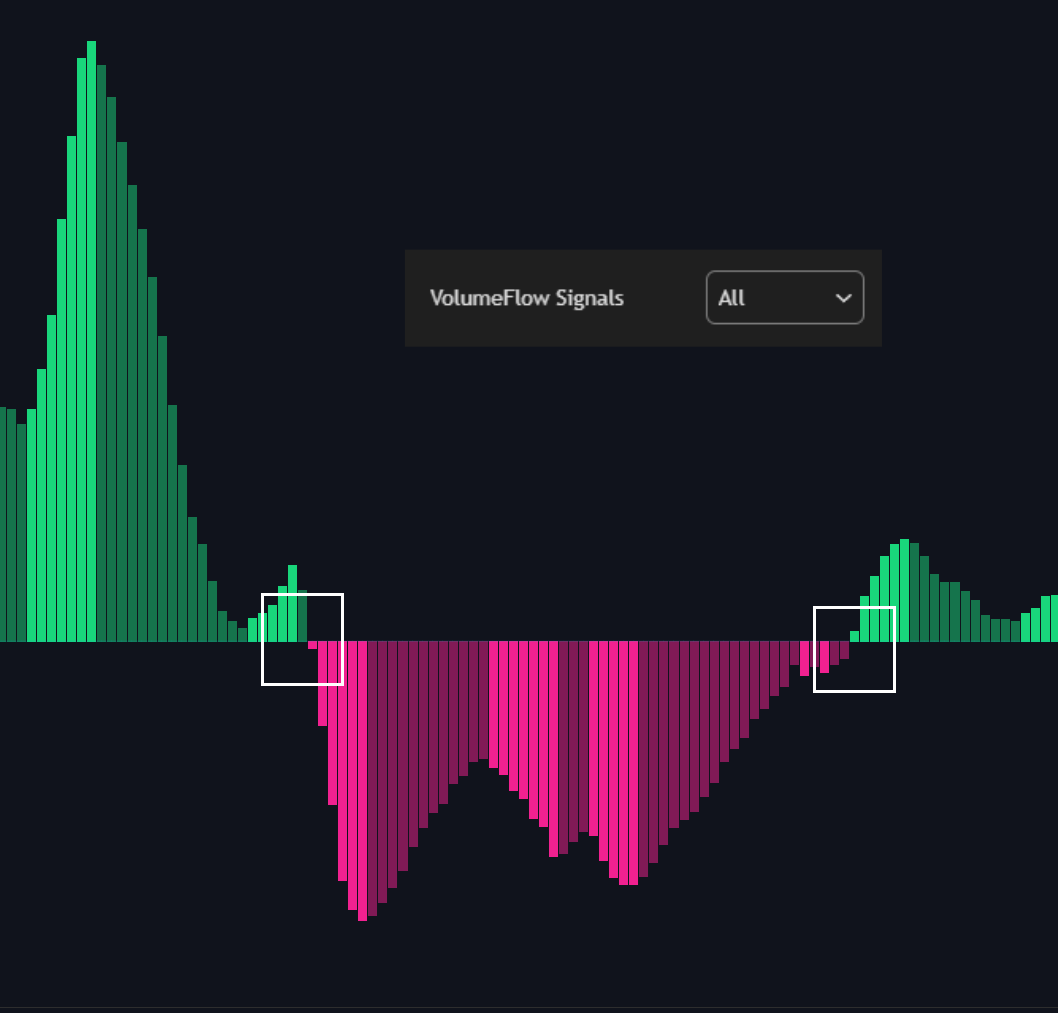
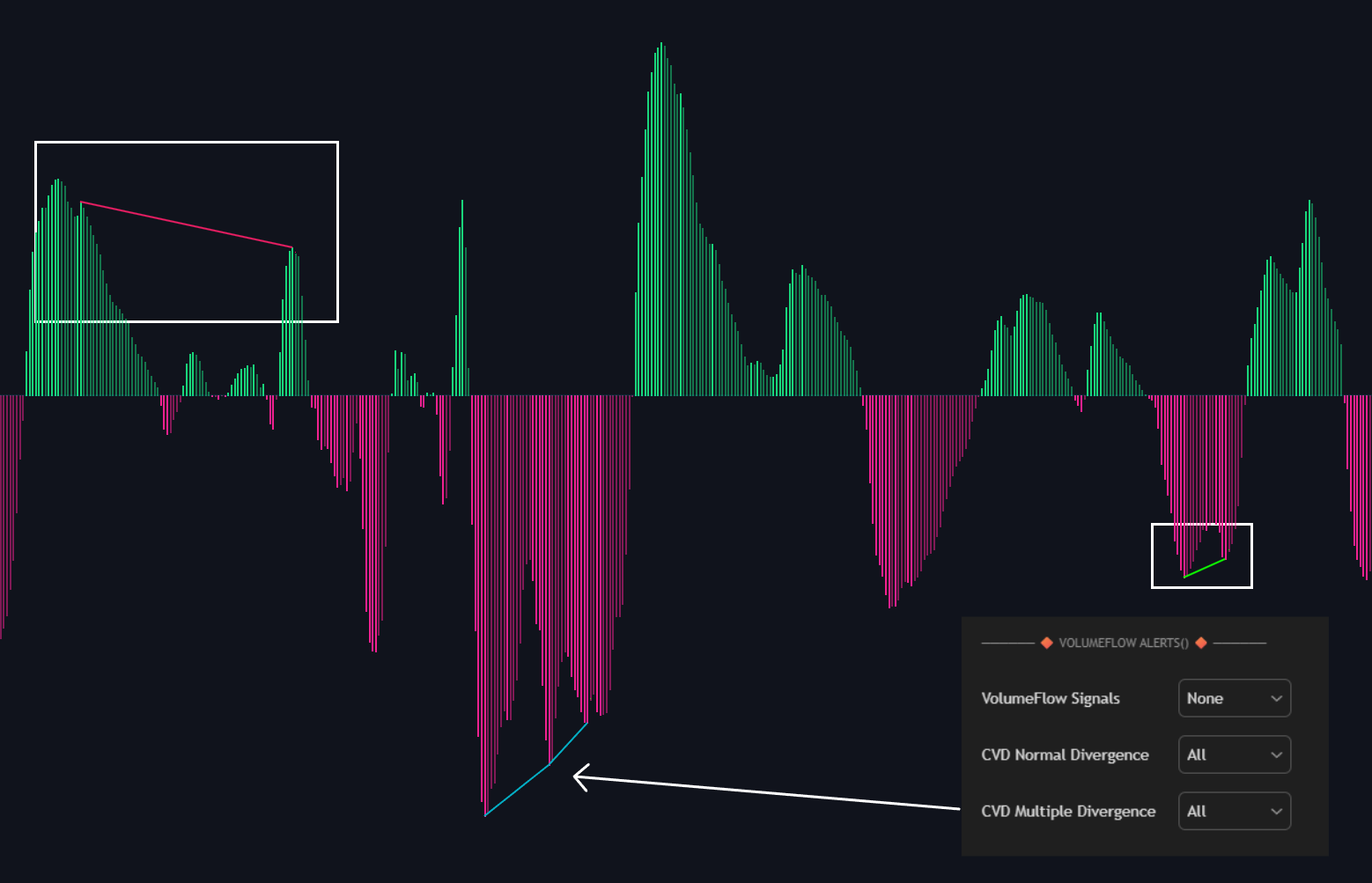
<summary>VolumeFlow Alerts</summary>

<figure><img src="/assets/7eecee5d08e608c75e8434c16d96db2753384b34922fbf66dc0fbdaa8d3934f3.png" alt=""><figcaption></figcaption></figure>

<figure><img src="/assets/70b4e4aa372cbc8f82b0d34a42903c25af39414ff7661a66863aec1c83383bc5.png" alt=""><figcaption></figcaption></figure>

</details>

<details>

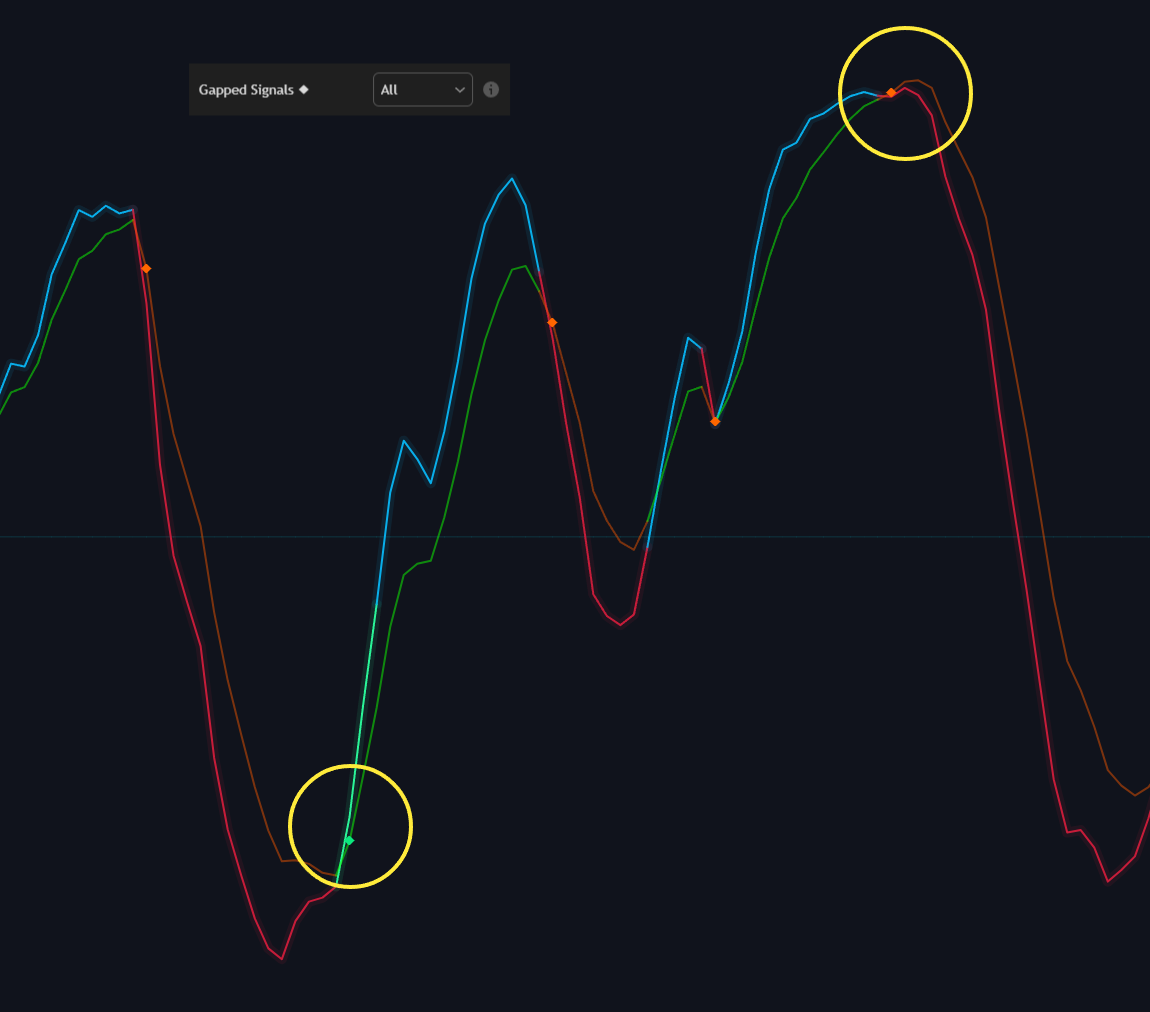
<summary>Gapped Nautilus Alerts</summary>

<figure><img src="/assets/04ee938a22f609ad642abc65420d223d349d52077cac51145d68a4d97c3e50f6.png" alt=""><figcaption></figcaption></figure>

</details>

<details>

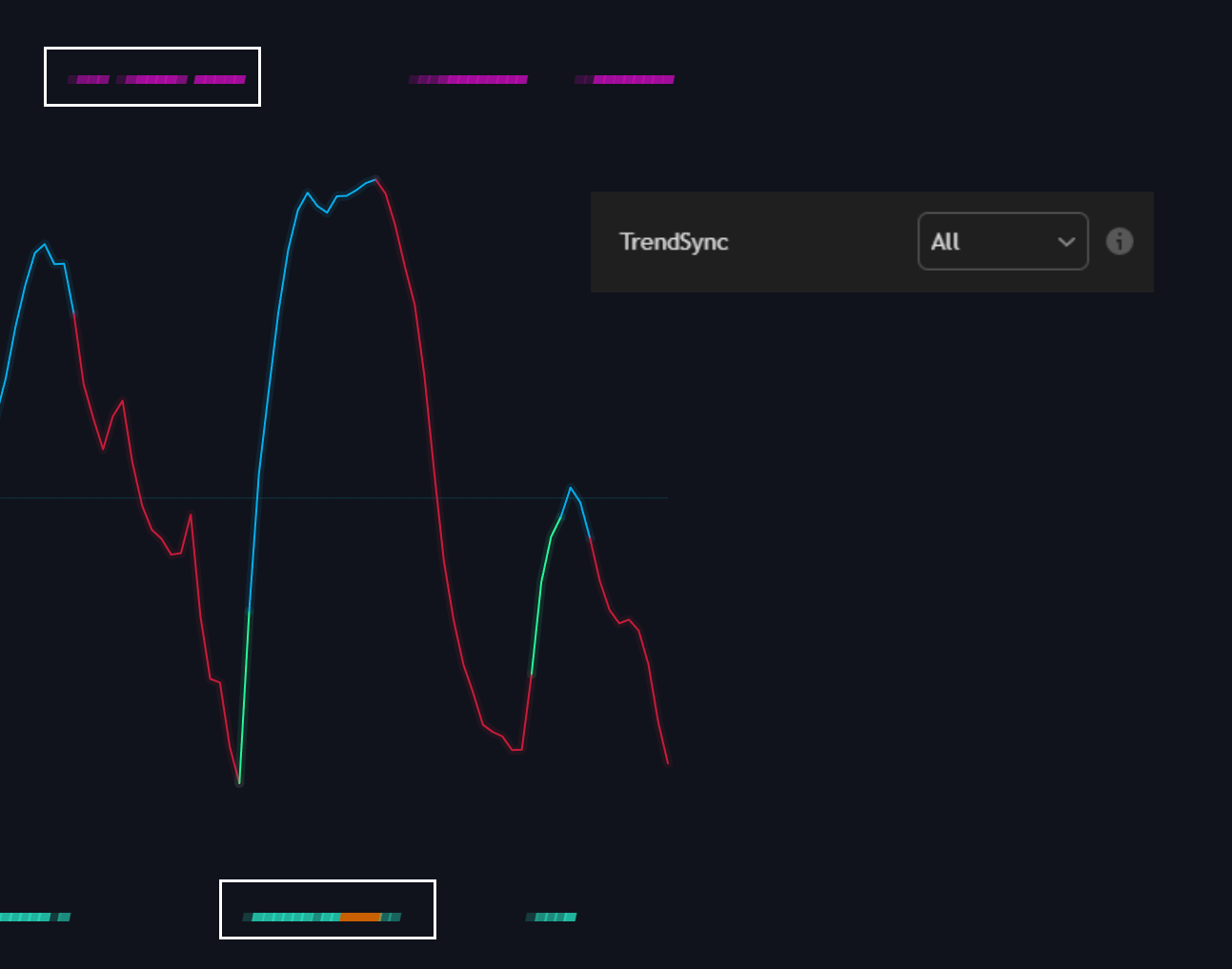
<summary>TrendSync</summary>

<figure><img src="/assets/b06cfdd8fbb13d8a4bfa28d9e0ac600da2eb1222e6b27a9fac6975afa8dddea2.png" alt=""><figcaption></figcaption></figure>

</details>

## How to create alert

{% stepper %}
{% step %}

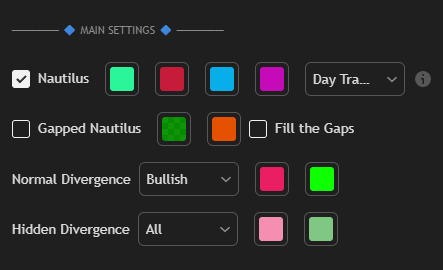
### Open Nautilus settings

Toggle **ON** the specific feature(s) you want to use

<div align="left" data-with-frame="true"><figure><img src="/assets/1ffa75b96bc16ff9dd25e24836a64694065a84f58e4bf47448b818b6a027abf8.png" alt=""><figcaption></figcaption></figure></div>
{% endstep %}

{% step %}

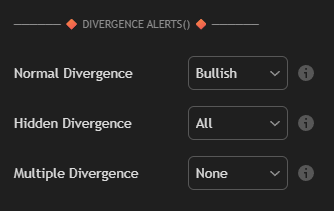
### Choose alert notifications per feature

Scroll to the **Alert Settings** section

You’ll see options grouped under each feature you toggled ON in Step 1.

Check the box next to each **specific event type** you want to receive alerts for

<div align="left" data-with-frame="true"><figure><img src="/assets/62abdd9960d63402574b2b4bee5480b808d71022f6333ff195d560965490229f.png" alt=""><figcaption></figcaption></figure></div>
{% endstep %}

{% step %}

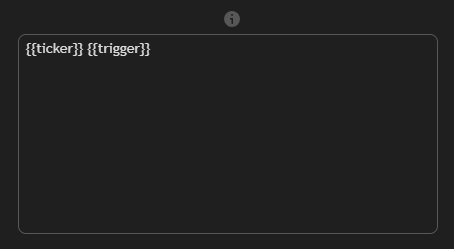
### Check the Message Box with Alert Placeholders

<div align="left" data-with-frame="true"><figure><img src="/assets/29e4f5f3c09ddb23fc990b717e5ed507c19e07c1fcd198ec752d789f518f47f7.png" alt=""><figcaption></figcaption></figure></div>

<table data-full-width="true"><thead><tr><th width="175">Placeholder</th><th width="510">Description</th><th>Example</th></tr></thead><tbody><tr><td>{{tickerid}}</td><td>Ticker identifier representing the chart's symbol</td><td>'BINANCE:BTCUSDT'</td></tr><tr><td>{{ticker}}</td><td>Symbol name without exchange prefix, e.g. 'MSFT'.</td><td>'MSFT'</td></tr><tr><td>{{exchange }}</td><td>Prefix of current symbol name (i.e. for 'CME_EOD:TICKER' prefix is 'CME_EOD').</td><td>'BYBIT'</td></tr><tr><td>{{close}}</td><td>Close price of the current bar</td><td>'1650.55'</td></tr><tr><td>{{open}}</td><td>Current open price</td><td>'4650.55'</td></tr><tr><td>{{high}}</td><td>Current high price</td><td>'7550.56'</td></tr><tr><td>{{low}}</td><td>Current low price</td><td>'5645.55'</td></tr><tr><td>{{timenow}}</td><td>Current time</td><td></td></tr><tr><td>{{volume}}</td><td>Current bar volume</td><td>'1675555'</td></tr><tr><td>{{interval}}</td><td>A string representation of the chart's timeframe</td><td>'W'</td></tr><tr><td>{{trigger}}</td><td>Alert name</td><td>'FlowTrend Bullish'</td></tr><tr><td>{{country}}</td><td>Returns the two-letter code of the country where the symbol is traded</td><td>"NASDAQ:AAPL" it will return "US"</td></tr><tr><td>{{description}}</td><td>Description for the current symbol</td><td></td></tr><tr><td>{{root}}</td><td>Root for derivatives like futures contract</td><td>If the current chart symbol is continuous futures ('ES1!'), it would display 'ES'</td></tr><tr><td>{{industry}}</td><td>Returns the industry of the symbol, or <a href="https://www.tradingview.com/chart/Q4w4v6Jk/#var_na">na</a> if the symbol has no industry</td><td>'Internet Software/Services'</td></tr><tr><td>{{type}}</td><td>The type of market the symbol belongs to</td><td>'crypto'</td></tr></tbody></table>
{% endstep %}

{% step %}

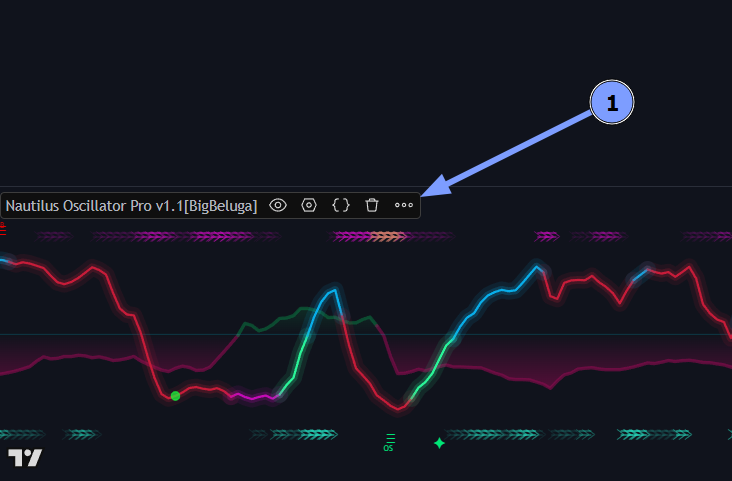
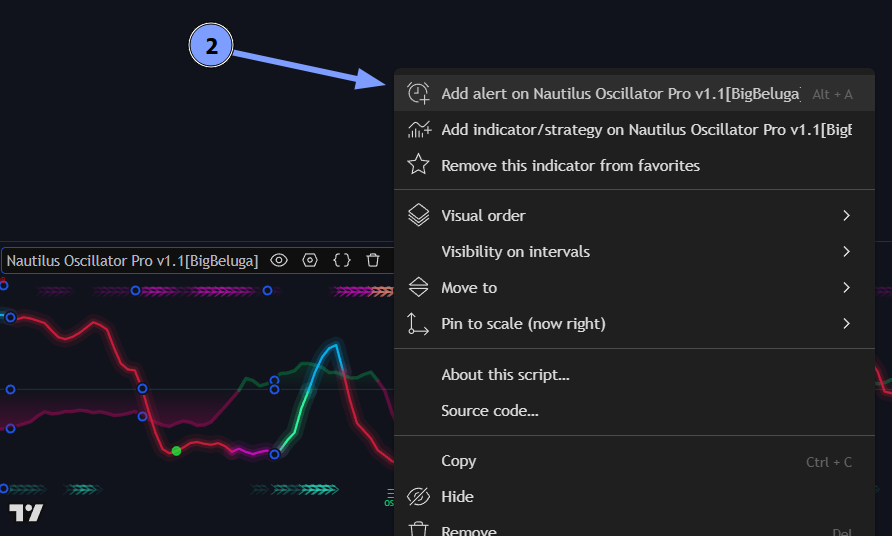
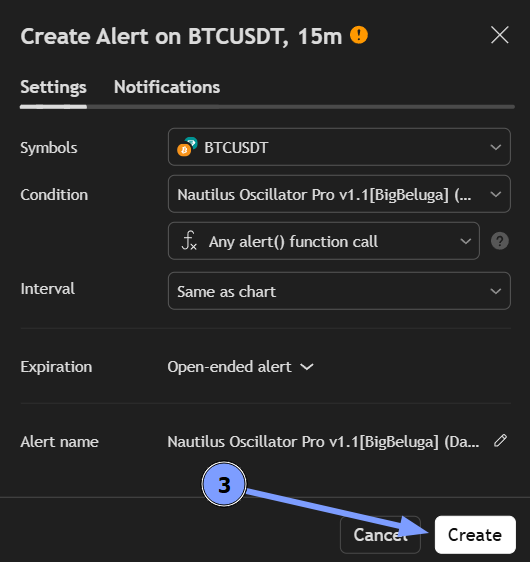
### Create an Alert from the Market Waves Indicator

<div data-full-width="true"><figure><img src="/assets/64df143bf1a990cf6ab3408677c35490b25c0c5799e0607f06f577ce031e66ee.png" alt=""><figcaption><p>1</p></figcaption></figure></div>

<figure><img src="/assets/39cd4e7eee618ff78df36cd7c051e47a1c24340d553cbe3fa3da9210e8fcfd89.png" alt=""><figcaption><p>2</p></figcaption></figure>

<div data-with-frame="true"><figure><img src="/assets/ab87fdbbb05fa07935ce5e7ec6c57707a1d7fe278a79097e570776a36a6b1e42.png" alt=""><figcaption><p>3</p></figcaption></figure></div>
{% endstep %}
{% endstepper %}

These alerts keep traders informed of key moments without constantly monitoring the chart, making it easier to take timely action based on the indicator's signals.