> For the complete documentation index, see [llms.txt](https://docs.bigbeluga.org/llms.txt). Markdown versions of documentation pages are available by appending `.md` to page URLs; this page is available as [Markdown](https://docs.bigbeluga.org/main-toolkits/market-waves-pro-tm/vectorshift.md).
# VectorShift
VectorShift is a premium trend-following system engineered to isolate major market expansions while using an adaptive trailing mechanism to protect open capital during volatile phases.
## Dynamic Trend Line
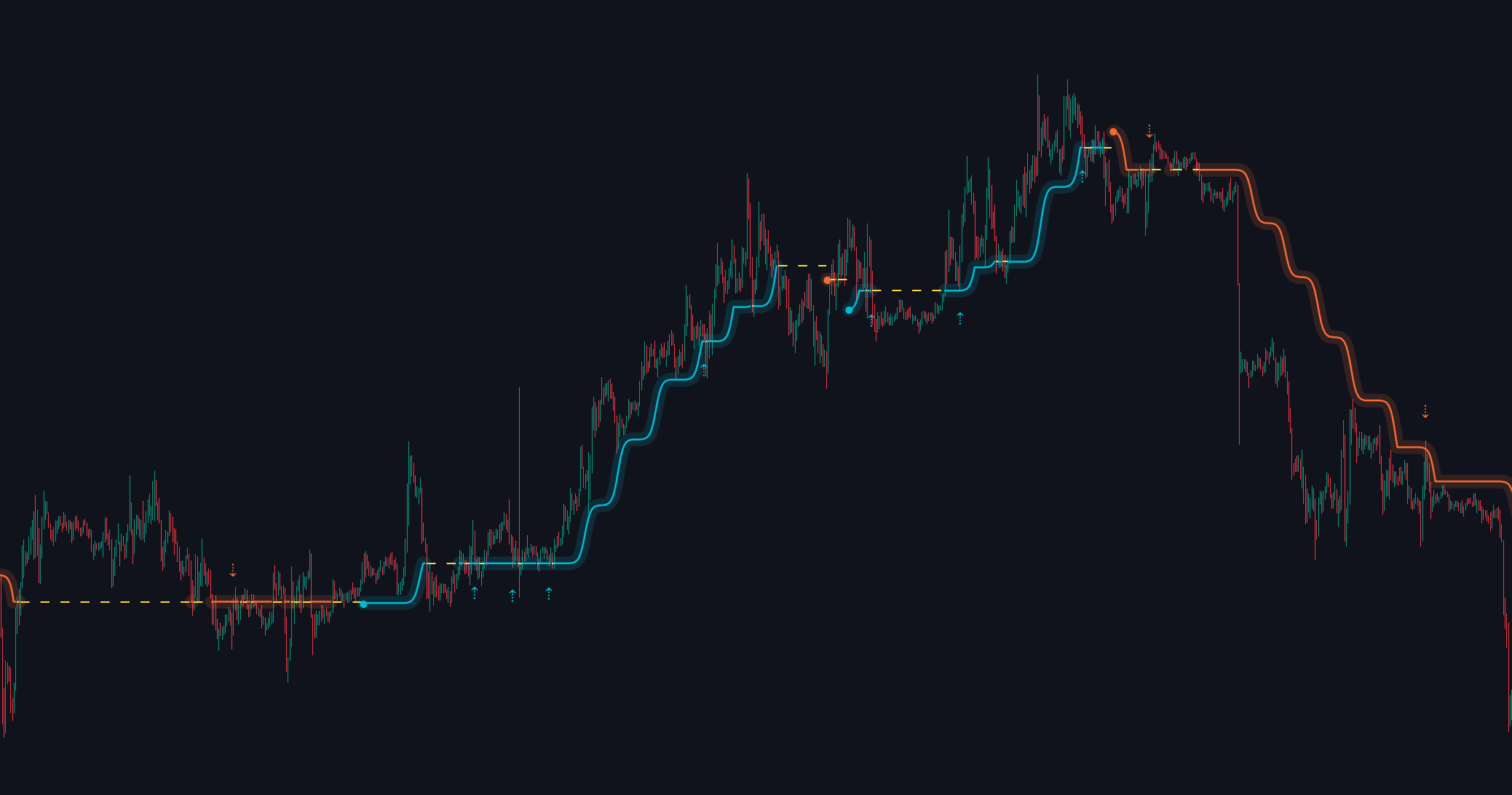
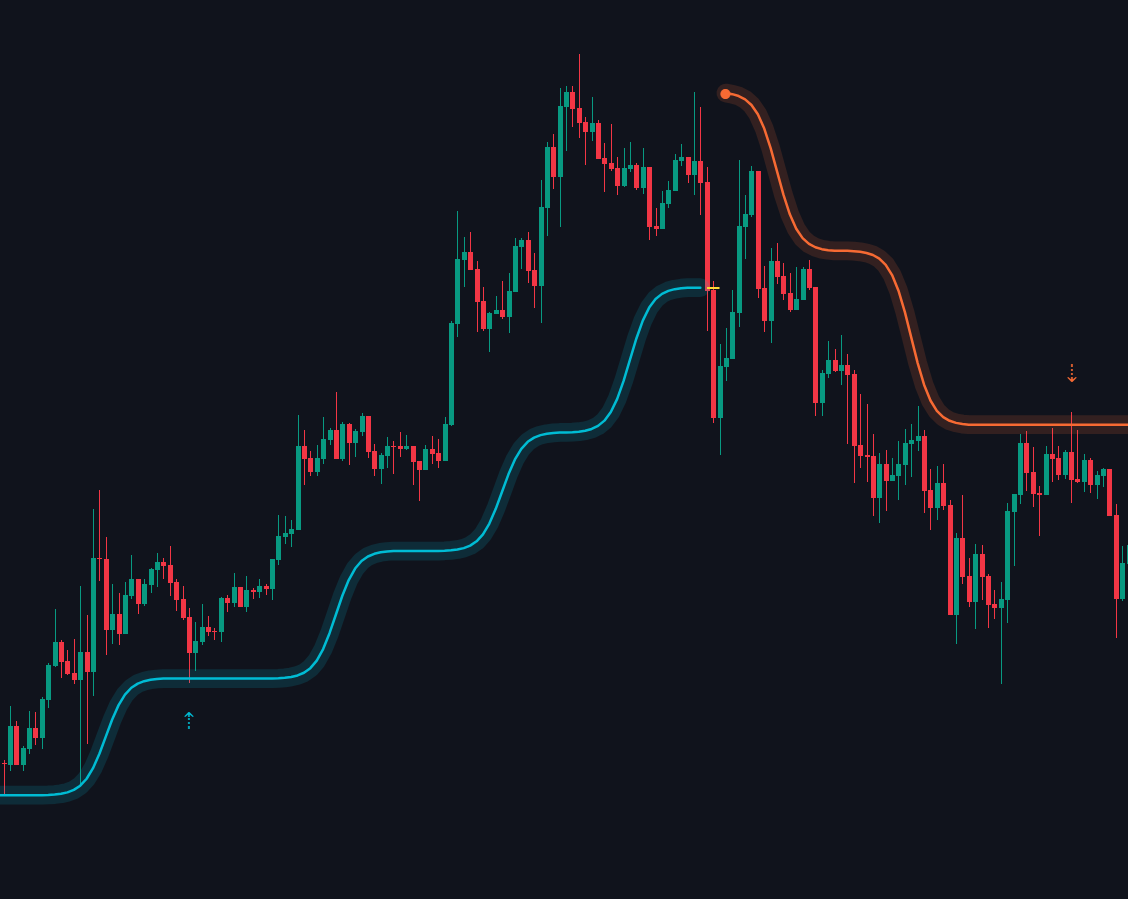
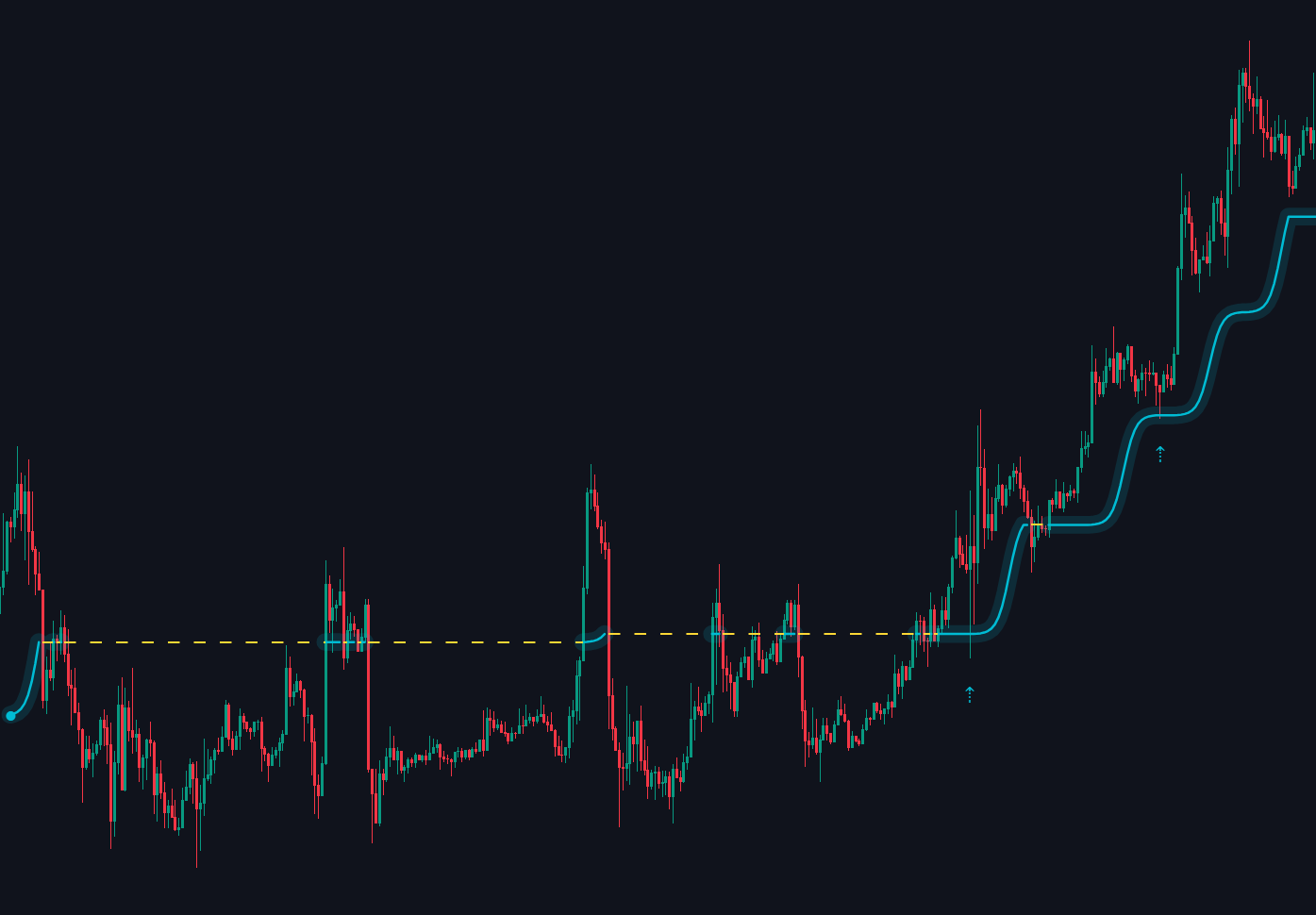
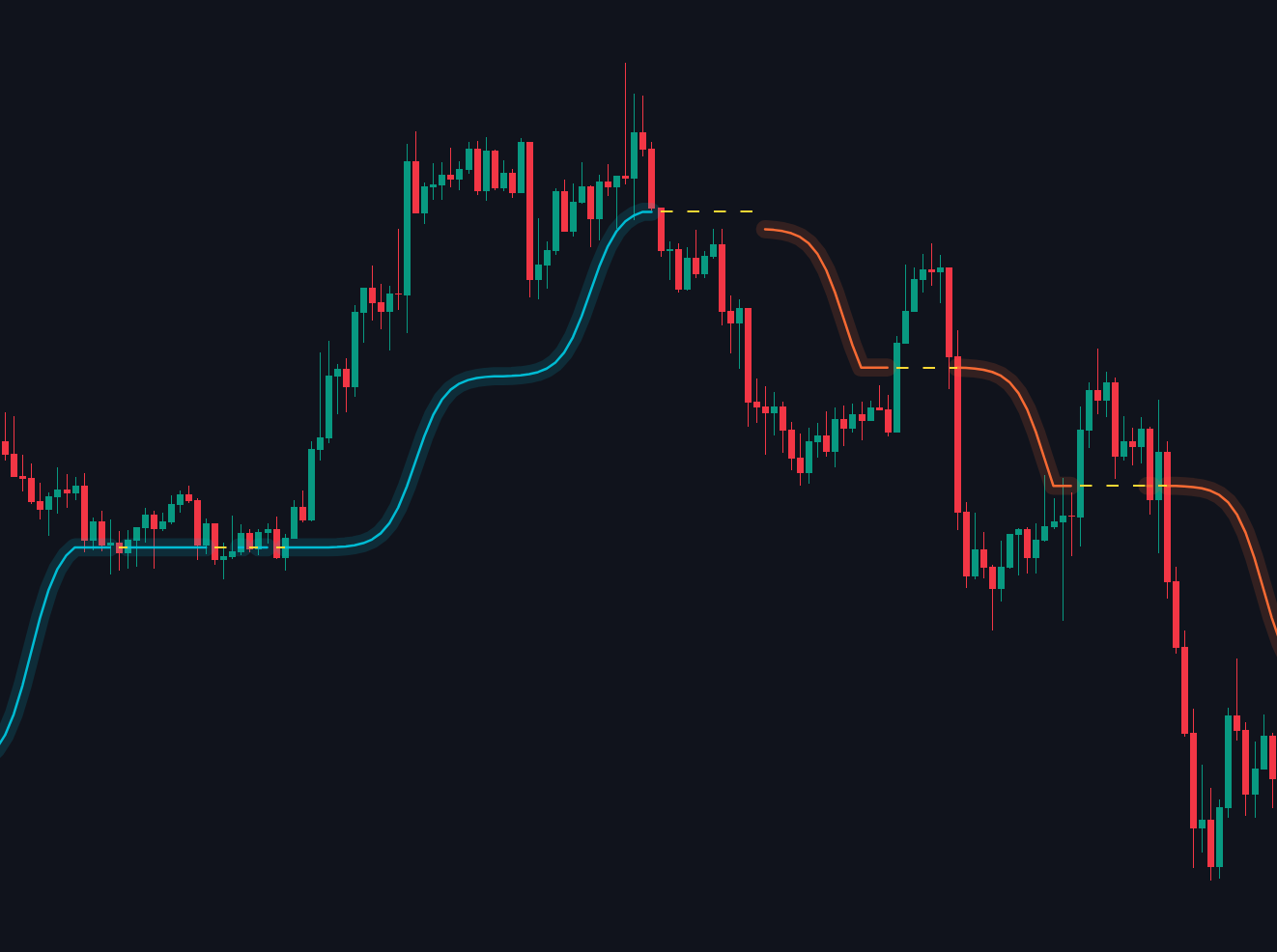
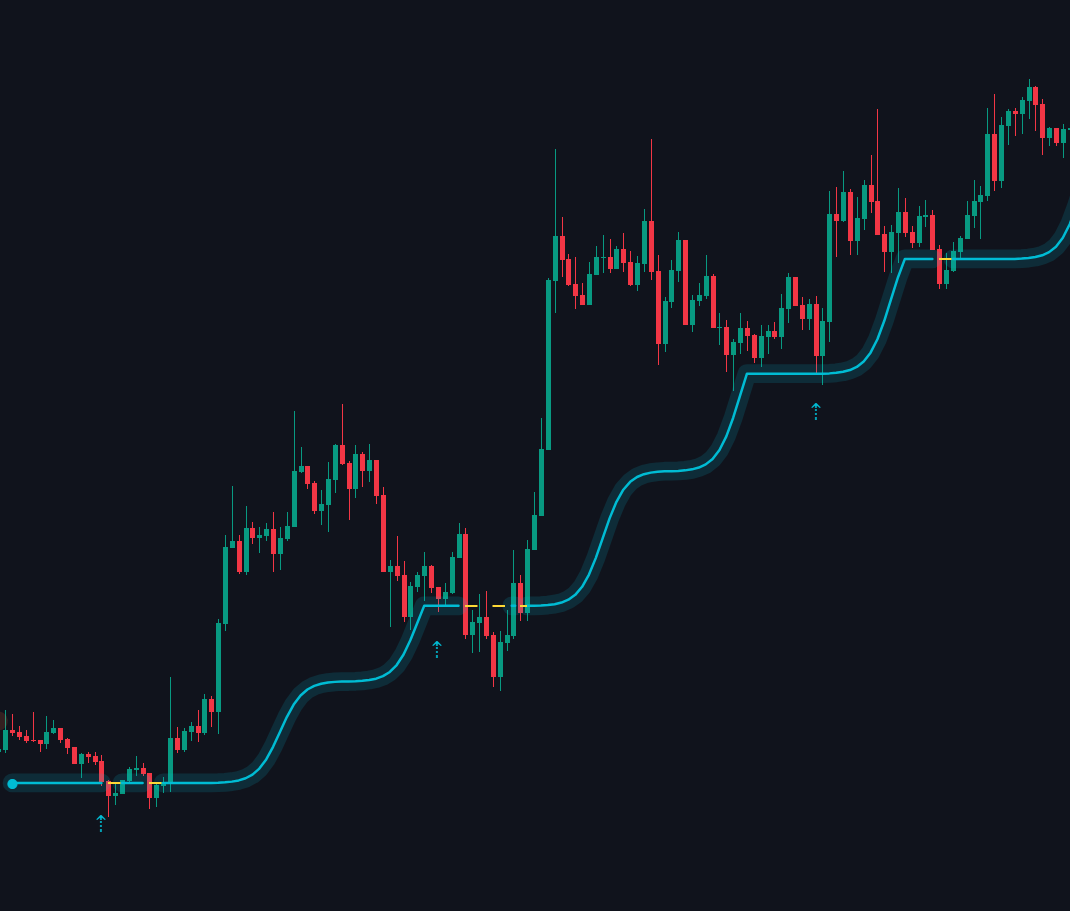
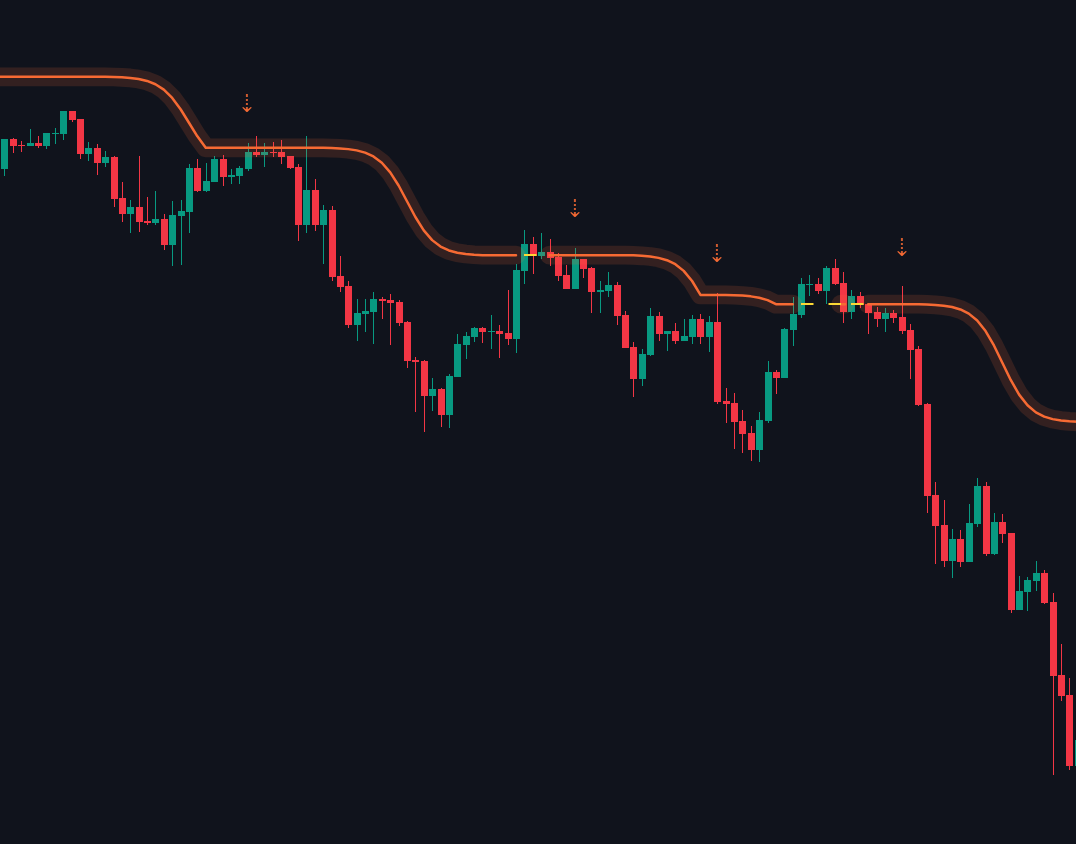
The core line smoothly follows trend direction and dynamically changes style during consolidation, helping traders immediately distinguish between clean trending environments and dangerous ranging conditions.
#### VectorShift Line:
Sharp, directional slopes confirm aggressive market movement and strong continuation.
#### Flat Yellow & Dotted Zones:
When the market slows down or moves sideways, the lines change to dashed yellow. This is an early warning that the trend is flat and the market is uncertain
##
## Execution Modes
VectorShift includes three distinct sensitivity settings to align perfectly with your personal trading style and timeframe execution:
* Scalp: Optimized for high-frequency setups. This mode is highly sensitive to fast price fluctuations, providing quick structural trend adjustments for swift entries and exits.
* Normal: The default balanced setting, ideal for day trading. It filters out market noise while remaining responsive to significant intraday trend shifts.
* Macro: Designed for long-term analysis. This mode prioritizes the dominant higher-timeframe direction, ignoring short-term volatility to keep you aligned with the primary trend.
##
## Re-entry System
The module features a built-in tracking filter engineered to identify high-probability structural retests when a primary market trend is healthy and active.
#### Bullish Re-entry **⇡**
Prints an upward arrow below the candle when the market successfully tests the baseline during an uptrend, provided the candle body manages to close cleanly above the tracking band.
#### Bearish Re-entry **⇣**
A down arrow appears above the candle when a bounce fails. This happens when the price bounces up to touch the baseline during a downtrend, but cannot hold it, closing back down below the line.
##
## How to Use
* Trend Confirmation: Align your trades with the primary VectorShift direction—look for long opportunities when the band is cyan and short opportunities when the band is orange.
* Range Filtering: Avoid opening fresh positions when the VectorShift line turns flat and switches to a dotted yellow format, as this indicates low momentum and range-bound chop.
##
## Settings
| Setting | Description |
| ------------ | ------------------------------------------------------------------------------------------------------------- |
| VectorShift | Enables or disables the primary trend-following tracking line and visual glow overlay on your price chart. |
| Horizon Mode | Allows you to select the computational execution mode between `Scalp`, `Normal`, and `Macro` tracking states. |
| Color | ustomizes the visual colors for the VectorShift line. |