> For the complete documentation index, see [llms.txt](https://docs.bigbeluga.org/llms.txt). Markdown versions of documentation pages are available by appending `.md` to page URLs; this page is available as [Markdown](https://docs.bigbeluga.org/main-toolkits/market-core-pro-tm/forex-trading-sessions.md).

# Forex Trading Sessions

Market Core Pro shades every major global Forex session directly on your TradingView chart — New York, London, Tokyo, and Sydney — so you always know which trading hours price is moving through.

## Full Global Session Range Highlighting

Each session overlay is controlled by its own toggle in the Forex Session group, and the options below refine how every session box is drawn.

### Session Overlays

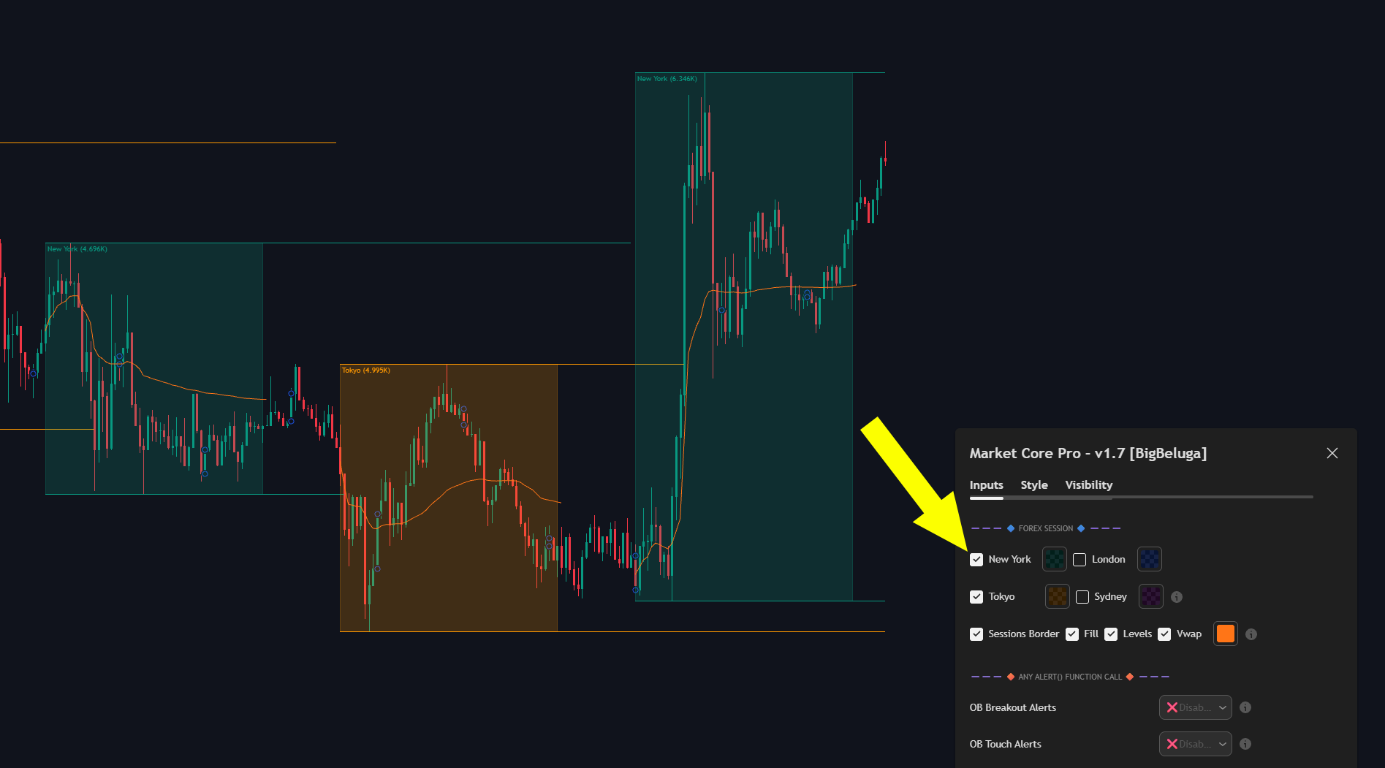
Check New York, London, Tokyo, or Sydney to display a colored background box covering the complete trading session. Active session boxes expand vertically in real time to capture the exact highest high and lowest low reached during that session.

<div align="left" data-with-frame="true"><figure><img src="/assets/9461f9a76f9f70341c7601cc8cfea5fe6e721502933a7d0242b7363e9aecde8b.png" alt="New York and Tokyo Forex session boxes with session VWAP lines and the Forex Session settings panel"><figcaption></figcaption></figure></div>

### Session Volume Label

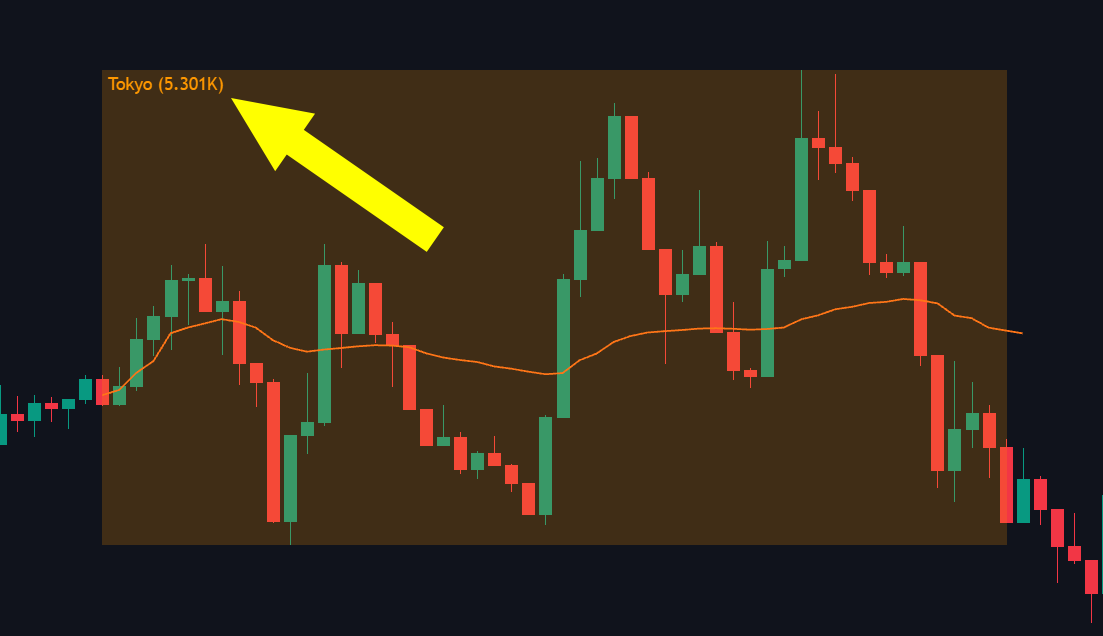
The corner label of each session box shows the session name together with the total volume traded during that session (e.g., `Tokyo (5.301K)`).

<div align="left" data-with-frame="true"><figure><img src="/assets/37dcbf6b321820f57d5cb7136a9e3808c3ffeb5a1e5cbb79c3c42f35d0783b56.png" alt="Tokyo session box corner label showing the total volume traded in the session"><figcaption></figcaption></figure></div>

### Sessions Border

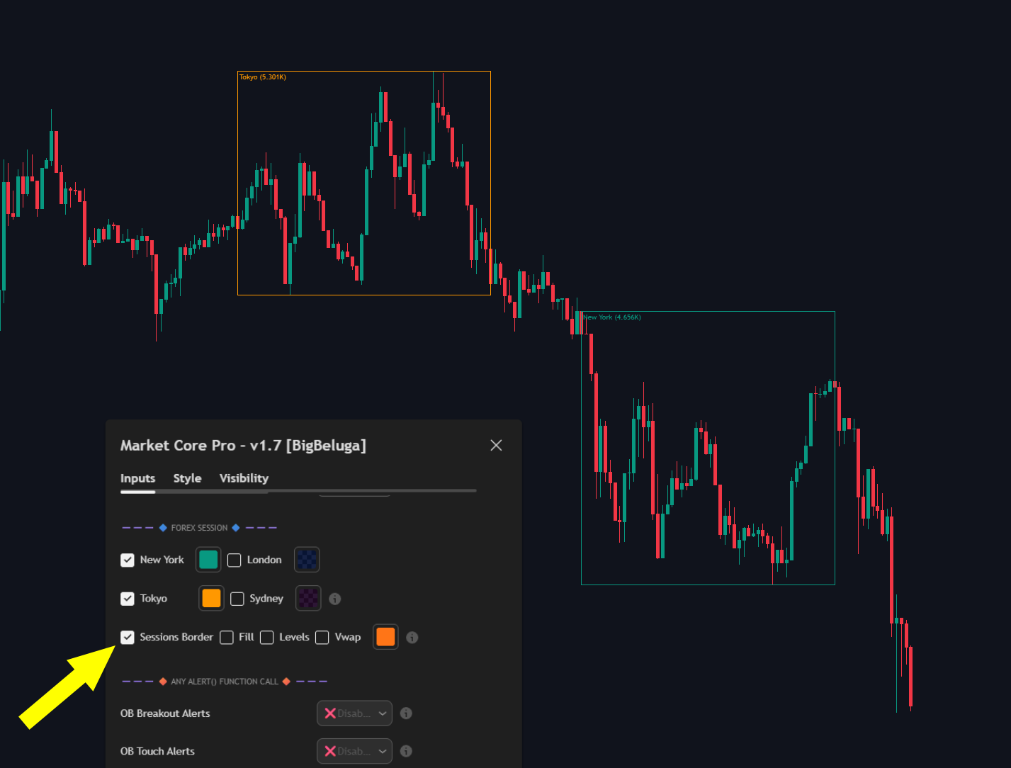
Highlights the border of the selected sessions, keeping the session edges visible on the chart.

<div align="left" data-with-frame="true"><figure><img src="/assets/d9aba6677e2f27846e5648c5e3cd9c8a8d30244fbdeb2e74fc8e9b3e9d420802.png" alt="Tokyo and New York Forex session borders highlighted with the background fill turned off"><figcaption></figcaption></figure></div>

### Fill

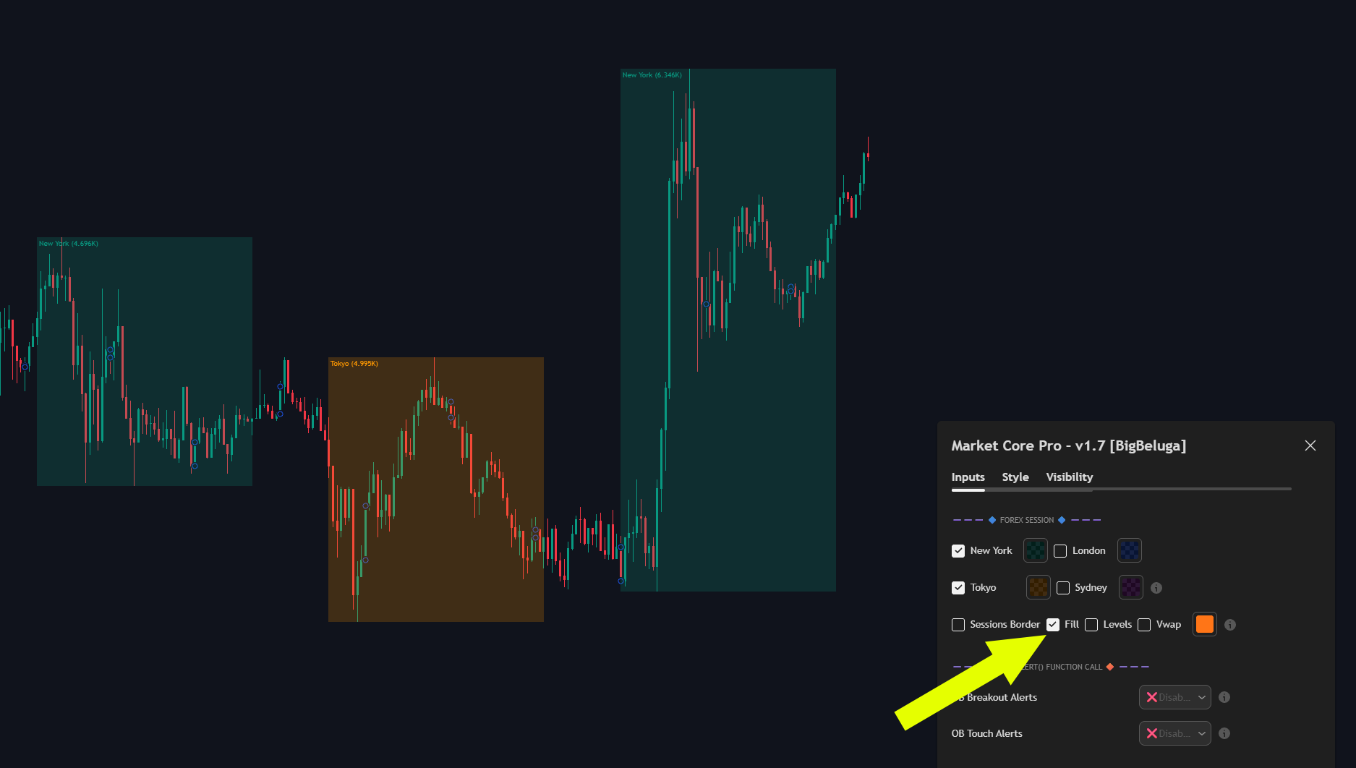
Fills the entire session background with the session color.

<div align="left" data-with-frame="true"><figure><img src="/assets/81eff415a642a9081de8350ffdad32fff3bec2c1ab00c4fddeed72d814f4a9d2.png" alt="Forex session boxes filled with the session color while the session border is disabled"><figcaption></figcaption></figure></div>

### Levels

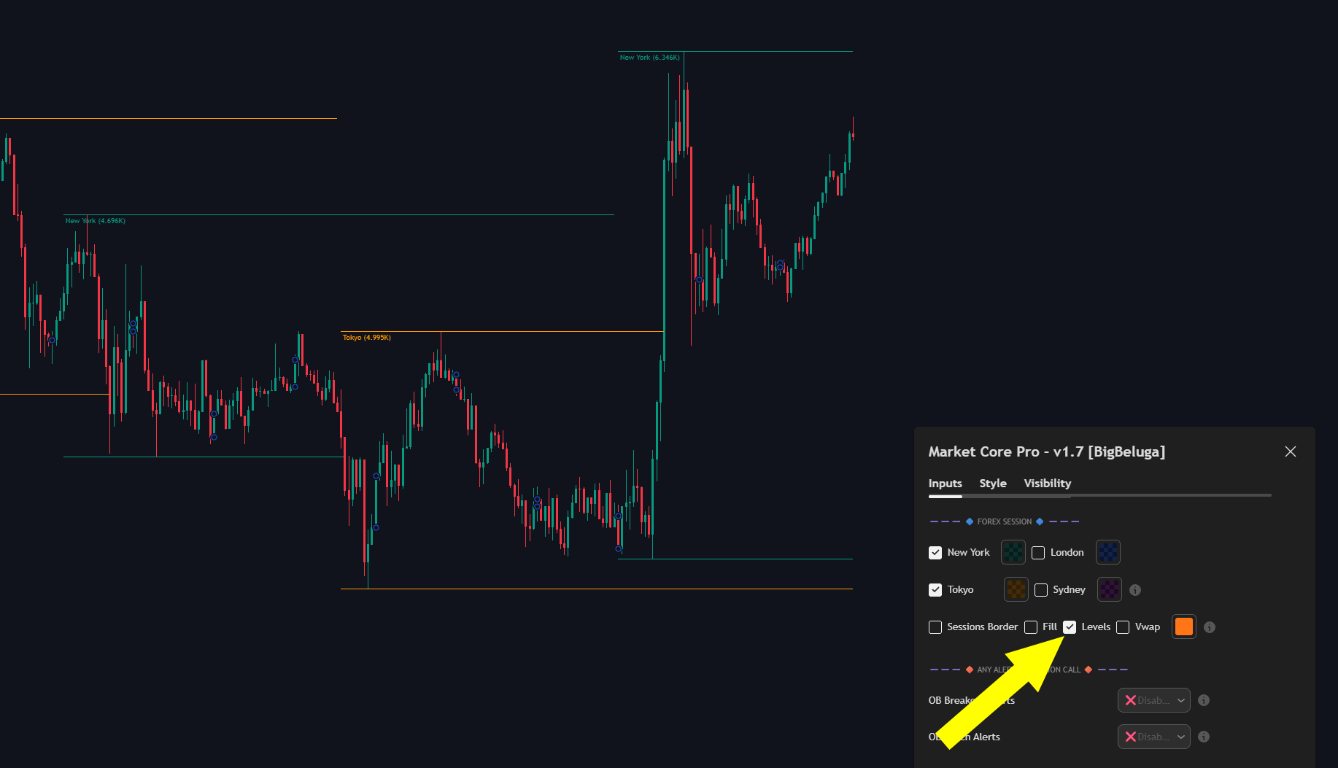
Marks the top and bottom levels of each session. They update together with the session box as the session develops new highs and lows. Once the session ends, the levels stop moving on the y-axis and only extend to the last bar, until price crosses them or a new session appears.

<div align="left" data-with-frame="true"><figure><img src="/assets/ad7d48e0b3b7bfabda57b2d95f032a86daba1dacca8ee609dd3cd02670c7c994.png" alt="Session high and low levels extending across the chart with the Levels setting enabled"><figcaption></figcaption></figure></div>

### Vwap

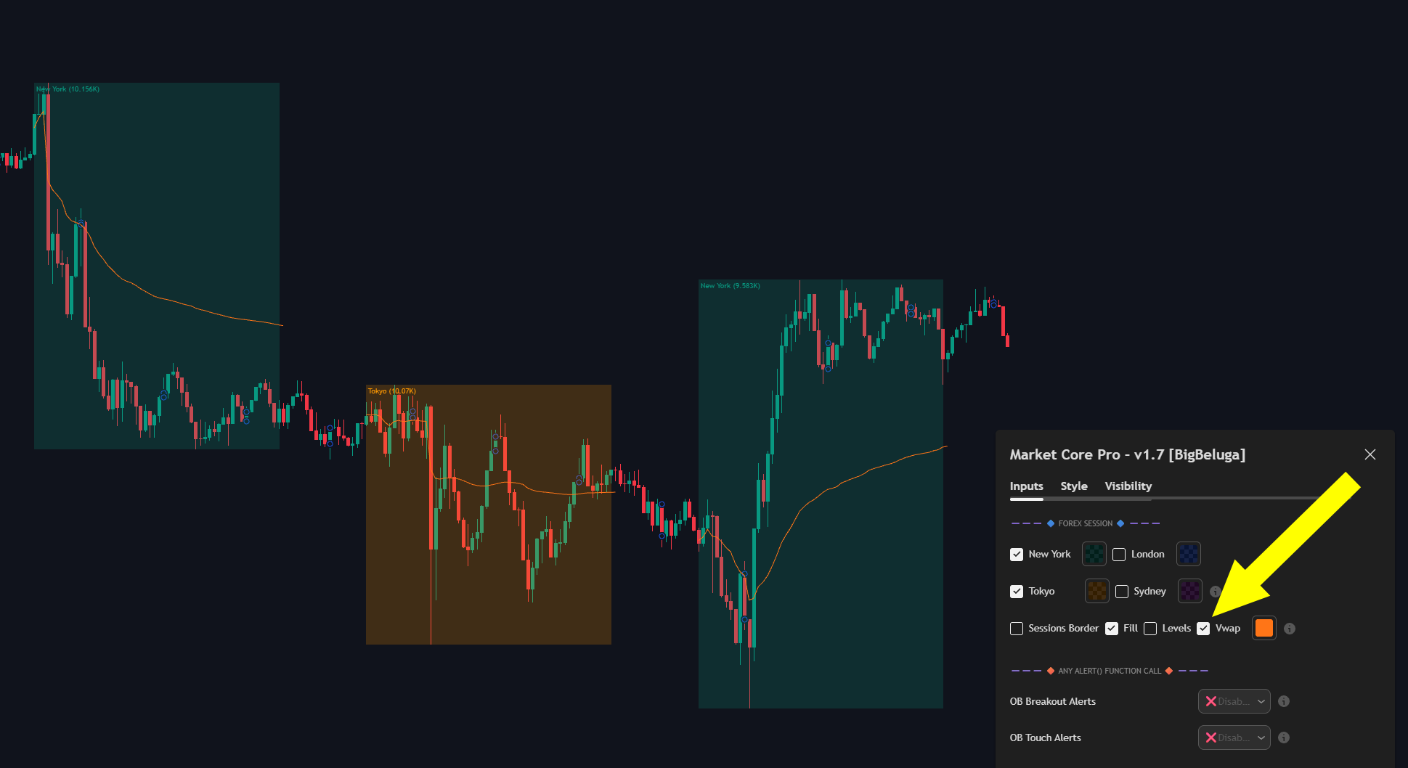
Plots the volume-weighted average price line of each session, drawn in the color picked next to the toggle.

<div align="left" data-with-frame="true"><figure><img src="/assets/32cb81067ca8656cb3f347c98ea1e03f4ab75d33e0e0320cafe0ff58c1da3a66.png" alt="Session VWAP lines plotted inside the New York and Tokyo session boxes"><figcaption></figcaption></figure></div>

Looking for breakout boxes and signals around the session open instead? See [Open Range Breakout](/main-toolkits/market-core-pro-tm/session-opening.md).

##

## Settings

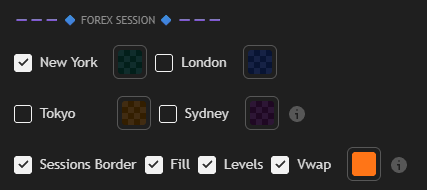
<div align="left" data-with-frame="true"><figure><img src="/assets/b122dadc2f4e18a170bb35a90d64a7e43e318493f228275e811b2fe6cb998aa7.png" alt="Forex Session settings with New York, London, Tokyo and Sydney toggles plus Sessions Border, Fill, Levels and Vwap" width="427"><figcaption></figcaption></figure></div>

| Setting                                                                    | Description                                                                                                                                                                                                                                                                                                                    |
| -------------------------------------------------------------------------- | ------------------------------------------------------------------------------------------------------------------------------------------------------------------------------------------------------------------------------------------------------------------------------------------------------------------------------ |
| <ul><li>New York</li><li>London</li><li>Tokyo</li><li>Sydney</li></ul>     | <ul><li>Enable any of the four global sessions to draw its overlay on the chart.</li><li>The color swatch next to each session sets the color used for that session.</li></ul>                                                                                                                                                 |
| <ul><li>Sessions Border</li><li>Fill</li></ul>                             | <ul><li>Highlights the border of each enabled session for a cleaner, minimalist look.</li><li>Fills the session area with the session color instead of showing the border only.</li></ul>                                                                                                                                        |
| Levels                                                                     | Marks the session top and bottom levels. They follow the session box while the session develops new highs and lows, then freeze after the session ends and only extend to the last bar until price crosses them or a new session appears.                                                                                    |
| Vwap                                                                       | Plots the session volume-weighted average price line, colored with the picker next to the toggle.                                                                                                                                                                                                                              |