> For the complete documentation index, see [llms.txt](https://docs.bigbeluga.org/llms.txt). Markdown versions of documentation pages are available by appending `.md` to page URLs; this page is available as [Markdown](https://docs.bigbeluga.org/backtesters/strategy-builder/take-profit-and-stop-loss.md).
# Take Profit & Stop Loss
The **Take Profit** and **Stop Loss** settings form the backbone of the BigBeluga Backtester’s **risk management engine**.
They allow traders to precisely model different trade management styles for Long and Short trades separately, compare outcomes, and evaluate how exit logic impacts profitability, drawdown, and win rate.
### Long / Short Take Profit & Stop Loss
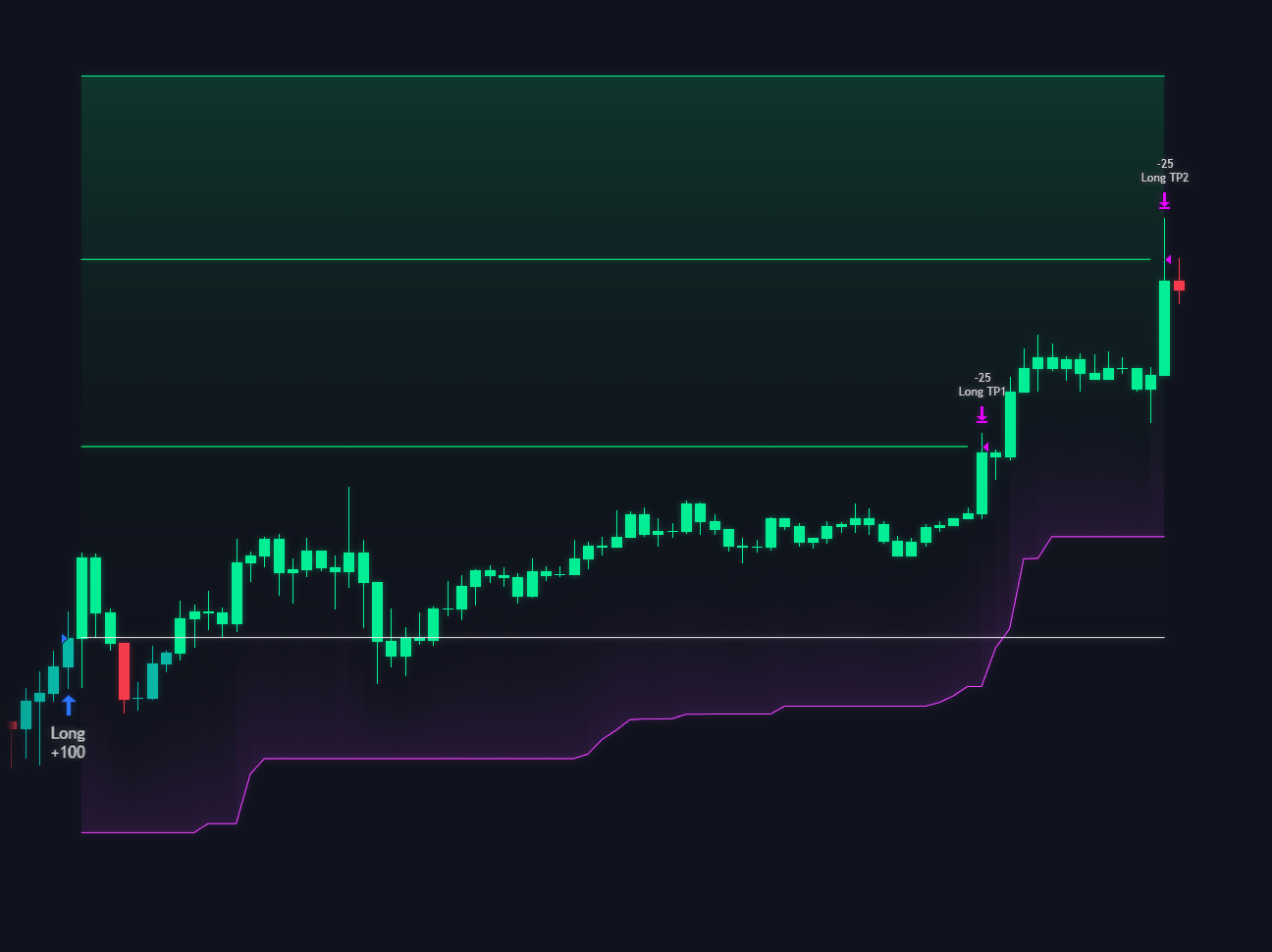
The Take Profit (TP) and Stop Loss (SL) module provides institutional-grade trade management. This update introduces multi-stage exits, dynamic trailing logic, and flexible distance calculation methods (ATR or Percent) to protect your capital and maximize gains
***
### TP & SL Methods
You can choose how the backtester calculates the distance for your exits:
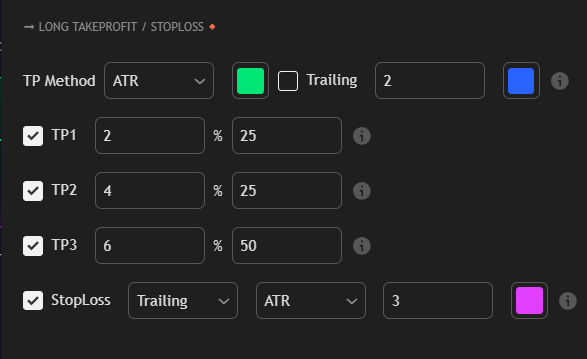
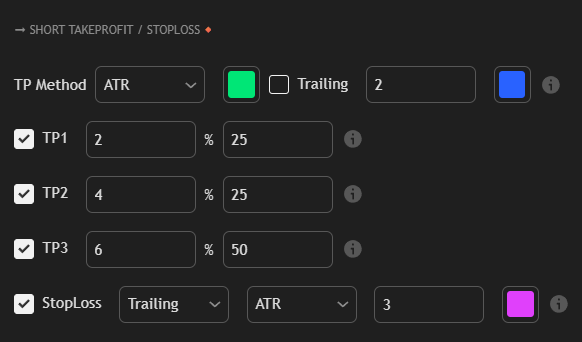
* ATR (Average True Range): Sets distances based on market volatility. Using ATR ensures your stops are wider during volatile periods and tighter during calm markets.
* % (Percentage): Sets fixed distances based on a percentage of the entry price. This is ideal for assets with consistent price movement.
#### Trailing Take Profit
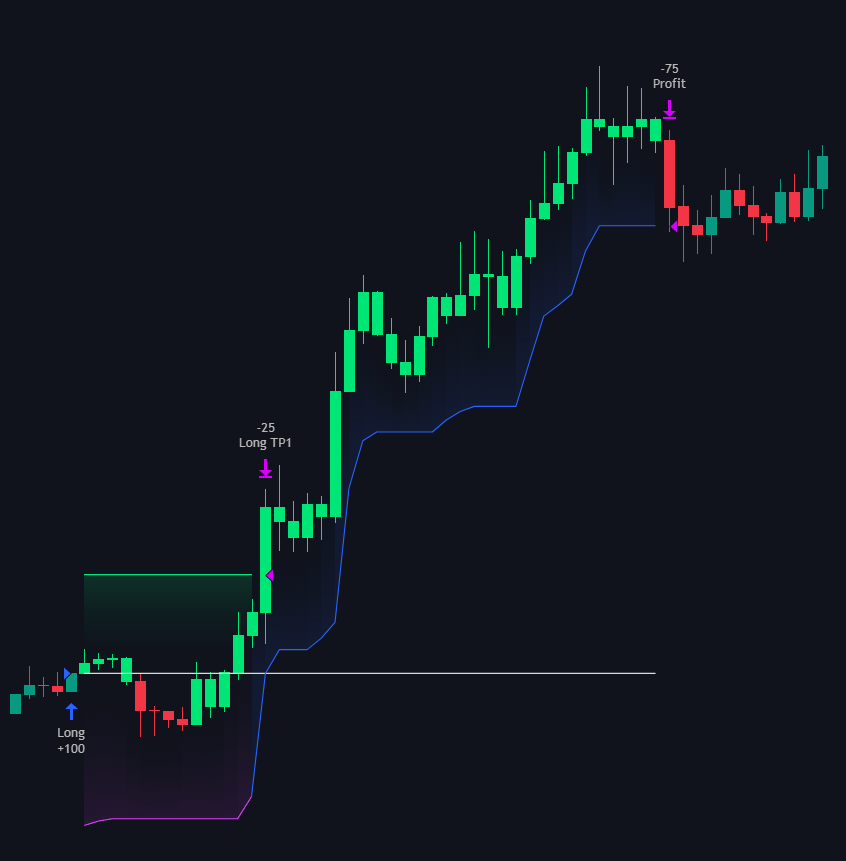
Enable the Trailing toggle to turn your static TP into a dynamic runner.
* Activation: Trailing logic activates only after TP1 is hit.
* Deviation Input: The numerical input next to the Trailing toggle defines the "trail distance." If price moves in your favor, the TP follows; if price reverses by this distance, the remaining position is closed.
***
### Stop Loss (SL) Settings
The Stop Loss is your primary risk safeguard. You can configure it to remain at a static level or dynamically follow the trend to lock in profits.
* Fixed Stop Loss: The stop stays at the original calculated level until hit or until the trade reaches its Take Profit targets.
* Trailing Stop Loss: As price moves in your favor, the Stop Loss automatically moves up (for Longs) or down (for Shorts) to protect your gains.
#### Stop Loss Inputs
* Type Dropdown: Choose between Fixed or Trailing.
* Method Dropdown: Choose between ATR or %.
* Distance Value: The numerical input (next to the color picker) defines the specific ATR multiplier or percentage value for the stop.
* Visual Color: Customize the color of the Stop Loss line on your chart using the color box (default is purple/pink).
> Pro Tip: If using a Trailing Stop Loss, pairing it with an ATR method is often more effective than a fixed percentage, as it allows the trail to adapt to the specific "noise" level of the asset you are trading.